
2pcs Keyboard Stands
4.6Editor score
Aluminum alloy material
Provides perfect angle
Two pieces included
Finding the right laptop kickstand can transform your workspace into an ergonomic haven. These small devices elevate your screen to eye level, reducing neck strain during long work sessions.
We evaluated ten top-rated models based on build quality, portability, and cooling performance. Each product offers unique features designed to enhance comfort and productivity for users on the go.
Our guide highlights key benefits and potential drawbacks for every pick. Prices and availability may change, so check current listings before making your final purchasing decision today.
4.6Editor score

4.3Editor score

4.7Editor score
As an Amazon Associate we earn from qualifying purchases.
This side-by-side comparison outlines the distinct features of each stand to help you choose the right model for your specific device and workflow needs.
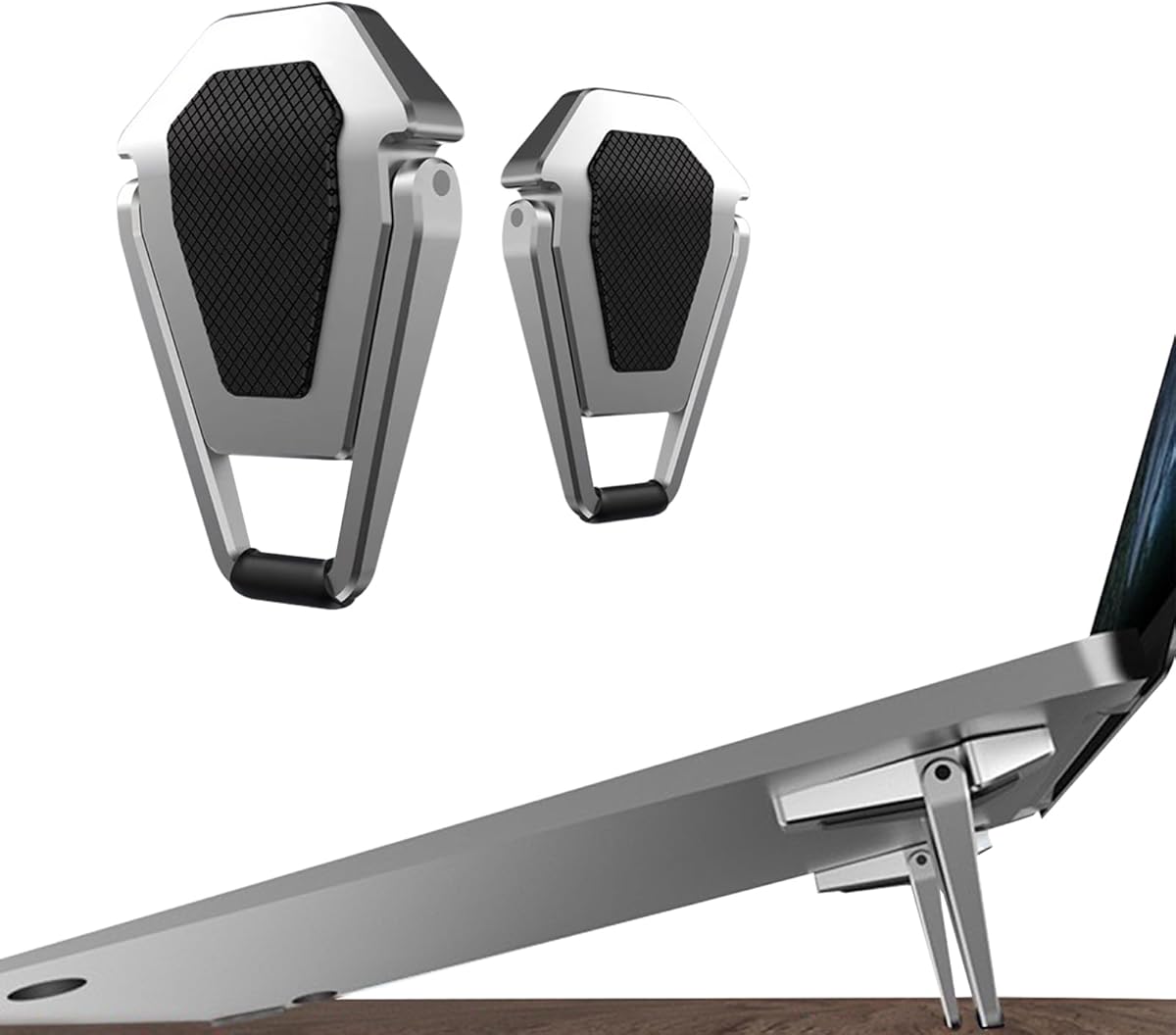


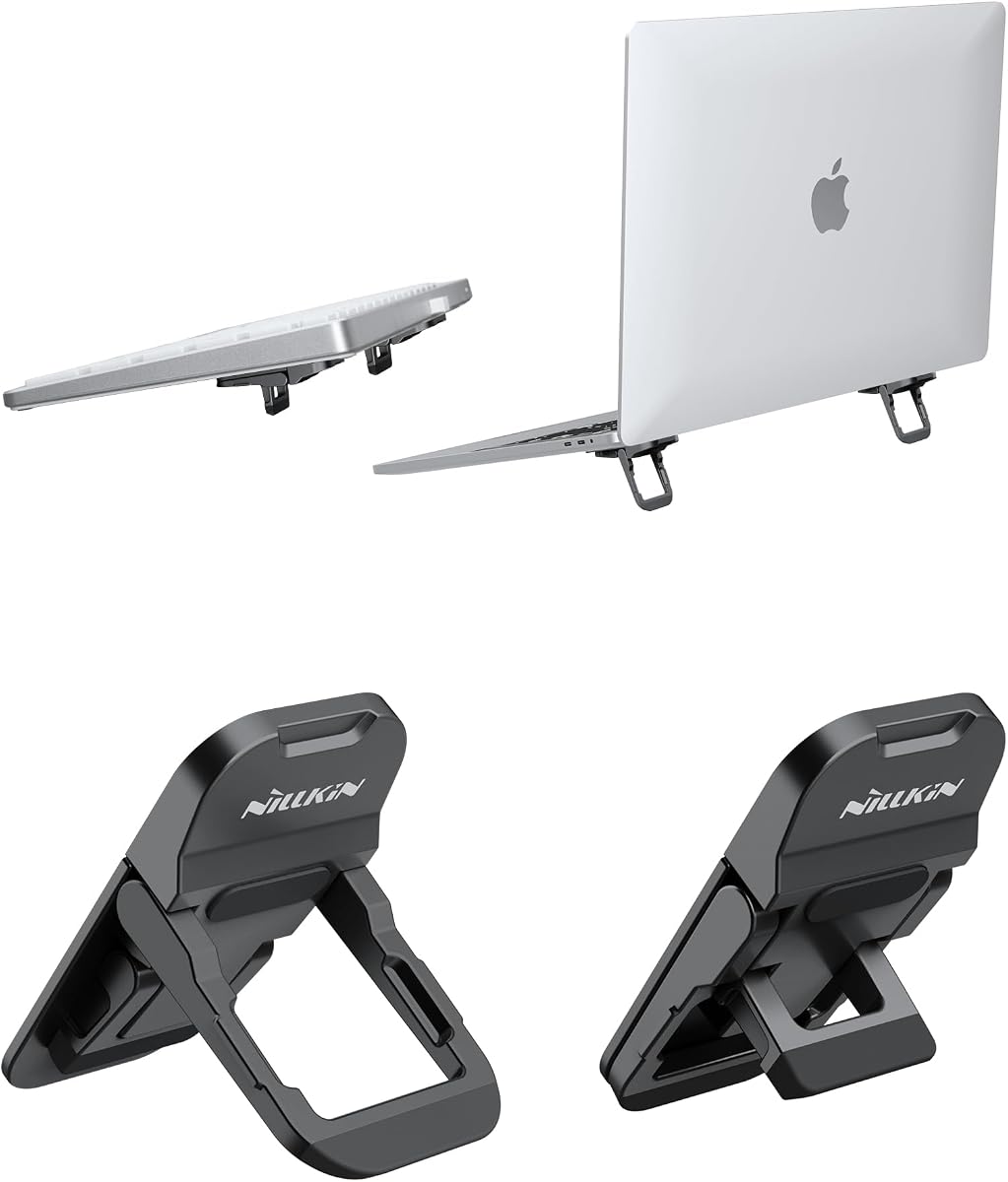


The 2pcs Keyboard Stands offer an affordable entry point for ergonomic computing. With a solid 4.6 rating, users appreciate the durable aluminum alloy construction that supports various laptop brands effectively.
We may earn a commission when you buy through this link, at no additional cost to you.
These stands provide a consistent viewing angle that helps maintain a relaxed state during typing. The elevated design promotes airflow to prevent overheating and crashing when you use laptops for long periods.
While the design is simple and lacks adjustable settings, it fulfills its primary purpose well. The inclusion of two pieces ensures you have a spare or can use one for a keyboard.
This option is ideal for budget-conscious users seeking reliable support. It enhances comfort without breaking the bank and remains a strong choice for everyday desk setups.
Made from high-quality aluminum alloy, these stands are built to last through daily use without bending or breaking.
Raising your laptop improves your posture and reduces strain, making long work sessions more comfortable and productive.
We may earn a commission when you buy through this link, at no additional cost to you.
This portable stand combines premium zinc alloy with a foldable design that weighs only 24 grams. It is perfect for travelers who need stability without adding bulk to their bag.
We may earn a commission when you buy through this link, at no additional cost to you.
The adjustable tilt angle allows for customized comfort while the open space ensures continuous airflow to keep your device cool. Rubber pads protect your equipment from slips and scratches on any surface.
While it offers great portability, the adhesive nature means you must apply it carefully. It works well for those who prefer a low-profile solution that stays hidden under the laptop.
Ideal for students or professionals on the go, this stand elevates your screen to the optimal typing height effortlessly. It balances durability with extreme portability for mobile workflows.
Weighing just 24 grams and folding small, it is easy to carry in a pocket or laptop bag everywhere you travel.
The clever middle space ensures continuous airflow to prevent overheating during heavy gaming or processing tasks.
We may earn a commission when you buy through this link, at no additional cost to you.
Hagibis mini laptop stand offers three heights to switch freely according to your needs. It acts as thermal pads to help cooling your laptop while the forward-tilt angle offers great ventilation.
We may earn a commission when you buy through this link, at no additional cost to you.
The increased bottom sticking surface solves the problem that back sticking stands fall off easily. This design makes the stand more stable and secure during daily typing activities.
You might need to let the adhesive sit before heavy use for best results. However, the benefits of adjustable height and better circulation are worth the small wait for setup.
This stand is perfect for users who need flexibility in screen positioning. It works with a wide range of notebooks and tablets, ensuring versatility across different devices.
You can adjust the height of 10mm, 20mm and 36mm according to your needs for a tailored viewing experience.
The increased bottom sticking surface ensures the stand stays firmly attached and prevents accidental falls during use.
We may earn a commission when you buy through this link, at no additional cost to you.
This mini stand is very light and stays permanently attached to your laptop base. It comes with a bonus privacy shield to block digital snooping and protect your physical health.
We may earn a commission when you buy through this link, at no additional cost to you.
Instantly switch between 8 degree casual browsing mode and 13 degree ergonomic typing height without using tools. The triangular support design is enough to support a weight of up to 22 pounds.
While the plastic construction feels lighter than metal, it holds up well against daily wear. The dual-angle feature offers significant ergonomic benefits for video conferencing or crunching deadlines.
If you want to protect your posture and privacy in one smart purchase, this is a great choice. It saves desk space and allows for rapid setup in any location.
The package includes a free webcam cover to block digital snooping and protect your identity during calls.
Peel, stick, lift and done. You can elevate your laptop in seconds without any screws or clamps.
We may earn a commission when you buy through this link, at no additional cost to you.
Crafted from premium zinc alloy, this stand is sturdy yet lightweight with a triangular support design. It features 3 precise angles to reduce neck and shoulder strain during long work sessions.
We may earn a commission when you buy through this link, at no additional cost to you.
Equipped with upgraded anti slip silicone pads, it keeps your laptop stable while typing. The nano seamless adhesive ensures firm adhesion without residue for a clean look.
Note that you should let it sit for 1 hour for full adsorption during the first pasting. Also avoid repeating pasting too many times to maintain good adhesion on your device.
This portable option is ideal for travel or office use where space is tight. It enhances typing comfort without taking up your space when folded away neatly.
Elevate your laptop with 3 precise angles of 3 degrees, 11 degrees, and 16 degrees to improve typing comfort.
Upgraded anti slip silicone pads keep your device stable while typing to prevent accidental sliding.
We may earn a commission when you buy through this link, at no additional cost to you.
You will get 2 mini laptop stands measuring about 4.2x3cm. And coming with 2 anti-slip stickers and 2 double-sided tapes for convenient and easy to install.
We may earn a commission when you buy through this link, at no additional cost to you.
The laptop feet are made of zinc alloy, reliable and durable, not easy to break or deform. They serve you for a long time while preventing your laptop from overheating.
These portable stands improve your posture and reduce neck and back pressure effectively. They are small and foldable so you can store them into your bags or pockets easily.
This versatile set works with laptops, keyboards, tablets, and mobile phones. It brings much convenience for your daily life with a simple and reliable design.
The package includes two stands and extra tapes so you have replacements or options for multiple devices.
Small and foldable enough to carry in your pocket for home, office, or outdoor work anywhere.
We may earn a commission when you buy through this link, at no additional cost to you.
This versatile device converts from a laptop riser to a tablet easel or phone holder. It features an N52 magnetic core that snaps onto iPhone models for a quick dual-screen hub.
We may earn a commission when you buy through this link, at no additional cost to you.
Built from premium aerospace aluminum, it holds heavy gaming laptops without wobbling. Custom-tensioned hinges guarantee zero sagging while soft silicone pads protect your devices.
Eight distinct height adjustment slots elevate your screen to align with your natural line of sight. It corrects sitting posture and maximizes airflow to prevent CPU overheating.
Ideal for travelers, it collapses down to a compact baton size in just 3 seconds. This stand replaces multiple accessories with one sleek device for your portable office.
Features an ultra-strong integrated N52 magnetic core that instantly snaps onto iPhone models without clumsy clamps.
Collapses to a compact baton and slides into briefcases with a travel pouch included for protection.
We may earn a commission when you buy through this link, at no additional cost to you.
This lightweight and slim travel-friendly laptop kickstand is made of high-quality zinc alloy metal. It offers 3 levels of height for comfortable typing and viewing experiences.
We may earn a commission when you buy through this link, at no additional cost to you.
The non-slip TPU material ensures your device stays secure during use. The open design enhances airflow for efficient heat dissipation to keep your laptop cool.
Easy-to-install via adhesives with no tools needed. It balances premium aesthetics with functional comfort for users who value quality materials.
For those seeking a polished look with strong durability, this stand is a top choice. It provides the premium features needed for a professional and ergonomic setup.
Constructed from high-quality zinc alloy metal to ensure reliability and a sleek aesthetic on your desk.
The open design enhances airflow for efficient heat dissipation during intensive tasks or long sessions.
We may earn a commission when you buy through this link, at no additional cost to you.
The G07 laptop stand pops up instantly in just 0.1 seconds with a satisfying clicking sound. It is incredibly compact and lightweight, folding down to the size of your index finger.
We may earn a commission when you buy through this link, at no additional cost to you.
Built from solid zinc alloy with anti-slip pads, it securely holds your laptop without wobbling. The built-in springs allow for opening and closed without looking for convenience.
Adhesive holds it firmly attached to the back of your laptop. However, the spring mechanism relies on consistent tension which might loosen over years of daily use.
This stand is perfect for users who want innovation and convenience on the go. It allows you to maintain keyboard comfort while enjoying a raised screen.
Thanks to built-in springs, the stand pops up instantly in just 0.1 seconds for quick use without tools.
Its unique design ensures it can be opened and closed without looking, making it easy and convenient.
We may earn a commission when you buy through this link, at no additional cost to you.
This stand is compatible with any devices larger than 9 inches. It offers quick installation and instant use without any added weight or bulk on your device.
We may earn a commission when you buy through this link, at no additional cost to you.
3M adhesives allows for smooth adhesion to your laptop base. Soft slide prevention pads prevent damages on the surface of your computer during use.
Repeated removal may lower adhesive performance so plan your placement carefully. The slim profile makes it easy to store when not in use.
If you want a simple and lightweight option that installs instantly, this is a solid pick. It provides essential support without compromising the look of your laptop.
Quick installation allows you to use the stand instantly without needing tools or complicated steps.
Soft slide prevention pads protect the surface of your device from scratches during operation.
We may earn a commission when you buy through this link, at no additional cost to you.
Choosing the right stand depends on your specific needs and device type. Consider these key factors to ensure you select a model that fits your lifestyle perfectly.
Materials like zinc alloy and aluminum offer better durability and heat dissipation than plastic. Look for stands made from these metals if you plan to use them daily over long periods.
Investing in higher-quality materials ensures the stand lasts longer and protects your expensive device effectively.
If you travel frequently, look for lightweight and foldable options that fit easily into a laptop bag. Some models are designed to stick permanently to your device for quick access.
Portable stands should be easy to carry and set up in coffee shops, offices, or hotels without hassle.
Adjustable height settings allow you to align the screen with your eyes to reduce neck strain. A good stand offers multiple angles to suit both typing and viewing positions.
Prioritize models with clear ergonomic benefits if you work long hours on your laptop every day.
Check that the stand supports the size of your laptop or tablet. Most models work with devices from 12 to 17 inches, but verify specific limits before purchasing.
Universal compatibility ensures you can use the same stand across different devices without buying multiple items.
Look for designs with open ventilation or cooling features to prevent overheating during heavy use. Proper airflow keeps your laptop running smoothly and extends its lifespan.
A stand with good heat management is essential for gaming or intensive computing tasks.
Some stands use adhesive while others use friction or magnetic mounts. Decide if you want a permanent solution or something you can remove easily.
Consider the adhesive strength if you plan to switch laptops or need to remove the stand regularly.
A triangular or reinforced base provides better stability to prevent wobbling while typing. Ensure the stand is sturdy enough to hold your device securely.
Stability is key to avoiding accidental falls or damage to your laptop screen and keyboard.
Start by cleaning your laptop surface thoroughly to ensure proper adhesion for sticky models. Allow the adhesive to sit for an hour before loading the full weight of your device.
Regularly wipe down the stand and your device to remove dust and debris. This prevents scratches and maintains the grip quality of the pads over time.
When traveling, fold or detach the stand carefully to avoid bending the metal parts. Store it in a padded sleeve to protect both the stand and your laptop during transit.
Generally, using a passive stand does not void your warranty. However, if the adhesive leaves residue or damages the chassis, you might face issues. Choose brands that claim residue-free adhesives to be safe.
Most stands are designed for laptops but many work with larger tablets. Check the size limits in the product specs to ensure your tablet fits securely. Some models explicitly mention tablet compatibility.
Most durable stands can support up to 10kg or 22 pounds. This is enough for standard laptops and tablets. Avoid placing heavier equipment like desktop monitors on these portable models.
Yes, many stands are designed to improve airflow underneath the device. Raising the laptop prevents it from sitting on soft surfaces that trap heat. This helps prevent overheating during long sessions.
Absolutely. Elevating the screen to eye level improves your camera angle for video calls. It reduces strain on your neck and makes your setup look more professional on screen.
If the adhesive weakens, you can replace it with new double-sided tape. Ensure the surface is clean before reapplying. Always check manufacturer tips for replacement adhesives if included.
We have reviewed ten top models ranging from budget-friendly aluminum stands to premium ergonomic options. Each offers unique benefits to improve your workspace comfort and device performance.
Prioritize portability if you travel often and stability if you stay at a desk. Choose a material that matches your durability needs for long-term satisfaction.
Remember to check current prices and availability before buying as deals change frequently. Select the stand that best fits your specific device and daily workflow needs.