
Lenovo V15 Business Laptop
4.4Editor score
Intel N-Series Quad-Core Processor
15.6 FHD LED Display
RJ-45 Ethernet Port Included
Finding a laptop with an Ethernet port can be challenging as modern devices often omit them for sleekness. This guide highlights top models that include RJ-45 jacks for stable network connections.
We compared ten real products based on performance, build quality, and port selection. Each option offers reliable wired connectivity alongside modern features like Wi-Fi 6 and fast storage.
Every pick shows key specs and real user ratings to help you decide. Note that prices change frequently so check current listings before purchasing your new device.
4.4Editor score

4.5Editor score

5.0Editor score
As an Amazon Associate we earn from qualifying purchases.
This side-by-side comparison shows key specs for all ten laptops featuring Ethernet ports. Review each model to find the right fit for your needs.

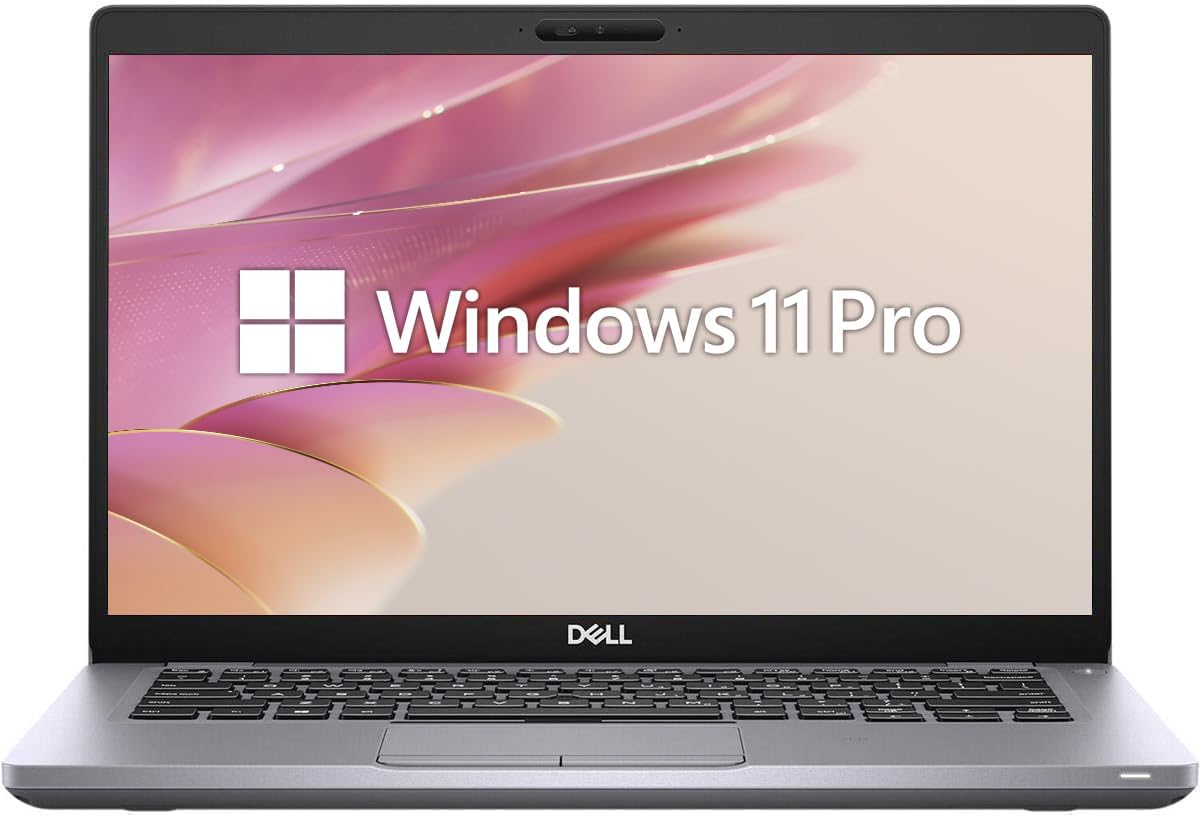




This Lenovo V15 Business Laptop delivers essential features for budget-conscious users needing wired connectivity. It holds a 4.4 rating from verified buyers who value reliability.
We may earn a commission when you buy through this link, at no additional cost to you.
Powered by the Intel N150 processor and 8GB DDR5 RAM it handles daily tasks smoothly. The inclusion of Ethernet ensures stable internet where Wi-Fi may fail.
While storage is modest at 128GB you can upgrade via PCIe slots. The display is adequate for work though not ideal for media editing.
Ideal for students or office workers needing a reliable machine without extra dongles. This model balances cost and function effectively for most needs.
The RJ-45 port ensures stable network access even in areas with weak wireless signals.
Windows 11 Pro adds security tools like BitLocker for protecting sensitive work data.
We may earn a commission when you buy through this link, at no additional cost to you.
The Lenovo V15 Gen 4 balances performance and price for small businesses. It maintains a 4.4 rating thanks to robust memory and storage options.
We may earn a commission when you buy through this link, at no additional cost to you.
With 16GB LPDDR5 RAM multitasking becomes seamless. The 512GB storage provides room for files without immediate expansion needs.
Security features include TPM 2.0 and a privacy shutter which are vital for remote work. The Ethernet port remains a key advantage over newer ultrabooks.
This unit suits users who prioritize data security and stable connections. It is a practical choice for general office tasks.
16GB RAM allows smooth switching between browser tabs and productivity apps without lag.
Firmware TPM 2.0 encrypts critical data like passwords against cyber threats.
We may earn a commission when you buy through this link, at no additional cost to you.
The Dell Latitude 3420 offers enterprise-grade features at a budget price. Its 4.5 rating reflects user satisfaction with performance and build quality.
We may earn a commission when you buy through this link, at no additional cost to you.
The Intel Core i5-1135G7 processor ensures smooth handling of multitasking and content creation. Ports include Ethernet making it versatile for docking stations.
As a renewed model it provides significant savings. However buyers should inspect the unit upon arrival for cosmetic imperfections.
Best for professionals needing a rugged reliable device for less. It bridges the gap between premium and affordable well.
Dell Latitude series is known for durability and support which suits corporate environments.
Type-C HDMI and Ethernet ports allow easy connection to monitors and networks.
We may earn a commission when you buy through this link, at no additional cost to you.
The Dell Latitude 5410 is a solid pick for those needing storage and Ethernet. It holds a 3.7 rating which may indicate mixed experiences with renewed units.
We may earn a commission when you buy through this link, at no additional cost to you.
Despite being an older generation the i5 processor handles daily tasks well. The 512GB SSD offers plenty of space for documents and media.
Ethernet ensures you can always connect directly to a network when wireless is unavailable. This is crucial for secure enterprise environments.
If you need a durable machine with ample storage this model fits. Check reviews carefully before purchase due to rating variance.
512GB SSD provides fast boot times and ample space for applications.
14-inch Full HD screen offers clear visuals for spreadsheets and reports.
We may earn a commission when you buy through this link, at no additional cost to you.
Lenovo 2026 V15 G6 brings updated tech to the budget sector. With a 4.4 rating it offers value for students or entry-level employees.
We may earn a commission when you buy through this link, at no additional cost to you.
The N100 processor paired with DDR5 RAM ensures responsive performance for daily workflows. The 256GB SSD balances speed and cost.
Ethernet connectivity is built-in saving the cost of adapters. Privacy features like the camera shutter add safety for remote calls.
This is a practical device for general productivity needs. It is lightweight enough for travel while keeping essential ports.
DDR5 memory offers faster data processing compared to older DDR4 standards.
Weighing only 3.33 lbs it is easy to carry between meetings.
We may earn a commission when you buy through this link, at no additional cost to you.
This Lenovo V15 Gen 4 variant focuses on memory over storage. It maintains a 4.4 rating among users who need stable performance.
We may earn a commission when you buy through this link, at no additional cost to you.
The 16GB RAM supports heavy multitasking. The AMD processor is power-efficient which helps battery life during travel.
Ethernet remains a core feature ensuring you are never tied to Wi-Fi. The MIL-SPEC tested chassis adds durability for rough conditions.
Ideal for field workers or students needing a robust machine. It balances speed and stability effectively.
MIL-SPEC testing ensures the laptop can withstand shocks and harsh environments.
AMD Ryzen architecture consumes less power for longer unplugged sessions.
We may earn a commission when you buy through this link, at no additional cost to you.
The Lenovo ThinkPad P14s is a powerhouse for professional workflows. Its perfect 5.0 rating highlights satisfaction with speed and reliability.
We may earn a commission when you buy through this link, at no additional cost to you.
Powered by Ryzen AI 7 Pro it accelerates content creation without cloud reliance. The 32GB RAM and 1TB SSD provide ample resources.
Ethernet ensures stable connections for large file transfers. ISV certification makes it ideal for engineering or design software.
Best for power users needing high performance. This model is worth the investment for serious work.
Built-in NPU accelerates AI tasks locally for faster productivity.
ISV validation ensures compatibility with complex CAD and media apps.
We may earn a commission when you buy through this link, at no additional cost to you.
The HP 14 Business Laptop is entry-level for light users. It has a 4.1 rating but note it lacks an Ethernet port.
We may earn a commission when you buy through this link, at no additional cost to you.
While good for casual browsing the 4GB RAM limits heavy multitasking. You will need a USB adapter for wired connections.
Office 365 adds value for home users. The design is stylish but durability may lag behind business laptops.
Best for casual use where wireless is sufficient. Consider a dongle if Ethernet is critical.
1-Year Office 365 access adds value for document creation.
Pale Rose Gold finish gives a distinct look for personal use.
We may earn a commission when you buy through this link, at no additional cost to you.
This Lenovo V15 Gen 4 offers strong Intel performance. It maintains a 4.3 rating for its speed and connectivity options.
We may earn a commission when you buy through this link, at no additional cost to you.
The 13th Gen processor boosts multitasking and media handling. 16GB RAM and 512GB SSD provide smooth operation.
Ethernet ensures reliable connection for networked work. The numeric keypad aids in data entry tasks.
Best for users who need power without premium costs. It balances speed and function well.
13th Gen i5 outperforms many older Core i7 models efficiently.
Numeric keypad and Windows 11 Pro enhance office workflows.
We may earn a commission when you buy through this link, at no additional cost to you.
The HP 17 Business Laptop offers a massive screen for work. It holds a 4.2 rating from users who value display size.
We may earn a commission when you buy through this link, at no additional cost to you.
The AMD Ryzen 5 processor supports fast workflows. 17.3 inches provide ample space for side-by-side apps.
Ethernet ensures stable internet access even on large networks. Copilot assists with AI tasks for improved efficiency.
Ideal for desktop replacements at home or desk. If you prioritize screen real estate this is a top choice.
17.3 inch screen reduces eye strain during long work sessions.
Copilot key integrates AI assistance directly into the interface.
We may earn a commission when you buy through this link, at no additional cost to you.
Selecting a laptop with Ethernet requires balancing performance and connectivity needs. Here are key factors to consider.
Choose a processor that matches your workload. AMD Ryzen and Intel Core i5 are solid for most users.
Prioritize newer generations for better efficiency and longevity.
16GB RAM is recommended for smooth multitasking. 8GB may suffice for light browsing.
More RAM allows more tabs and apps without slowing down.
SSDs offer faster boot times than HDDs. Aim for at least 256GB.
Consider expandable slots if you need more space later.
Full HD (1920×1080) is standard. Look for anti-glare coatings for long hours.
Brightness of 250 nits is minimum for indoor use.
Ensure RJ-45 is present. USB-C and HDMI add versatility.
Avoid models relying solely on dongles for Ethernet.
Windows 11 Pro offers security features for business. Home is fine for personal use.
Check for TPM 2.0 compatibility for security needs.
MIL-STD-810H ratings indicate ruggedness. Plastic cases are lighter but less durable.
Invest in build quality if you travel frequently.
Budget options save money but may lack RAM. Premium models offer longevity.
Compare specs to ensure fair pricing for the features.
Connect your Ethernet cable securely to the RJ-45 port. Ensure the network light on the port indicates activity.
Keep the ports clean and dry. Dust can accumulate in jacks affecting connection stability.
Update drivers regularly for best Ethernet performance. Check manufacturer support for firmware updates.
Manufacturers remove them to reduce bulk. However many business models still include them for stability.
Yes generally wired Ethernet offers lower latency and more consistent speeds. Wi-Fi is convenient but wired is superior.
Yes USB to Ethernet adapters work well. Ensure they support gigabit speeds for best performance.
RJ-45 is the standard connector for Ethernet cables. It looks like a larger phone jack and fits standard network cables.
It varies by seller. Some offer limited warranties while others do not. Check the policy before buying.
It is sufficient for basic tasks. For heavy multitasking 16GB provides better long-term performance.
These ten laptops cover a range of budgets and needs. Whether you want the V15 for value or ThinkPad for performance there is an option.
Prioritize Ethernet connectivity and RAM when selecting. These two factors impact daily stability most.
Check current prices before finalizing your choice. Deals change often and can save you money.