
Apple 2025 MacBook Pro Laptop
4.7Editor score
Apple M5 Chip with 10-core CPU
14.2-inch Liquid Retina XDR
16GB Unified Memory
Finding the right laptop for Adobe Premiere Pro requires balancing power, display quality, and portability. Professionals need machines that handle 4K timelines smoothly without overheating during long rendering sessions or complex multitasking workflows.
We evaluated ten powerful laptops based on processor speed, graphics capability, memory capacity, and screen accuracy. Our list includes workstations and creator laptops designed to meet the demanding specifications of modern video editing software and creative suites.
Each pick highlights specific strengths like thermal performance, color accuracy, or raw processing power. Note that stock and pricing vary frequently, so verify current availability before making your final decision on a video editing workstation.
4.7Editor score

4.4Editor score

4.0Editor score
As an Amazon Associate we earn from qualifying purchases.
This side-by-side comparison highlights the core specifications of each laptop to help you identify the best fit for your video editing needs and budget constraints.

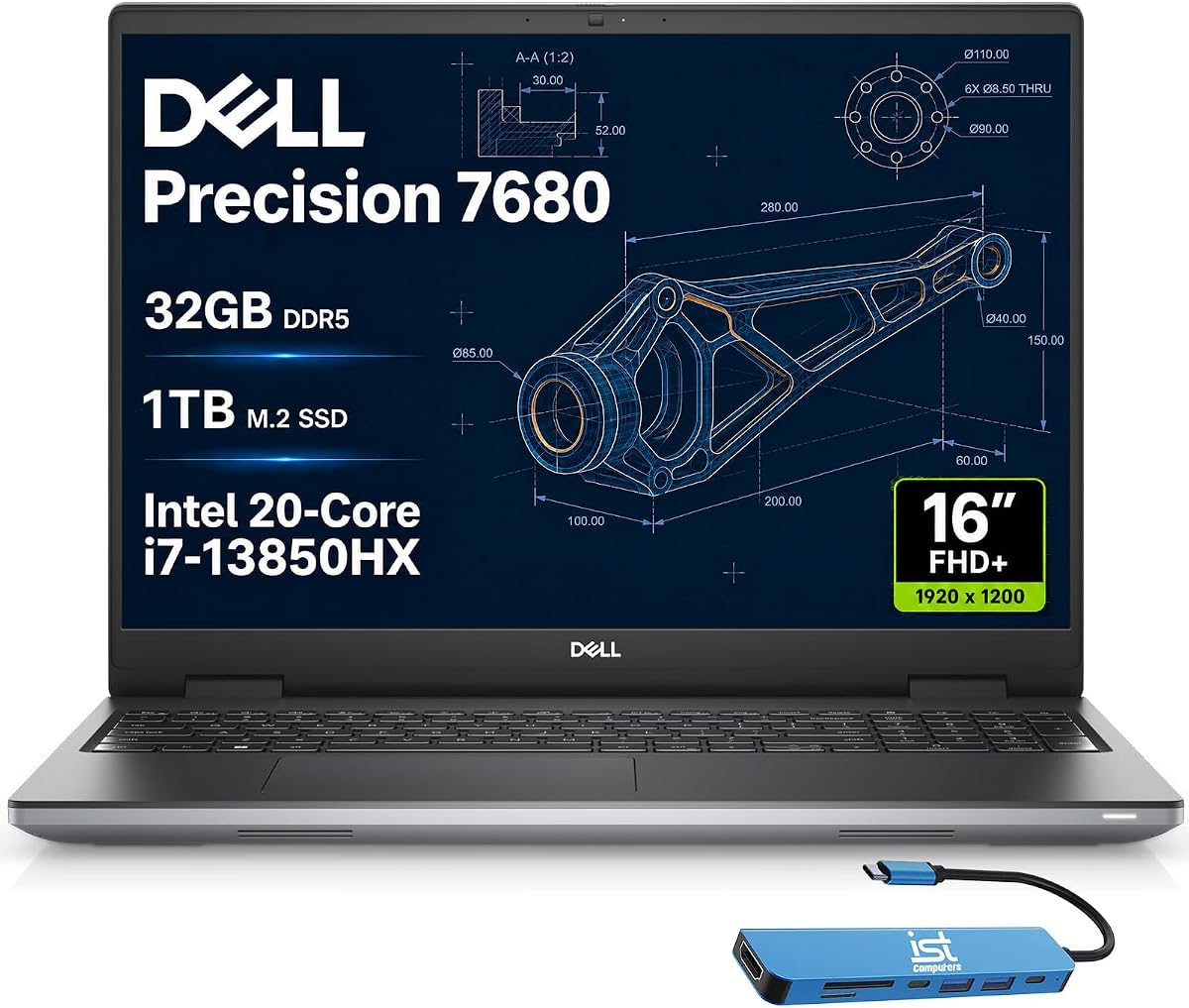


The Dell Precision 7680 stands out as a top-tier workstation designed specifically for creative professionals needing reliability. It receives high marks for its Intel Core i9 processor and ISV certifications ensuring smooth performance with Adobe Premiere Pro.
We may earn a commission when you buy through this link, at no additional cost to you.
This model delivers exceptional multitasking with 32GB of DDR5 RAM and a fast 1TB SSD. The display supports external monitors effectively making it ideal for editors working with complex timelines and color grading tasks.
While it offers significant power, the price is higher than entry-level alternatives. The weight may also be a consideration for users traveling frequently to shoots or client meetings.
Editors working on heavy 4K projects will appreciate its stability and speed. This laptop is recommended for those prioritizing performance and enterprise support over portability.
Certified compatibility with professional software reduces crashes and ensures consistent rendering performance during critical deadlines.
DDR5 CAMM technology provides faster data throughput than traditional modules enabling smoother playback of high-resolution video files.
We may earn a commission when you buy through this link, at no additional cost to you.
Apple's 2025 MacBook Pro with the M5 chip offers stunning visuals and efficient performance for creators. Its Liquid Retina XDR display provides high brightness ideal for HDR editing and color accuracy work.
We may earn a commission when you buy through this link, at no additional cost to you.
The M5 chip handles demanding workloads with ease thanks to its unified memory architecture. Users report seamless multitasking and fast rendering times even when working with complex effects and transitions.
The fixed unified memory configuration means you cannot upgrade RAM later so choosing the right amount upfront is crucial. Port selection is also limited requiring adapters for some legacy peripherals.
MacBook users valuing portability and display quality will find this model appealing. It is best for those already invested in the Apple ecosystem needing a reliable mobile workstation.
The screen delivers 1600 nits peak brightness and high contrast perfect for HDR content creation and precise color grading.
Unified memory allows CPU and GPU to access data instantly reducing latency during video playback and export tasks.
We may earn a commission when you buy through this link, at no additional cost to you.
The Dell Precision 3581 offers a compelling mix of workstation power and affordability for editors on a budget. It features a robust i7 processor and ample RAM suitable for handling multiple timelines.
We may earn a commission when you buy through this link, at no additional cost to you.
Its Nvidia RTX A500 graphics provide dedicated performance for rendering without taxing the CPU. The 32GB RAM ensures smooth switching between Premiere Pro and other design applications.
As a renewed unit availability may vary slightly from brand new devices. The screen resolution is standard HD which might limit detailed work compared to higher resolution panels.
Budget-conscious creators needing reliable hardware will find this a strong choice. It is recommended for entry-level professionals or students learning video editing workflows.
Renewed products undergo testing to ensure functionality providing a cost-effective option for those needing immediate performance.
The RTX A500 accelerates rendering tasks and effects processing freeing up CPU resources for playback and other tasks.
We may earn a commission when you buy through this link, at no additional cost to you.
For editors managing huge datasets or complex effects this Dell workstation offers unmatched specs with 128GB RAM. The RTX ADA 3500 provides significant VRAM for demanding rendering tasks.
We may earn a commission when you buy through this link, at no additional cost to you.
The 17.3 inch display offers a wide workspace allowing editors to view timelines and media panels simultaneously without external monitors. It supports professional workflows requiring stability.
The high RAM and price point may be overkill for standard video editing tasks. Portability is reduced due to the size making it less ideal for frequent travel.
Specialized professionals needing extreme memory capacity should consider this model. It is best suited for stationary workstations in a studio or office setting.
The 12GB VRAM on the RTX 3500 ensures smooth handling of 3D and high-resolution textures during rendering.
Dell ProSupport ensures rapid hardware repairs keeping professional operations running smoothly without long downtimes.
We may earn a commission when you buy through this link, at no additional cost to you.
This Precision 7680 model balances performance and features effectively for video editors. The i7 processor handles multi-threaded tasks well and the 32GB RAM supports efficient editing.
We may earn a commission when you buy through this link, at no additional cost to you.
The FHD+ display provides crisp visuals for accurate color work. It supports up to three external monitors for expanded workspace setups without cluttering the main desktop.
While highly capable it carries a premium price due to its workstation build. The weight might be a drawback for users prioritizing daily commuting.
Editors needing a robust machine for complex editing will appreciate its reliability. It fits well in office environments or for users needing a dedicated editing station.
Thunderbolt and HDMI ports allow connecting multiple 4K screens for extensive timeline viewing and asset management.
Pro features like remote desktop enhance collaboration and IT management within professional enterprise environments.
We may earn a commission when you buy through this link, at no additional cost to you.
This model excels with substantial storage and memory allowing seamless editing of large projects. The 2TB SSD ensures quick access to massive media libraries.
We may earn a commission when you buy through this link, at no additional cost to you.
Pro Support Plus adds peace of mind with onsite service and remote diagnostics. The RTX 1000 graphics card handles professional workloads efficiently.
The price reflects the high-end specs and warranty coverage which may not be necessary for casual editors. Portability remains limited due to workstation build.
Professionals handling long-term projects needing reliable support will benefit here. It is ideal for studio use or users requiring extensive data storage on the go.
With 2TB storage you can keep multiple project folders and raw footage locally without needing external drives.
Onsite service ensures fast repairs and minimal disruption for critical business workflows and deadlines.
We may earn a commission when you buy through this link, at no additional cost to you.
The Precision 5550 offers a sleek profile suitable for users needing portability without sacrificing basic editing power. Its 32GB RAM remains a strong point for multitasking.
We may earn a commission when you buy through this link, at no additional cost to you.
As a renewed unit it offers cost savings while maintaining professional features like ISV certification. The slim design fits easily into bags for on-the-go editing.
The processor is older compared to newer models which may impact rendering speeds on heavy projects. Battery life might also be reduced due to refurbishment or age.
Freelancers or students needing a portable workstation will find this useful. It is best for light to moderate editing tasks rather than high-end production.
The thin chassis makes it easy to carry to client sites while maintaining workstation performance capabilities.
Renewed models provide a budget-friendly route to owning a Dell Precision workstation with proven specs.
We may earn a commission when you buy through this link, at no additional cost to you.
This HP laptop features a large 17-inch display ideal for viewing timelines on a budget. The Ryzen 5 processor supports basic editing tasks efficiently.
We may earn a commission when you buy through this link, at no additional cost to you.
DDR5 RAM improves responsiveness compared to older DDR4 systems. The included accessories and silver finish add value for budget-conscious buyers starting their editing journey.
Limited RAM and storage may require external drives or upgrades for larger projects. Performance will struggle with 4K timelines or complex effects.
Beginners or hobbyists editing 1080p footage will find it suitable. It is a good entry point for users testing their interest in video production.
The 17.3-inch screen provides a comfortable canvas for arranging panels without external monitors.
DDR5 memory allows for faster data access improving load times and general system responsiveness.
We may earn a commission when you buy through this link, at no additional cost to you.
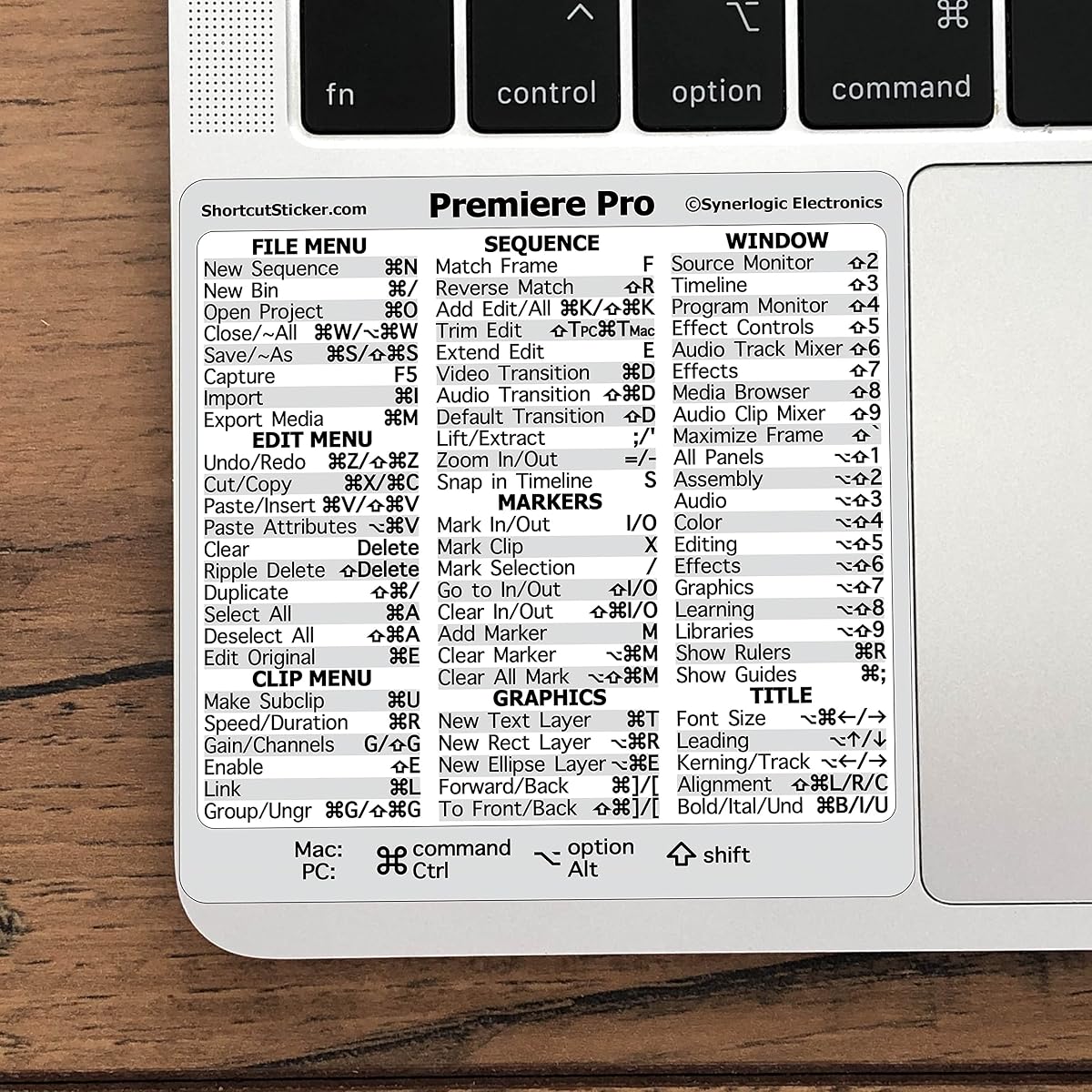
This sticker provides quick access to essential keyboard shortcuts for Premiere Pro users. It helps editors memorize commands faster improving editing efficiency over time.
We may earn a commission when you buy through this link, at no additional cost to you.
Made from durable vinyl it withstands daily use without peeling. It works on both Windows and Mac keyboards supporting a wide range of users.
It is an accessory not a laptop replacement so its benefits depend on your existing hardware speed. It does not improve rendering power directly.
Editors looking to speed up manual input will find this helpful. It is recommended for students and pros wanting to optimize their current workflow.
Referencing shortcuts reduces time spent searching menus allowing more focus on creative decisions.
Universal compatibility means you can use the sticker regardless of your specific laptop operating system.
We may earn a commission when you buy through this link, at no additional cost to you.
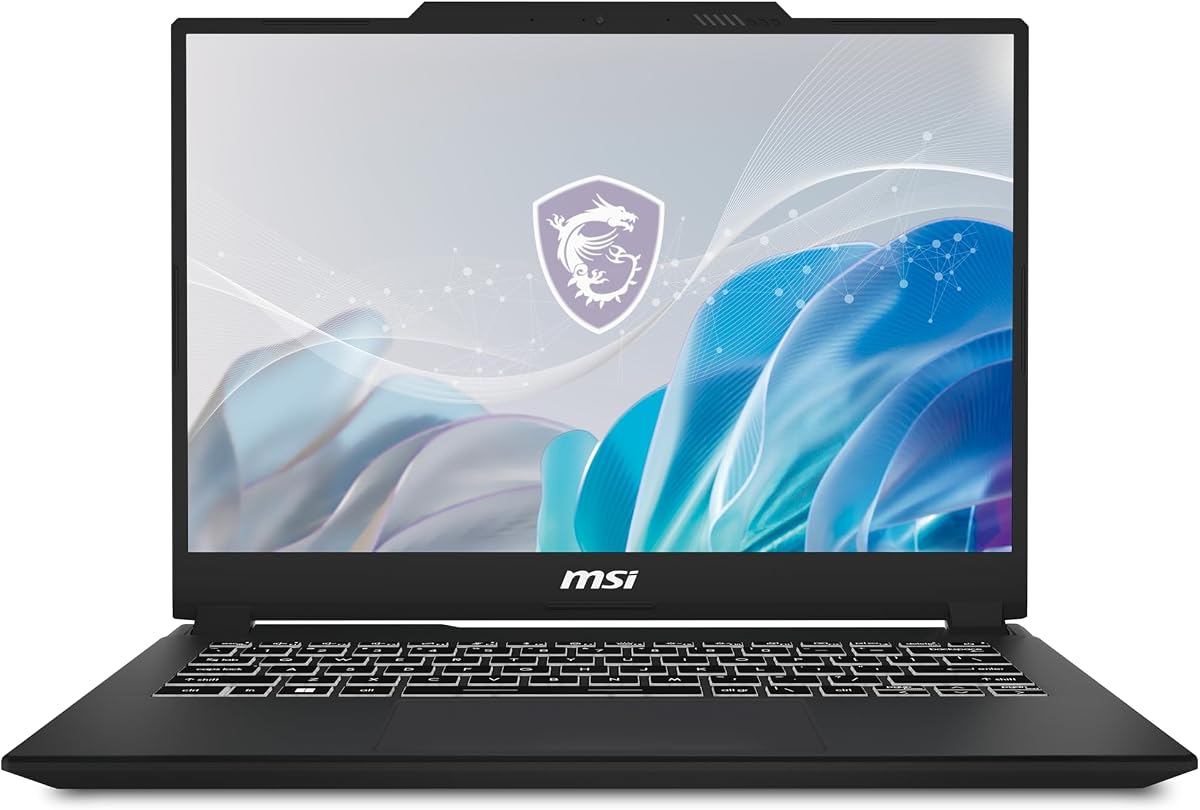
The msi Creator M14 balances display quality and portability for creative professionals. Its 2.8K screen offers vivid colors ideal for visual work.
We may earn a commission when you buy through this link, at no additional cost to you.
The RTX 4050 GPU accelerates rendering and effects while the cooling system maintains performance during long sessions. 16GB RAM supports standard editing projects.
Upgrading RAM is limited on this model so buying the right config initially is key. Battery life under heavy loads may require a charger.
Designers and editors needing a portable laptop for color work will like it. It is best for users needing high display fidelity on a smaller device.
High resolution and wide color gamut ensure accurate previews for video and image creation.
Cooler Boost technology dissipates heat effectively preventing throttling during sustained editing tasks.
We may earn a commission when you buy through this link, at no additional cost to you.
Selecting the right laptop for Premiere Pro requires evaluating specific hardware capabilities to ensure smooth editing and rendering.
A fast multi-core processor is essential for handling timeline playback and rendering effects. Look for recent Intel Core i7/i9 or AMD Ryzen 7/9 chips to ensure future compatibility.
Prioritize high clock speeds and core counts to minimize lag during complex edits.
RAM determines how many applications you can run simultaneously. At least 32GB is recommended for 4K editing to allow smooth multitasking between apps.
Avoid systems with 8GB or 16GB if you plan to edit large projects regularly.
A dedicated GPU accelerates rendering and GPU-accelerated effects. NVIDIA RTX series cards provide strong performance for creative workflows.
Ensure the GPU has enough VRAM to handle high-resolution textures and effects.
NVMe SSDs offer rapid file access and boot times. Avoid older mechanical hard drives as they slow down project loading and caching.
Choose models with at least 1TB storage to accommodate large media files locally.
An accurate display ensures your edits look correct on all screens. Look for high resolution and color accuracy specs like sRGB coverage.
Anti-glare screens help reduce eye strain during long editing sessions.
If you work on-site consider the weight and dimensions. Workstations are durable but heavier than standard consumer laptops.
Check battery life expectations to ensure you can work unplugged for reasonable durations.
Sufficient ports like HDMI and USB-C simplify connecting external monitors and drives. Thunderbolt support adds speed for high-speed data transfer.
Verify the laptop supports your specific peripheral setup before purchasing.
Effective cooling prevents performance throttling during exports. Models with advanced fan systems maintain speed under load.
Check reviews regarding heat levels during long rendering sessions.
Keep your laptop on a hard, flat surface to ensure proper airflow and cooling. This prevents overheating during long rendering or export sessions.
Regularly update your graphics drivers and operating system to maintain compatibility with the latest Premiere Pro updates.
Use external storage for archived projects to keep your local SSD free for active work and cache files.
For smooth 4K editing in Premiere Pro you should aim for at least 32GB of RAM. This allows for seamless multitasking and efficient handling of high-resolution timelines without constant buffering.
Yes a dedicated GPU is highly recommended as it accelerates rendering and effects processing. Integrated graphics often struggle with complex timelines leading to playback lag and slower export times.
Both Intel and AMD offer excellent options. Intel is generally favored for stability while AMD offers strong multi-core performance at competitive price points. Choose based on your specific needs.
It is possible but performance will be limited. Budget laptops may struggle with heavy effects or complex timelines requiring more RAM or GPU power.
High-resolution screens are beneficial for detailed work but not strictly required. A high color-accurate 1080p display is sufficient for most editing tasks if paired with an external monitor.
Storage speed is critical for loading projects and caching files. NVMe SSDs are essential as they significantly reduce load times compared to traditional hard drives.
Refurbished workstations can be reliable if purchased from reputable sellers with warranties. Check for professional quality assurance to ensure longevity and performance.
Keyboard shortcuts speed up the editing process significantly. Stickers help beginners memorize commands faster improving overall workflow efficiency and productivity.
This guide highlights top workstations and creator laptops tailored to handle Premiere Pro efficiently. Models like the Dell Precision 7680 and Apple MacBook Pro offer distinct advantages for different budgets.
Prioritize RAM and GPU power when building your machine to ensure long-term usability. A capable processor will handle complex effects without slowdowns during critical work.
Verify current availability and stock status before purchasing since configurations change frequently. Always check the latest specs to ensure compatibility with your workflow.