
NIMO 15.6 AI Creator Laptop
5.0Editor score
AMD Ryzen 5 6600H processor
16GB RAM and 512GB SSD
2 Year Warranty Support
Vlogging requires a reliable machine that handles video editing, streaming, and multitasking without lag. A good laptop balances processing power, graphics capability, and battery life to support creators on the go.
We compared ten models based on CPU performance, screen quality, storage speed, and connectivity options. Each product was evaluated for its suitability for video editing software, file management, and daily workflow demands.
Every pick includes detailed specs, pros, cons, and real-world use cases. Prices and availability change frequently, so verify current listings before purchasing to ensure you get the best value for your budget.
5.0Editor score

4.9Editor score

4.3Editor score
As an Amazon Associate we earn from qualifying purchases.
This side-by-side comparison highlights the key specifications and strengths of each model to help you decide which laptop fits your vlogging workflow and budget best.





This NIMO laptop stands out with its AMD Ryzen 7 8745HS processor and 32GB of DDR5 RAM. It earned a 4.9 rating for balancing power and value, making it ideal for editing 4K footage without lag.
We may earn a commission when you buy through this link, at no additional cost to you.
The Radeon 780M graphics deliver discrete-level performance for video effects and exports. With a 1TB SSD and upgradeable RAM slots, it future-proofs your workflow for years to come.
While the FHD screen is not color-accurate for grading, it saves cost. The battery life is strong for travel, and the USB4 port supports external GPUs if needed later.
Vloggers who prioritize performance and upgradeability should buy this. It offers desktop-level multitasking in a portable form factor at a competitive price point.
The Ryzen 7 8745HS with 16 threads handles complex edits smoothly. It prevents slowdowns when running Premiere Pro alongside browser tabs and streaming tools.
Dual M.2 slots allow you to add more storage without replacing the system. This flexibility is crucial for storing large video files and project archives efficiently.
We may earn a commission when you buy through this link, at no additional cost to you.
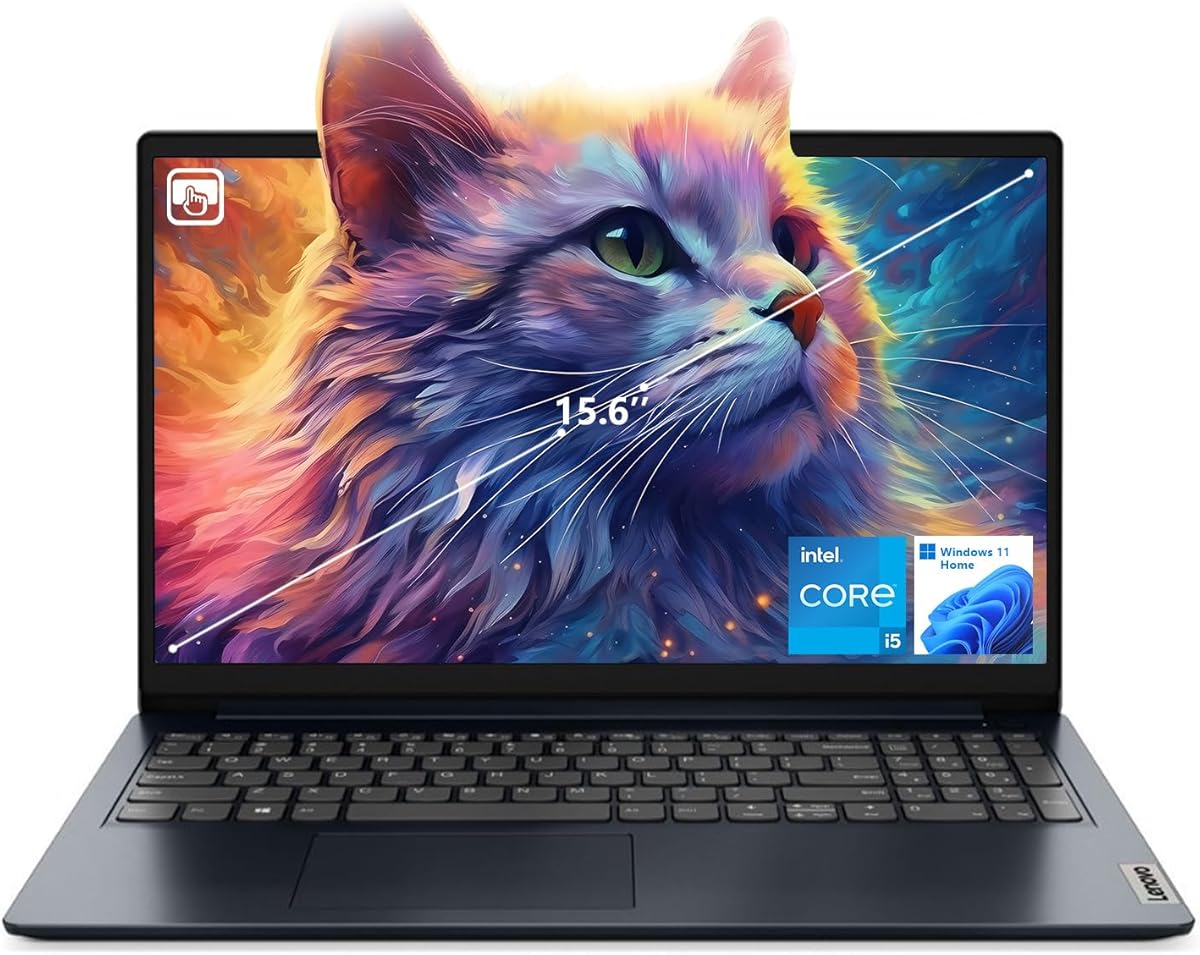
This model offers solid entry-level specs for vloggers on a budget. With a 5.0 rating, it impresses with its AMD Ryzen 5 processor and 16GB of DDR5 memory for daily workloads.
We may earn a commission when you buy through this link, at no additional cost to you.
The 512GB SSD is fast for booting and opening apps. The inclusion of a 2-year warranty adds peace of mind for long-term use without unexpected repair costs.
Graphics performance is suitable for light editing but struggles with 4K timelines. The battery is decent for short sessions but you may need a charger for all-day shooting.
New creators starting out will find this laptop reliable. It handles basic editing and uploads well while keeping costs low for your initial setup.
The Ryzen 5 6600H provides enough power for 1080p editing. It manages multitasking efficiently without slowing down during file transfers or video calls.
Final assembly and support happen in the United States. This local handling ensures faster response times if you need technical assistance or replacements.
We may earn a commission when you buy through this link, at no additional cost to you.
This GeekBook delivers top-tier build quality and a vibrant OLED screen perfect for color-sensitive work. It scored a 4.3 rating for its premium features and ultra-lightweight design.
We may earn a commission when you buy through this link, at no additional cost to you.
The Meteor Lake processor and dedicated NPU assist with AI tasks like noise reduction. The magnesium alloy case feels durable yet extremely portable for travel vloggers.
The screen is excellent for previewing footage but the 14-inch size limits workspace. The battery life is impressive but heavy use may drain it faster.
Travel-focused vloggers who value color accuracy will love this laptop. It combines portability with high-end performance for on-the-go editing.
The 2.8K OLED panel provides true blacks and vivid colors. This makes grading videos more accurate and watching content more enjoyable.
At just 2.2 lbs, this laptop fits easily in any bag. It reduces fatigue during long commutes or when carrying gear between locations.
We may earn a commission when you buy through this link, at no additional cost to you.
The HP 17 laptop offers a massive screen that is great for viewing timelines and multiple windows. It has a 4.4 rating for its spacious display and reliable AMD Ryzen 5 processor.
We may earn a commission when you buy through this link, at no additional cost to you.
Windows 11 Pro adds enterprise-level security and management tools. The numeric keypad helps with data entry if you track inventory or expenses while vlogging.
However, 8GB of RAM may struggle with heavy multitasking. The size makes it less suitable for daily travel or tight backpacks.
Stationary creators who need a big workspace should choose this model. It offers a desktop-like feel at a fraction of the cost.
The 17.3-inch FHD Anti-Glare screen reduces eye strain. It allows you to see full timelines without constant scrolling.
Windows 11 Pro supports advanced networking and security. This is useful if you handle sensitive client data or business files.
We may earn a commission when you buy through this link, at no additional cost to you.
This variant of the HP 17 laptop scores a 5.0 rating for its practical accessories and large screen. It serves well as a primary editing station due to its display size and SSD speed.
We may earn a commission when you buy through this link, at no additional cost to you.
The included mouse and tablet stand enhance your mobile setup. The full-size keyboard with a numeric keypad is efficient for managing spreadsheets or detailed file lists.
While 8GB of RAM is enough for light editing, it might bottleneck during heavy rendering. The lack of easy RAM upgrades limits its longevity for demanding tasks.
Users needing a desktop replacement for editing will appreciate this model. It balances screen real estate with essential features for office work.
Accessories like the mouse and stand save money. They help create a comfortable workspace immediately without extra purchases.
Windows 11 Pro provides enhanced data protection. The physical camera shutter adds privacy for secure video conferencing.
We may earn a commission when you buy through this link, at no additional cost to you.
This Dell laptop focuses on eye comfort and productivity. With a 4.4 rating, it offers a comfortable viewing experience with ComfortView Plus and a tall 16:10 screen.
We may earn a commission when you buy through this link, at no additional cost to you.
The 16GB of RAM supports smooth multitasking. The adaptive thermals adjust performance based on surface stability for consistent results.
The FHD+ resolution is good for general work but not sharp enough for fine video details. Onsite service ensures quick help if hardware fails.
Creators prioritizing comfort during long editing sessions will like this laptop. It reduces strain and keeps you productive.
ComfortView Plus cuts harmful blue light while keeping colors accurate. This helps prevent fatigue during long review sessions.
Onsite service means technicians come to you. This saves time compared to shipping the device for repairs.
We may earn a commission when you buy through this link, at no additional cost to you.
This Acer model excels with AI acceleration and storage. With a 4.8 rating, it stands out for its NPU capabilities and huge 2TB SSD for all your clips.
We may earn a commission when you buy through this link, at no additional cost to you.
The dedicated NPU handles effects and noise reduction locally. The touchscreen allows intuitive navigation and touch gestures for editing software.
While stylus support is present, the stylus is not included. The screen size is smaller but the performance compensates for heavy workloads.
Creators who need vast storage and AI tools should buy this. It is future-ready for modern content creation needs.
The NPU runs Copilot+ features offline for privacy. This speeds up background blur and automated video effects.
2TB of SSD space stores months of footage. You do not need external drives for your daily projects.
We may earn a commission when you buy through this link, at no additional cost to you.
The Yoga 7i offers a flexible design that adapts to different environments. With a 4.6 rating, it is great for presentations and sketching directly on screen.
We may earn a commission when you buy through this link, at no additional cost to you.
The 360-degree hinge lets you use it as a tablet or tent mode. The Gigabit LAN ensures a stable connection for uploading large video files.
However, the flip mechanism adds bulk. Battery life may drop in tablet mode due to higher touch consumption.
Vloggers who present often will appreciate this versatility. It bridges the gap between a laptop and a presentation device.
Switching between laptop and tablet mode is seamless. This helps when reviewing footage on a bed or couch.
The LAN port avoids Wi-Fi drops during uploads. It ensures reliable transfers when working in offices or hotels.
We may earn a commission when you buy through this link, at no additional cost to you.
This IdeaPad is a budget-friendly choice with a touchscreen. It holds a 4.2 rating for its functional specs and practical port selection.
We may earn a commission when you buy through this link, at no additional cost to you.
The SD Card Reader is handy for direct camera transfers. The 16GB RAM supports browser tabs and lightweight editing apps without issues.
The screen brightness is not great for outdoor use. The processor is older and may struggle with very new software updates.
Budget-conscious vloggers needing touch inputs should consider this. It is a capable machine for basic content creation tasks.
The built-in SD reader eliminates dongles for files. You can import footage quickly without extra hardware.
16GB of RAM keeps apps running smoothly. You can switch between research, editing, and recording easily.
We may earn a commission when you buy through this link, at no additional cost to you.
This NIMO laptop provides high specs for an affordable price. With a 4.6 rating, it is perfect for expanding your setup with external GPUs or storage.
We may earn a commission when you buy through this link, at no additional cost to you.
The USB4 port allows external graphics connections if needed. The 180-degree hinge makes it easy to share screens during meetings.
While the screen is basic, the raw power is there. The 2-year warranty provides solid support for users worried about reliability.
Users wanting a powerful machine that grows with them will like this. It offers great flexibility for future upgrades.
The USB4 port supports external GPU connections. This lets you boost graphics power for 4K rendering later.
The 180-degree hinge allows screen sharing. It is great for presenting drafts directly to clients on the desk.
We may earn a commission when you buy through this link, at no additional cost to you.
Selecting the right laptop involves balancing several technical factors to match your specific vlogging style. This guide breaks down the key elements to help you make an informed decision.
The processor is the brain of your laptop. For video editing, look for at least 6 cores to handle encoding and rendering smoothly without lagging.
Prioritize multi-core performance over single-core speed. This ensures that you can run editing software alongside other applications like browsers and communication tools.
While dedicated GPUs are powerful, integrated graphics have improved. Modern RDNA or Intel Arc integrated graphics can handle 1080p and light 4K editing effectively.
If you plan on heavy 3D rendering or complex effects, consider a model with an external GPU port or a dedicated graphics card for future-proofing.
RAM determines how many apps you can run at once. 16GB is the minimum for smooth editing, while 32GB allows for complex timelines and multitasking.
Storage speed is critical for loading projects. A fast NVMe SSD ensures quick boot times and file access. Look for models with expansion slots to add more space later.
A good screen is essential for color accuracy. Look for high resolution and wide color gamut coverage like DCI-P3 to ensure your videos look correct on other devices.
Size matters too. A 15-inch or larger screen offers more workspace for editing timelines, while a smaller screen aids portability for travel.
Vloggers often work away from outlets. A battery life of 8+ hours is ideal for full-day shoots or editing in transit without carrying a heavy charger.
Weight impacts daily comfort. Ultralight models under 3 lbs make commuting easier, but ensure you do not sacrifice cooling or port selection for thinness.
Ports simplify your workflow. Ensure the laptop has enough USB ports for drives and cameras. USB-C with power delivery is a must for flexible charging.
Wireless standards like Wi-Fi 6 and Bluetooth 5.3 improve upload speeds and peripheral stability. An Ethernet port or dongle compatibility helps when stable uploads are needed.
Organize your storage structure to keep media files accessible. Create separate folders for raw footage, project files, and exports to speed up editing and backups.
Regularly clean your vents and screen to maintain performance. Dust buildup can cause overheating, while proper cleaning keeps the display clear for viewing details.
Update drivers and firmware to optimize hardware efficiency. Keeping your system updated ensures you have the latest security patches and performance tweaks from the manufacturer.
For 4K editing, you need at least 16GB of RAM and a multi-core processor like an AMD Ryzen 7 or Intel Core i7. A fast NVMe SSD is also critical for handling large file transfers and playback.
Yes, modern integrated graphics like Radeon 780M or Intel Arc can handle 1080p and basic 4K editing. It is cost-effective, but heavy rendering may take longer than with a dedicated GPU.
Video files consume significant space, so starting with 512GB is recommended but not enough for long-term work. Aim for 1TB or more to store multiple projects without needing external drives.
A touchscreen helps with intuitive navigation and precise editing when using touch gestures. However, it is optional if you primarily rely on a mouse or trackpad for control.
Weight is crucial if you carry your laptop daily. Models under 3 pounds are ideal for travel, but ensure the battery life supports your shooting schedule away from power sources.
A 15-inch or 16-inch screen offers a balance of detail and portability. It provides enough space to see timelines clearly without making the laptop too large for travel.
This roundup highlights ten solid options ranging from budget-friendly to premium. The NIMO 15.6 FHD AI-Creator-Laptop offers the best overall performance, while the GEEKOM GeekBook X14 Pro shines for travel.
When choosing, prioritize processor power and memory to handle your specific editing software. Battery life and screen quality are also vital for creating content on the go comfortably.
Always verify current prices and availability before buying. Prices fluctuate often, so checking the latest deals ensures you get the best value for your specific budget.