
Dell Latitude 5531
4.4Editor score
14-Core CPU Power
Renewed Cost Efficiency
Business Grade Reliability
Finding a laptop that allows you to upgrade its memory is crucial for longevity and performance. As software demands increase, having the ability to add more RAM ensures your machine stays relevant for years. This guide highlights devices designed with user upgrades in mind, balancing power and affordability for various needs.
We evaluated ten distinct models ranging from budget-friendly options to high-performance workstations. Each selection was chosen based on accessibility of memory slots, processor capability, and overall build quality. Our analysis focuses on systems that support future expansion, ensuring you invest wisely without sacrificing immediate utility or reliability standards.
Each pick below details specific advantages, key specifications, and potential trade-offs for informed decisions. We include user ratings and official product links for your convenience during research. Please note that pricing fluctuates regularly, so verify current costs before finalizing your purchase to secure the best value available today.
4.4Editor score

4.9Editor score

4.2Editor score
As an Amazon Associate we earn from qualifying purchases.
This side-by-side comparison highlights the key specifications and unique selling points of each selected laptop to help you quickly identify the model that fits your specific workflow and budget requirements most effectively.




This ASUS Vivobook 15 stands out as the top choice for power users needing significant memory headroom. With a rating of 4.9 stars, it delivers elite-level performance suitable for complex simulations and AI workloads. The 48GB RAM ensures smooth multitasking even with dozens of browser tabs and heavy applications running simultaneously.
We may earn a commission when you buy through this link, at no additional cost to you.
The Intel Core i9-13900H processor is optimized for next-generation AI tasks, providing future-proof computing power. Thermal management is enhanced by the included PCO Cooler, which solves common overheating issues found in high-performance laptops. This allows the processor to maintain peak frequency for longer durations without throttling.
While the price is higher than average, the included accessories and massive storage justify the investment for professionals. The 2TB SSD offers ample space for large files, and the physical webcam shield adds a layer of security often missing in standard models. Fingerprint readers and backlit keyboards improve usability in various lighting conditions.
Buy this laptop if you need a reliable workstation for creative work or data analysis. It is ideal for those who require immediate high capacity without relying on external cloud storage. The comprehensive I/O suite means you won't need extra dongles for peripherals, making it a versatile tool for office use.
The Intel Core i9-13900H processor handles AI-enhanced creative software efficiently, enabling seamless multitasking and complex simulations without lag.
Included PCO Cooler works with internal systems to prevent overheating, ensuring sustained high performance during intensive workloads.
We may earn a commission when you buy through this link, at no additional cost to you.
The Dell Latitude 5531 offers a compelling mix of business-grade reliability and affordability. With a 4.4 rating, it is an excellent option for those who want enterprise features without the full retail price. The renewed condition suggests careful refurbishment, making it accessible for budget-conscious buyers.
We may earn a commission when you buy through this link, at no additional cost to you.
Powered by a 14-Core Intel Core i7-12800H, this laptop handles demanding tasks with ease. The 32GB RAM provides substantial headroom for virtual machines or heavy spreadsheets. Windows 11 Pro ensures security and management tools suitable for professional environments, while the non-touch FHD display remains crisp and functional.
While it lacks some premium features like touchscreens, the raw performance and storage make up for it. The 1TB PCIe SSD ensures fast boot times and quick data access. For users prioritizing function over form, this model delivers robust utility at a fraction of the cost of new flagship devices.
Consider this laptop if you need a reliable workhorse for everyday business tasks. It fits well for students or professionals who require specific software compatibility without overspending. The durable build and renewed status make it a smart long-term investment for productivity-focused workflows.
Dell Latitude series is known for robust build quality, ensuring longevity and consistent performance in professional settings.
The 14-Core CPU enables efficient parallel processing, ideal for running multiple applications without slowing down the system.
We may earn a commission when you buy through this link, at no additional cost to you.
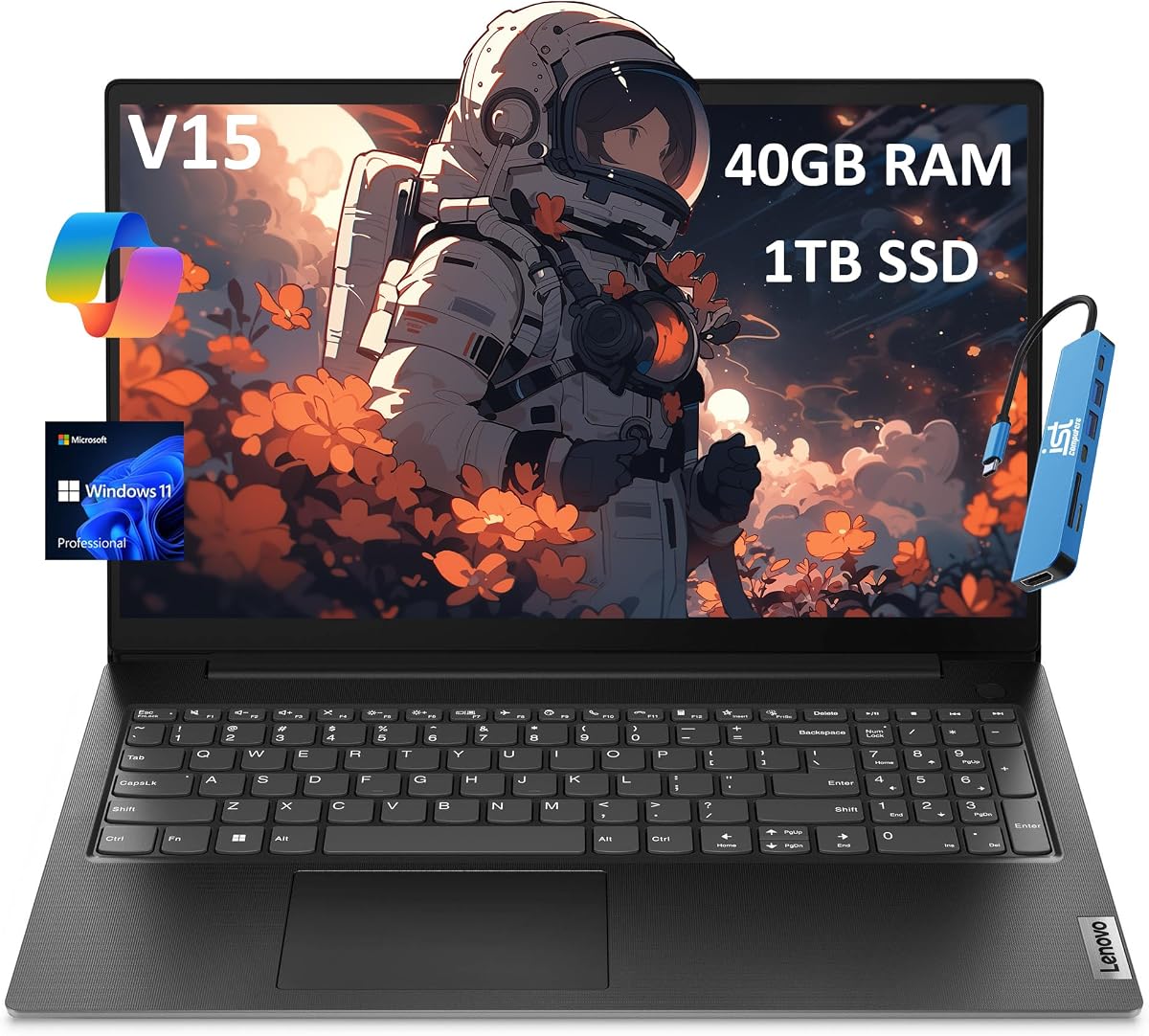
Lenovo V-Series V15 is tailored for business users who need a reliable and productive workstation. With a 4.2 rating, it balances performance and usability well. The 40GB RAM allows for smooth operation of multiple applications and browser tabs simultaneously, which is essential for modern multitasking workflows.
We may earn a commission when you buy through this link, at no additional cost to you.
The AMD Ryzen 7 5825U processor provides efficient power for daily tasks without excessive heat. Connectivity is strong with dedicated HDMI and RJ45 ports, reducing reliance on dongles for office networks. The numeric keypad facilitates quick data entry, making this model particularly useful for finance or accounting professionals.
While screen brightness is standard for this class, the visual clarity remains suitable for indoor work environments. Windows 11 Pro brings advanced security features that protect sensitive business data. The black chassis offers a sleek professional look that complements any office desk setup effectively.
Choose this laptop for office work or academic research requiring significant memory capacity. It supports collaboration tools and remote desktop access effectively. The included numeric keypad and Ethernet port make it a practical choice for those who prefer wired connections and efficient input methods.
AMD Ryzen 7 5825U offers 8 cores and 16 threads for smooth multitasking and rapid data processing speeds.
Ports include HDMI, RJ45, and USB variants, eliminating the need for adapters in typical office setups.
We may earn a commission when you buy through this link, at no additional cost to you.
The HP 255 G10 brings modern connectivity to business users at a competitive price point. Rated at 4.4 stars, it offers robust features like Wi-Fi 6 which ensures fast and stable internet connections. The Ryzen 7 7730U processor handles daily business tasks smoothly with good power efficiency.
We may earn a commission when you buy through this link, at no additional cost to you.
With 32GB of RAM, this laptop supports heavy multitasking without slowdowns. The 1TB PCIe SSD provides ample storage space for large files and quick access. Windows 11 Pro includes enterprise-grade security tools and management capabilities essential for professional environments and data protection.
The display is non-touch but offers anti-glare properties suitable for extended use. While build materials are standard, the inclusion of a numeric keypad adds significant value for data entry tasks. Wi-Fi 6 connectivity future-proofs the device for faster network speeds in modern offices.
Consider this model for small business owners needing reliable performance and fast internet. It works well for remote work setups requiring stable connections. The combination of storage and memory ensures your workflow remains uninterrupted even with multiple applications running at once.
Wi-Fi 6 support ensures faster internet speeds and better stability when connecting to multiple devices simultaneously.
Windows 11 Pro provides single sign-on and remote desktop tools for enhanced security and easier management.
We may earn a commission when you buy through this link, at no additional cost to you.
This ASUS Vivobook 16 stands out with its larger 16-inch WUXGA display offering more screen real estate than standard models. It features a powerful i9-13900H processor combined with 40GB RAM for demanding creative and productivity tasks. The storage solution includes an SSD plus a docking station for expanded flexibility.
We may earn a commission when you buy through this link, at no additional cost to you.
Intel Iris Xe graphics provide decent performance for light creative work and gaming without dedicated GPU costs. The backlit keyboard aids typing in low light environments while the fingerprint reader adds quick secure access. Windows 11 Pro ensures all enterprise features are available for professional users.
While the added weight of the larger chassis is noticeable, the visual benefits are worth the trade-off. The included docking station set adds value by providing extra connectivity options and storage. Fingerprint authentication ensures your data remains secure during quick transitions between meetings.
Select this laptop if you need a larger screen for coding or content editing. The 16-inch display allows better multitasking with side-by-side windows. Its combination of RAM and storage capacity ensures it remains capable for years without needing immediate upgrades.
The 16-inch WUXGA display offers higher resolution and larger area for detailed work and comfortable viewing sessions.
Fingerprint reader enables quick and secure login without typing passwords repeatedly for daily access.
We may earn a commission when you buy through this link, at no additional cost to you.
The HP 15 Notebook balances affordability with solid performance for home and student use. With a 4.3 rating, it offers a generous 32GB RAM upgrade that enhances multitasking beyond standard configurations. The Intel Core i5 processor is reliable for everyday computing needs and media consumption.
We may earn a commission when you buy through this link, at no additional cost to you.
Fast boot times are ensured by the 1TB PCIe SSD which also provides ample storage for files and apps. Windows 11 Home brings a modern interface with improved window layout and multi-monitor capabilities. USB Type-C connectivity ensures compatibility with newer peripherals and charging options easily.
While it lacks enterprise security tools found in Pro versions, the Home edition suffices for most personal users. The display offers good clarity for media viewing with anti-glare coatings reducing eye strain. Silver finish adds a touch of style to a functional everyday design.
This laptop is perfect for students needing memory for research and browsing. The 32GB RAM handles heavy browser loads without lag. It serves well as a family computer for shared usage due to its balanced performance and storage capabilities.
Upgraded to 32GB RAM allows you to switch between open applications easily without system slowdowns.
Windows 11 Home features improved window management and better multi-monitor functionality for home setups.
We may earn a commission when you buy through this link, at no additional cost to you.
The Lenovo V15 Gen 4 integrates strong privacy features ideal for remote work and business use. With a 4.5 rating, it is highly rated for its HD camera with a physical privacy shutter. This gives users peace of mind during sensitive video calls without needing external tape or covers.
We may earn a commission when you buy through this link, at no additional cost to you.
The Intel Core i7-1355U offers 10 cores for efficient multitasking and quick application launches. Combined with 40GB RAM, it handles complex workflows smoothly. The 2TB SSD provides extensive storage for large datasets or media collections without slowing down system access speeds.
Although the TN display has limited viewing angles, it delivers crisp text for documents and code. Windows 11 Pro ensures robust security protocols for protecting corporate or personal data. The black chassis is simple and professional fitting any office environment well.
Choose this model if privacy and storage are top priorities for your workflow. The shutter is a standout feature for frequent video conferencing users. It supports efficient data management with large drive capacity and ample memory for running virtual environments.
HD Camera with Privacy Shutter allows physical blocking of lens to prevent unauthorized video access.
2TB PCIe SSD allows fast bootup and data transfer with plenty of space for all your files.
We may earn a commission when you buy through this link, at no additional cost to you.
This Lenovo V15 Gen 4 is built to MIL-SPEC standards offering rugged durability for challenging environments. With a 4.0 rating, it provides a budget friendly replacement for ThinkPad models. The i5-13420H processor delivers solid performance for general business tasks and home use without premium pricing.
We may earn a commission when you buy through this link, at no additional cost to you.
Featuring 40GB RAM ensures smooth operation across multiple applications and browser tabs. Windows 11 Pro with AI Copilot offers intelligent assistance for various tasks improving productivity. Ethernet port inclusion ensures reliable wired network connections when Wi-Fi might be unstable or slow.
The keyboard lacks backlighting which may limit use in dark settings. However, the robust build quality and military grade testing make it suitable for field work or travel. Wi-Fi 5 is standard but adequate for most internet usage scenarios without high bandwidth needs.
Select this laptop if durability and budget are key factors. It works well for field technicians needing reliable hardware. The combination of RAM and storage ensures stable performance while the physical build protects against accidental damage during transit.
MIL-SPEC tested design ensures the device can withstand rigorous conditions better than standard consumer laptops.
Windows 11 Pro with AI Copilot offers intelligent assistance for a variety of daily tasks.
We may earn a commission when you buy through this link, at no additional cost to you.
The HP 255 G10 offers a lightweight and affordable solution for basic computing needs. With a 4.2 rating, it is suitable for online classes and casual web browsing. The Ryzen 3 7330U processor provides sufficient power for everyday tasks while maintaining good battery efficiency.
We may earn a commission when you buy through this link, at no additional cost to you.
While it comes with 16GB RAM and 256GB SSD, the description notes support for up to 64GB RAM and 2TB storage upgrades. This flexibility makes it a future-proof option for those who may need more resources later. The display is anti-glare which is comfortable for extended use.
Windows 11 Home supports basic apps and multimedia consumption effectively. The thin and light design makes it easy to carry in a backpack without strain. For students on tight budgets, this model provides essential features without unnecessary extras that drive up the price.
Consider this laptop for entry-level school or light home office use. It handles video calls and word processing comfortably. The ability to upgrade memory later ensures it can grow with your needs without needing immediate hardware replacement.
System supports up to 64GB RAM allowing you to expand memory as your software needs grow.
Thin and light form factor ensures easy transport for students and mobile workers.
We may earn a commission when you buy through this link, at no additional cost to you.
This compact laptop offers a unique feature of a dual slot RAM design allowing easy memory upgrades. Rated at 4.5 stars, it is highly rated for its upgradeability despite entry-level specs. The Intel Core m3-8100Y handles light tasks but can be bolstered by adding RAM sticks.
We may earn a commission when you buy through this link, at no additional cost to you.
The 128GB SSD boots quickly but limits file storage. However, the system supports expansion up to massive 2TB external storage. The active cooling fan prevents throttling ensuring sustained performance even with basic hardware. A 180-degree hinge allows laying flat for collaborative viewing.
With a 4GB So-Dimm module in one slot and another empty slot you have immediate upgrade options. Privacy shutter ensures web security and lightweight build aids portability. This configuration makes it ideal for budget buyers planning to customize memory later.
Choose this laptop if you plan to upgrade RAM soon after purchase. It is perfect for basic office tasks and browsing. The dual slot design is a rare find at this price point offering flexibility not usually seen in budget devices.
Smart dual-slot design lets you add 4GB, 8GB, or 16GB sticks to boost RAM as needed.
Optimized internal cooling fan ensures sustained high-speed performance without thermal throttling.
We may earn a commission when you buy through this link, at no additional cost to you.
Selecting a laptop with upgradeable RAM requires attention to specific hardware details and future needs. This section outlines the critical factors to consider before making your purchase decision.
Ensure the laptop has accessible memory slots or allows for RAM module replacement. Some modern devices solder memory to the motherboard making upgrades impossible. Check user manuals or manufacturer specs to confirm if memory is user-upgradeable.
Prioritize models with open slots or dual channels to allow future RAM expansion without replacing the entire system.
Check whether the system supports DDR4 or DDR5 memory to match your upgrade options. Newer laptops may only accept specific speeds and form factors like So-DIMM for compact chassis. Mismatched types will not install or function correctly.
Verify the supported memory type and speed before purchasing additional modules to ensure seamless integration.
Look for the maximum supported RAM amount to determine how much you can upgrade eventually. Some models max out at 16GB while others support 64GB or higher for demanding workloads. Planning ahead ensures your system stays relevant for years.
Choose a system with high maximum RAM limits to accommodate future software requirements and virtualization needs.
Pair your RAM choices with a strong processor to avoid bottlenecks during multitasking. An Intel Core i7 or AMD Ryzen 7 usually provides sufficient power for most upgrade scenarios. Weak processors limit the benefit of adding more memory.
Select a CPU with multiple cores and threads to fully utilize additional RAM capacity effectively.
Consider SSD slots or M.2 interfaces for storage upgrades alongside RAM. Some laptops have additional drive bays or support SD card readers for extra space. Large files and applications benefit from both memory and storage flexibility.
Prioritize models with multiple storage connectors to expand disk space without external drives.
Windows 11 Home supports up to 128GB RAM but Pro versions offer additional enterprise features. Business users often prefer Pro for security and management tools. Home is sufficient for most personal and student use cases.
Select Pro if you need group policy tools and enhanced security for professional workloads.
Check warranty terms especially if the laptop has been pre-upgraded by third parties. Some bundles offer extended coverage on new components but not the original hardware. Reliable build quality protects your investment during the upgrade process.
Look for models with clear warranty details on both original and upgraded components.
Ensure enough USB ports and HDMI for peripherals if your workflow requires external connections. Many upgradeable laptops come with fewer ports reducing dongle reliance. Adequate connectivity is essential for efficient multitasking and displays.
Select models with USB Type-A and C ports to accommodate legacy and modern peripherals easily.
To upgrade RAM safely, power off the laptop and remove the battery if possible. Ground yourself to avoid static discharge before opening the casing. Insert the new RAM stick firmly until it clicks into place securely.
Keep your system cool by cleaning vents regularly with compressed air. Dust buildup can block airflow causing thermal throttling and reduced performance over time. Ensure the laptop sits on a flat hard surface for optimal ventilation.
Monitor RAM usage in Task Manager to ensure your installed memory meets your needs. If the system still shows high usage after upgrade consider adjusting startup apps. Proper maintenance extends hardware life and keeps speeds consistent.
No, laptops require specific RAM types and speeds to function correctly. Check the manual for supported DDR generation and frequencies. Mismatched sticks may not work or could damage the motherboard if inserted incorrectly.
No, if memory is soldered to the motherboard it cannot be replaced. Many thin ultrabooks have soldered RAM. Verify before purchasing if physical upgrades are possible for your model.
Eight to 16GB is generally sufficient for web browsing and office tasks. For heavy multitasking or creative work 32GB or more is recommended. Check your software requirements to determine the ideal capacity for your needs.
Yes if your current RAM is a bottleneck. More memory helps in running modern games smoothly without lag. However for older games the improvement may be minimal compared to GPU upgrades.
Mixing sizes can work but may result in asymmetrical dual channel performance. Some systems run at the speed of the slowest stick. Ideally match speeds and timings for best results.
Most manufacturers allow RAM upgrades without voiding the base warranty. However always check the terms as self-service may impact specific component coverage. Keep original parts to revert changes if needed.
Visit the manufacturer website and enter your model number for specs. System information tools in Windows also show current installed memory. Review the maximum supported RAM in your model documentation before buying.
We explored ten diverse options offering various configurations for performance and affordability. The ASUS Vivobook 15 leads with top-tier specs and cooling while budget models like the Dell Latitude offer practical value.
Prioritize maximum capacity and accessibility when selecting your device to ensure long-term usability. A strong processor paired with ample storage ensures your investment remains relevant for years of productivity.
Please verify current pricing and availability before purchasing as deals change frequently. Use the provided links to secure the best offer for your chosen model today.