
HP DesignJet T210 Large Format 24-inch Plotter Printer
4.4Editor score
Ideal for technical line drawings
Up to 24-inch wide media rolls
95 percent less ink for maintenance
Large format plotter printers are essential tools for architects, engineers, and designers who need to produce high-quality technical drawings and detailed posters with precise line quality and crisp text output every single time.
We compared ten real products based on media handling, connectivity options, print speeds, software integration, and warranty support to ensure you find a device that matches your specific professional needs and office environment perfectly.
Each pick shows detailed specs, pros, cons, and expert insights so you can make an informed decision before buying, but remember that prices and availability change frequently so always check the latest offers before checkout.
4.4Editor score

4.1Editor score
5.0Editor score
As an Amazon Associate we earn from qualifying purchases.
This side-by-side comparison highlights the key specifications and capabilities of each large format plotter printer to help you quickly identify which model offers the best balance of speed, media handling, and software features for your project requirements.





The HP DesignJet T650 is a top-tier 36-inch large format plotter printer designed for professionals who need reliable and accurate line quality for technical drawings, renders, posters, and maps in busy office environments.
We may earn a commission when you buy through this link, at no additional cost to you.
It stands out with an automatic sheet and roll switch that allows you to print multi-size projects without manually switching media sources, while also saving ink with routine maintenance that uses 95% less ink compared to competitors.
While it offers exceptional value with a 2-year onsite warranty and fast print speeds of 82 A1 prints per hour, the price point is higher than smaller models and it requires ample space to accommodate its 36-inch media width.
This printer is ideal for architects, engineers, and construction professionals who need to produce high-quality wide or large format prints consistently, and it should be your top choice if warranty support and media flexibility are priorities.
The automatic sheet and roll switch saves time by letting you print multiple sizes without manual intervention, which is crucial during tight project deadlines.
Including a 2-year HP Care Pack with onsite support ensures minimal downtime and quick resolution of technical issues for busy professional teams.
We may earn a commission when you buy through this link, at no additional cost to you.
The HP DesignJet T210 is an excellent entry-level large format plotter printer for professionals seeking precise line quality and crisp text for technical drawings, renders, posters, maps, and sewing patterns without breaking the budget.
We may earn a commission when you buy through this link, at no additional cost to you.
It simplifies printing with included HP Click software that supports PDF error checking and auto-nesting, and it offers cost-saving efficiencies by using 95% less ink for routine maintenance compared to other competitor plotter printers.
Though it lacks an automatic sheet feeder out of the box and is limited to 24-inch wide media, it delivers impressive value with Gigabit Ethernet and Wi-Fi connectivity that enable seamless printing from your design workflow.
This model is perfect for architects and engineers who primarily need 24-inch outputs and want a reliable, easy-to-use solution with strong software integration, making it the best budget choice for small offices and studios.
Using 95% less ink for routine maintenance significantly reduces ongoing costs, making this printer highly economical for daily technical drawing and poster printing tasks.
HP Click Software simplifies your workflow by allowing you to define print settings and drag-and-drop files, saving time and reducing paper waste through automated error checking.
We may earn a commission when you buy through this link, at no additional cost to you.
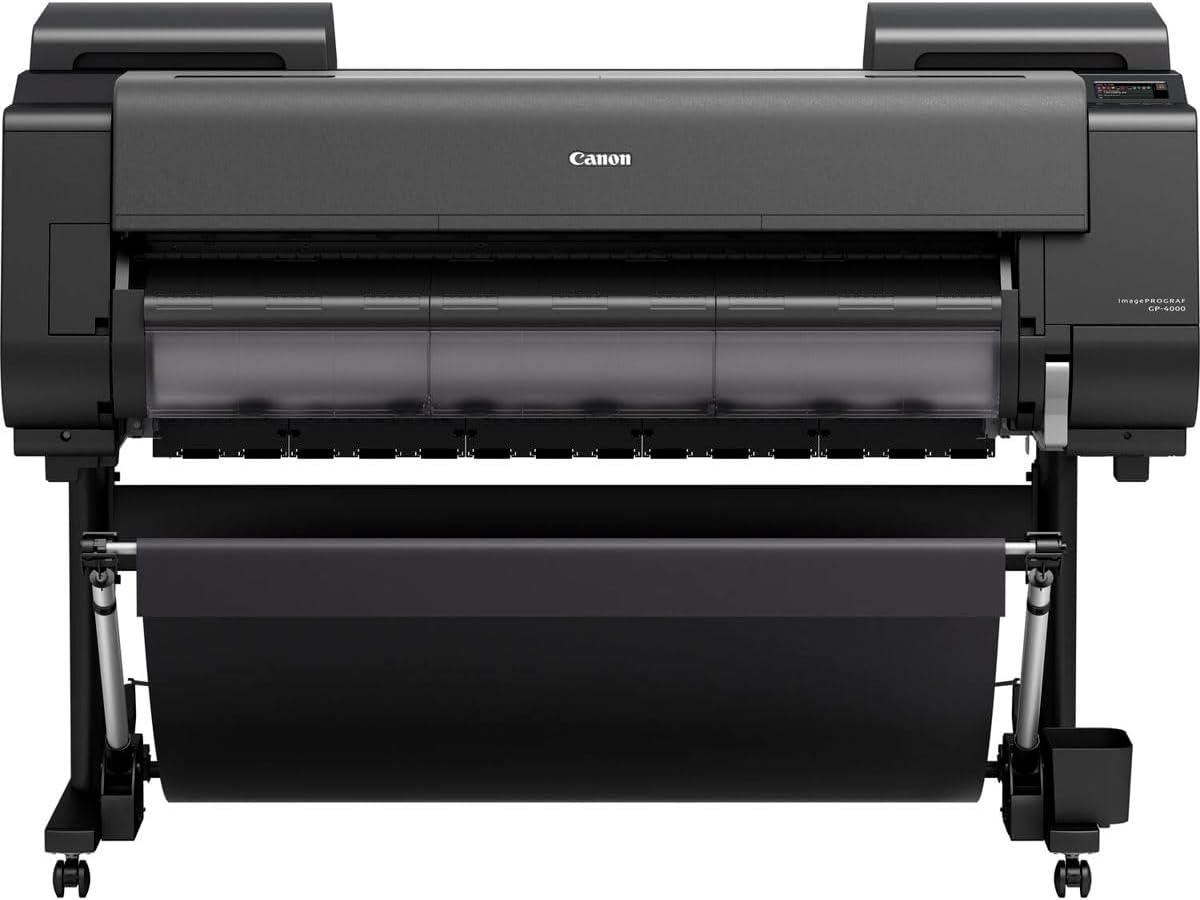
The Canon imagePROGRAF GP-4000 stands out as a premium large format plotter printer with a perfect 5.0 rating, offering professional-grade color output and advanced media handling for demanding architectural and design applications.
We may earn a commission when you buy through this link, at no additional cost to you.
As a Canon Platinum Reseller product, it comes with specialized support and ensures you receive the highest quality service and maintenance, which is crucial for expensive equipment used in critical professional environments daily.
While it comes at a premium price point and requires purchasing through a specialized reseller, the perfect user rating and professional features justify the investment for those who cannot afford any compromise on print quality or reliability.
This printer is best for high-end studios and enterprise environments that need top-tier performance and support, making it the ideal premium choice if budget is less of a concern than achieving flawless output every time.
A perfect 5.0 rating indicates that users consistently find this printer to be highly reliable and effective, which is rare for complex large format printing equipment.
Purchasing through a Canon Platinum Reseller ensures you get dedicated support and priority service, reducing downtime and keeping your professional workflow running smoothly.
We may earn a commission when you buy through this link, at no additional cost to you.
The HP DesignJet T630 is a strong contender for those needing a 36-inch plotter printer with essential accessories bundled in, making it a practical choice for architects and engineers who value convenience.
We may earn a commission when you buy through this link, at no additional cost to you.
It includes an automatic sheet feeder, media bin, and stand right out of the box, which saves you from having to purchase these add-ons separately and ensures you are ready to print technical drawings and maps immediately.
While it lacks the 2-year onsite warranty found on the T650 and has more basic software integration, the inclusion of physical accessories makes it a compelling value proposition for offices setting up a new workstation.
This model is best for users who want a complete 36-inch solution without hunting for accessories, offering a solid balance of features and completeness that suits small to medium-sized engineering firms and design studios.
With the automatic sheet feeder, media bin, and stand included, you can set up your 36-inch printing station quickly and start working on large format projects immediately.
Buying the T630 bundle saves money compared to purchasing the printer and accessories separately, giving you a complete workflow solution in a single purchase.
We may earn a commission when you buy through this link, at no additional cost to you.
This version of the HP DesignJet T210 adds a 2-Year HP Care Pack with Onsite Support to the standard model, making it a compelling choice for professionals who want budget-friendly performance with reliable warranty backing.
We may earn a commission when you buy through this link, at no additional cost to you.
It offers the same cost-effective ink usage and support for technical line-drawings and blueprints as the standard T210, but with the added peace of mind that onsite support is included for any hardware issues that may arise.
While it is still limited to 24-inch media and requires an optional sheet feeder for sheet handling, the inclusion of the care pack makes this a smart investment for small firms that cannot afford unexpected repair downtime.
This bundle is ideal for engineers and construction professionals who need a 24-inch plotter with strong support guarantees, offering the best balance of affordability and warranty security in the T200 series lineup.
Adding a 2-year onsite care pack to the budget T210 model ensures you get reliable support without paying premium prices, making it a smart long-term investment.
With 59 A1 prints per hour, this printer delivers sufficient speed for most small to medium offices that need regular technical drawings and posters printed efficiently.
We may earn a commission when you buy through this link, at no additional cost to you.
The Canon imagePROGRAF TC-21M is a versatile 24-inch large format multifunction printer designed for users who value ease of use and quick access to printing and scanning functions without complex computer connections.
We may earn a commission when you buy through this link, at no additional cost to you.
It features a user-friendly 2.7-inch touchscreen LCD and a USB Flash Drive port, allowing you to print directly from memory sticks or make enlargements of smaller originals directly from the flatbed scanner.
While it focuses more on multifunction tasks like scanning and copying, it might be slightly slower for pure high-volume printing compared to dedicated plotters, but it offers cloud printing and scanning capabilities that enhance flexibility.
This model is perfect for small offices or studios that need a compact 24-inch solution with added scanning and USB access, making it a great choice for general design work and document management tasks.
The USB Flash Drive port lets you print large format files directly from your drive, which is convenient for quick prints without needing to connect a laptop.
You can make enlargements of smaller originals directly from the flatbed scanner in a few steps, which is handy for resizing drawings without using design software.
We may earn a commission when you buy through this link, at no additional cost to you.
The HP DesignJet T830 is a compact 24-inch multifunction wireless plotter printer ideal for architecture studios and construction offices that need to print, scan, and copy technical documents to facilitate effective communication.
We may earn a commission when you buy through this link, at no additional cost to you.
It offers direct print for mobile apps on iOS, Android, and Chrome OS, allowing teams to update partners on project review results quickly without needing a direct computer connection to the printer.
While it includes dynamic security features that may restrict non-HP chips, its intuitive print, scan, and copy functions combined with HP DesignJet Utility software help move projects forward efficiently in collaborative workspaces.
This model is best for design studios and construction offices that prioritize communication and multifunctionality over sheer volume, offering a convenient all-in-one solution for technical document management.
The ability to print, scan, and copy technical documents on one compact device helps teams communicate project review results faster, keeping everyone aligned on progress.
With direct print support for major mobile platforms, you can send large format files from your smartphone or tablet, reducing dependencies on desk workstations.
We may earn a commission when you buy through this link, at no additional cost to you.
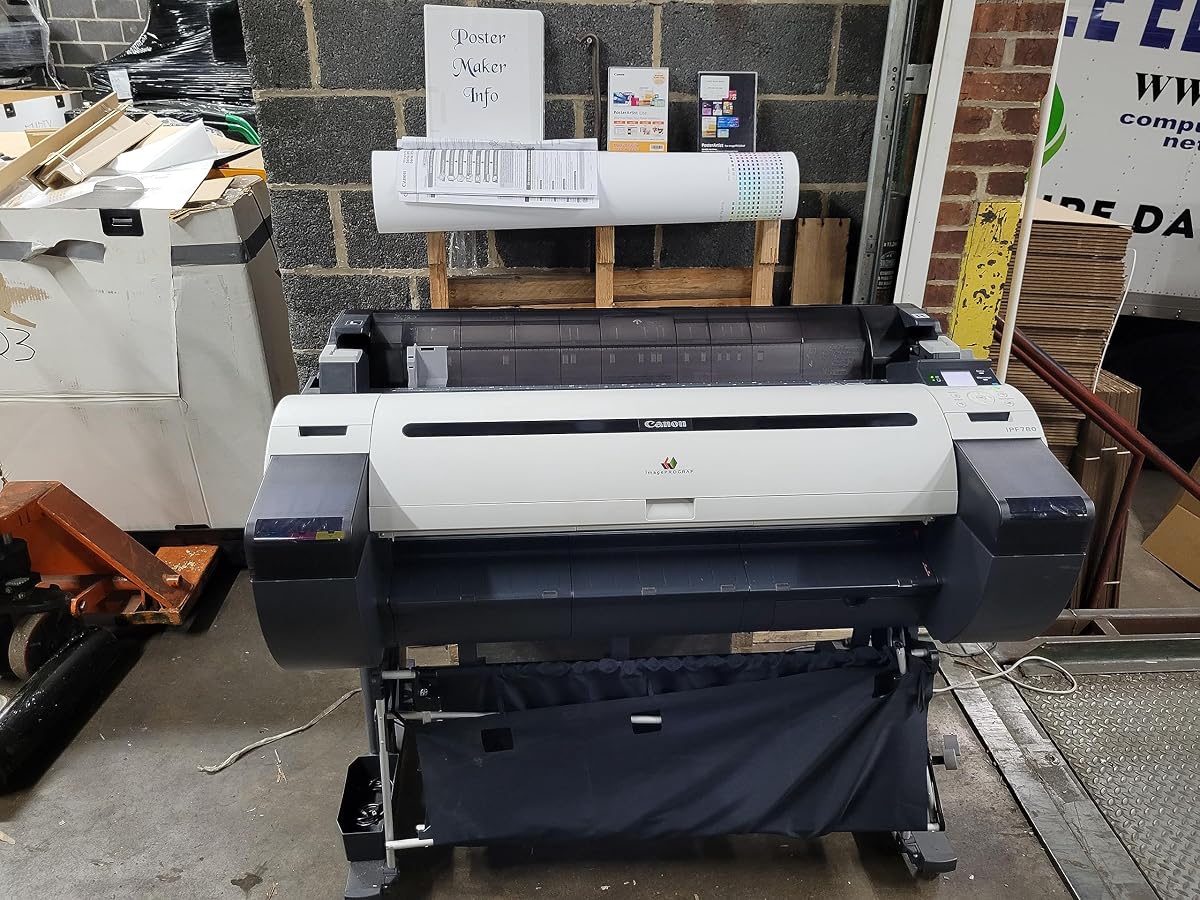
The Canon imagePROGRAF iPF780 is a reliable 36-inch large format printer from a trusted Platinum Reseller, offering high precision output and a 1-year on-site warranty for professionals who value consistent quality.
We may earn a commission when you buy through this link, at no additional cost to you.
With a strong 4.6 user rating, this model has been proven to deliver dependable results for large format technical drawings and designs, making it a safe choice for those who want to avoid unproven hardware.
While specific detailed specs are less available online for this particular listing, the Reseller backing ensures you receive appropriate support and service, which is often more critical than specific feature lists for long-term use.
This printer is best for users who prioritize brand trust and warranty support in their 36-inch plotter purchase, offering solid performance and professional service for architectural and engineering workflows.
Buying through a Canon Platinum Reseller means you get access to genuine parts and expert support, which is crucial for maintaining the performance of a 36-inch large format printer.
A 4.6 rating indicates that users have been satisfied with the reliability and print quality, making it a low-risk option for professional printing needs.
We may earn a commission when you buy through this link, at no additional cost to you.
The Canon imagePROGRAF iPF785 is a large-format color printer from a Canon Platinum Reseller, designed to deliver high-resolution color output for technical drawings and designs with consistent reliability and professional results.
We may earn a commission when you buy through this link, at no additional cost to you.
With a 4.1 user rating and 1-year on-site warranty, it offers peace of mind for professionals who need to print vibrant and accurate color graphics for architectural presentations and engineering schematics.
While specific technical details are less available for this listing, the Reseller support ensures you receive necessary maintenance and assistance, which is a significant advantage when operating expensive large format color printers.
This model is best for studios and professionals who require high-quality color output and value strong warranty support, making it a solid choice for presentations and design work that rely on accurate color.
High resolution color printing ensures that your presentations and design work accurately represent your intended colors and details, which is crucial for client reviews.
The 1-year on-site warranty ensures you have professional help available if technical issues arise, reducing downtime and keeping your production workflow uninterrupted.
We may earn a commission when you buy through this link, at no additional cost to you.
The Canon imagePROGRAF TM-305 is a dedicated 36-inch 5-color inkjet printer plotter optimized for technical drawings, offering a focused printing experience without the distractions of scanner hardware.
We may earn a commission when you buy through this link, at no additional cost to you.
As a printer-only model from a Canon Platinum Reseller, it allows you to concentrate purely on high-quality output while benefiting from the reseller support that ensures your plotter runs smoothly over the years.
While it lacks an included scanner, this limitation keeps the device simpler and more reliable for pure printing tasks, and its 4.3 user rating suggests strong performance for technical line drawings and professional presentations.
This plotter is best for professionals who prioritize dedicated printing performance and technical optimization over multifunctionality, making it a robust choice for offices where scanning is handled by separate devices.
By excluding the scanner, this model is optimized solely for printing speed and quality, ensuring reliable output for technical drawings and blueprints without added complexity.
The 5-color inkjet system is designed to produce precise technical lines and accurate colors, which is essential for architectural and engineering professionals who need high fidelity.
We may earn a commission when you buy through this link, at no additional cost to you.
Selecting the right large format plotter printer requires evaluating several key factors to ensure you get a device that meets your specific production needs and technical requirements.
The most important factor is the maximum media width you need, as plotter printers range from 24-inch to 36-inch widths. Choosing a model that matches your largest print size avoids wasted time cutting down oversized rolls or buying expensive equipment for small jobs.
Always select a printer with a media width that comfortably exceeds your largest common print size to maintain flexibility and accommodate future project growth.
Decide whether you need automatic sheet feeding capabilities alongside roll handling. Some models include automatic sheet feeders and media bins, which are essential if you frequently switch between standard sheets and large rolls for different project types.
If you primarily print from rolls, a basic roll feed may suffice, but frequent sheet printing requires a model with an included sheet feeder to avoid manual interruptions.
Ensure the printer supports your office network setup with Gigabit Ethernet or Wi-Fi options. Modern large format plotter printers should integrate with your existing CAD applications and cloud services to allow seamless printing without complex driver setups.
Look for models with strong software integration that support drag-and-drop printing and PDF handling to simplify your daily workflow and reduce setup errors.
Evaluate the print speeds in terms of A1/D size prints per hour, as this metric directly impacts how fast you can complete project batches. Faster speeds are crucial for offices with high-volume technical drawing requirements or tight deadlines.
Choose a speed that aligns with your expected workload volume to prevent bottlenecks while keeping costs reasonable for your production schedule.
Consider the cost of ink and maintenance cycles, as these add up over time. Some models offer cost-saving efficiencies like using 95% less ink for routine maintenance, which can significantly reduce the total cost of ownership compared to competitors.
Prioritize printers with low maintenance ink requirements and efficient consumable usage to keep your operational costs predictable and manageable.
Look for models that offer extended warranties or onsite support options, such as a 2-year HP Care Pack. Large format plotter printers are complex devices, and having onsite support ensures minimal downtime when technical issues occur.
Always verify the warranty terms and check if onsite service is included to avoid unexpected repair costs and lengthy service periods that disrupt your workflow.
Balance the initial purchase price with the long-term operational costs, including ink, paper, and maintenance. Entry-level 24-inch models may have lower upfront costs but might lack the speed and media handling you need for larger projects.
Invest in a model that fits your current budget while offering room for growth, ensuring you do not have to upgrade prematurely as your printing needs expand.
Check the security features and software compatibility, especially if you work with proprietary designs. Some models include dynamic security that restricts non-HP chips, which can impact your choice of consumables and long-term flexibility.
Ensure the printer supports common file formats and integrates with your design software to maintain a secure and efficient production pipeline without compatibility issues.
Start by installing the printer in a stable, dust-free environment away from direct sunlight. Ensure the power connection is secure and the network cable or Wi-Fi is properly configured to allow seamless connection with your office devices.
Load your chosen media correctly by following the manufacturer instructions for roll or sheet feeding. Check the paper thickness and roll diameter specifications to avoid jams and ensure consistent feeding throughout your print jobs.
Run regular maintenance cycles and check ink levels periodically to prevent drying or clogging. Keep the printer covered when not in use to protect it from dust and debris that may interfere with the print quality over time.
A large format plotter printer is designed to print on wider media such as 24-inch or 36-inch rolls, making it ideal for technical drawings and architectural blueprints. Regular printers typically handle standard letter or tabloid sizes and cannot accommodate large roll media.
No, large format plotter printers use specialized ink cartridges designed for wide media and high-quality line output. Using regular ink can void warranties and may cause clogs or poor print quality due to different chemical formulations.
Roll media lifespan depends on your print volume and media type, but standard rolls can last anywhere from a few days to several weeks depending on usage. Always monitor your ink levels and replace rolls when the printer indicates low media.
Most large format plotter printers can operate independently with USB Flash Drive ports or mobile printing support, but a computer is usually required for initial setup and driver installation. Some models allow cloud printing without a direct PC connection.
Print speeds vary by model and size, but most modern large format plotter printers can produce between 50 to 80 A1 prints per hour. Higher-end models may offer faster speeds depending on the resolution and media quality settings.
Yes, most large format plotter printers include drivers for both Mac and Windows systems. Always check the product specifications for software compatibility and ensure you download the latest drivers for smooth integration with your design software.
Models with automatic sheet and roll switching allow you to switch between media types without manual intervention. If your printer lacks this feature, you may need to manually load the desired media before starting your job.
Keep the printer in a climate-controlled environment to prevent ink from drying out or paper from warping. Regularly clean the print heads and ensure the cover is closed when not in use to shield internal components from dust.
Our top picks highlight the best large format plotter printers for various needs, from the budget-friendly HP DesignJet T210 to the premium Canon imagePROGRAF GP-4000. Each model offers unique strengths in speed, media handling, and software integration.
When making your decision, prioritize features like automatic sheet feeding, warranty support, and connectivity options that match your specific workflow. Balancing these factors ensures you get the best value and performance for your technical printing needs.
Always check current prices and availability before purchasing as offers and bundles change frequently. Ensure you read the latest reviews to confirm the model fits your specific project requirements and office setup perfectly.