
Canon imageCLASS LBP6030w
3.8Editor score
Compact space-saving design
Wireless mobile printing
Low power consumption mode
This guide compares the top laser printers with cheap toner options for 2026, evaluating print speed, connectivity, and long-term supply costs to help you
Finding a laser printer with cheap toner is essential for anyone looking to minimize ongoing office expenses without sacrificing print quality. Many users struggle with high costs per page due to expensive proprietary cartridges or low yields that require frequent replacements. This guide focuses on models known for affordable supplies and reliable performance.
We evaluated ten leading monochrome laser printers based on their initial price, toner yield, and availability of low-cost alternatives. Each product was analyzed for connectivity features, print speed, and overall build quality to ensure they meet the needs of home offices and small teams. Our goal is to highlight options that offer genuine savings over time.
Each pick in this list includes detailed specifications and real-world usage insights to help you make an informed decision. We cover everything from basic print-only units to multifunction devices that scan and copy. Please note that prices and availability change frequently, so always check current listings before purchasing your new device.
3.8Editor score

4.1Editor score

4.3Editor score
The following table provides a side-by-side comparison of all ten selected laser printers. It highlights key specifications such as print speed, paper capacity, and connectivity options to help you quickly identify the best model for your specific workflow requirements and budget constraints.





The Brother HL-L2405W is a top contender for anyone seeking a reliable laser printer with cheap toner options. It delivers sharp black and white prints at speeds up to 30 pages per minute, making it ideal for busy home offices. The included subscription trial helps manage ongoing supply costs effectively.
We may earn a commission when you buy through this link, at no additional cost to you.
Its dual-band wireless connectivity ensures stable connections across various devices, while the Brother Mobile Connect app allows for seamless management of print jobs. The 250-sheet tray reduces the frequency of refills, saving time and effort during peak usage periods throughout the workday.
While it lacks fax functionality found in larger multifunction units, this trade-off keeps the unit compact and affordable. The focus on core printing tasks ensures high quality and reliability. Users can easily replace toner with TN830 models which are widely available and reasonably priced.
This printer is perfect for small teams or individuals needing consistent output without breaking the bank. The 1-year warranty provides peace of mind for initial use. We recommend this model for those prioritizing speed and supply cost efficiency in a small footprint device.
Dual-band support ensures you stay connected even in crowded Wi-Fi environments.
The refresh subscription service offers up to 50 percent savings on genuine toner supplies.
We may earn a commission when you buy through this link, at no additional cost to you.
The Canon imageCLASS LBP6030w stands out as an excellent budget-friendly option for those needing basic laser printing. It offers decent speed and compact design suitable for small spaces. While not the fastest, it provides consistent quality for everyday document needs without complex features.
We may earn a commission when you buy through this link, at no additional cost to you.
Its wireless capabilities allow printing from smartphones and tablets easily, enhancing flexibility for modern users. The energy saver mode helps keep electricity costs low during periods of inactivity. This makes it a practical choice for students or light home office users.
The main limitations include a smaller paper tray and slower speed compared to premium models. However, for low-volume printing, these are minor inconveniences. The Canon 125 toner is reasonably priced and delivers a solid page yield for typical usage patterns.
We recommend this printer for those with tight budgets who need reliable wireless printing. It is a straightforward device that gets the job done without extra bells or whistles. Check current stock levels as this model is often popular for its value proposition.
Uses less than two watts in energy saver mode to reduce electricity bills.
Connects easily to your network allowing remote printing from compatible mobile devices.
We may earn a commission when you buy through this link, at no additional cost to you.
The Brother MFC-L2820DW is a premium all-in-one solution offering speed and versatility for growing offices. It combines printing scanning copying and faxing into one compact unit. The high speed of 36 pages per minute ensures productivity remains high during busy days.
We may earn a commission when you buy through this link, at no additional cost to you.
The 50-page auto document feeder simplifies scanning and copying multi-page documents efficiently. Its intuitive 2.7-inch touchscreen allows easy navigation and access to cloud apps like Dropbox or Google Drive. This integration modernizes the workflow and reduces manual steps.
While the initial investment is higher, the convenience and time savings justify the cost for many users. The subscription trial helps manage toner costs which is crucial for high-volume printing. It supports standard TN830 toners which are widely available.
This model is best for small teams needing multiple functions in one device. The reliable performance and smart connectivity features make it a strong long-term investment. We suggest it for offices prioritizing efficiency and comprehensive document management capabilities.
Print and scan directly to popular cloud apps for seamless document management.
The auto feeder handles up to 50 pages to speed up copying and scanning tasks.
We may earn a commission when you buy through this link, at no additional cost to you.
The Canon imageCLASS MF3010 VP is a solid choice for users who prefer reliable wired connections. It offers scanning copying and printing in a single device without complex network configurations. The included high yield toner ensures you start with substantial print capacity.
We may earn a commission when you buy through this link, at no additional cost to you.
Its USB connectivity eliminates potential network issues, making it ideal for shared workstations or private setups. The color scanning capability adds flexibility for digitizing documents. Energy saver mode keeps power usage low when the device is idle for long periods.
The lack of wireless limits its use in multi-device environments, but it ensures stability for dedicated computers. The 150-sheet tray is adequate for light to moderate usage. This model is perfect for users who value simplicity over advanced connectivity options.
We recommend this printer for home offices with a single PC or small setups needing scan copy print. The included toner provides immediate value and reduces initial supply concerns. It is a practical choice for those prioritizing stability and basic functionality.
The box includes toner with a yield of up to 2,300 pages for immediate use.
Direct USB connection ensures consistent performance without network dependency or interference.
We may earn a commission when you buy through this link, at no additional cost to you.
The Brother HL-L2460DW excels at automatic double-sided printing which saves paper and time. It maintains the high speed of 36 pages per minute seen in other premium Brother models. This makes it efficient for producing multi-page reports or documents requiring professional formatting.
We may earn a commission when you buy through this link, at no additional cost to you.
The large 250-sheet tray supports higher volume printing without frequent interruptions. Its dual-band wireless ensures stable connections even when many devices are on the same network. The mobile app simplifies managing print jobs from phones or tablets anywhere.
Users save significantly on paper costs due to built-in duplexing. The subscription trial further helps manage toner expenses effectively. It fits well in modern offices needing reliable wireless printing with eco-friendly features built-in standard.
This model is ideal for small teams printing high volumes regularly. The balance of speed and cost-saving features makes it a strong competitor. We recommend it for those wanting to reduce paper waste while maintaining fast output speeds.
Built-in two-sided printing saves paper and reduces costs automatically for every job.
Supports both 2.4GHz and 5GHz networks for faster and more stable connections.
We may earn a commission when you buy through this link, at no additional cost to you.
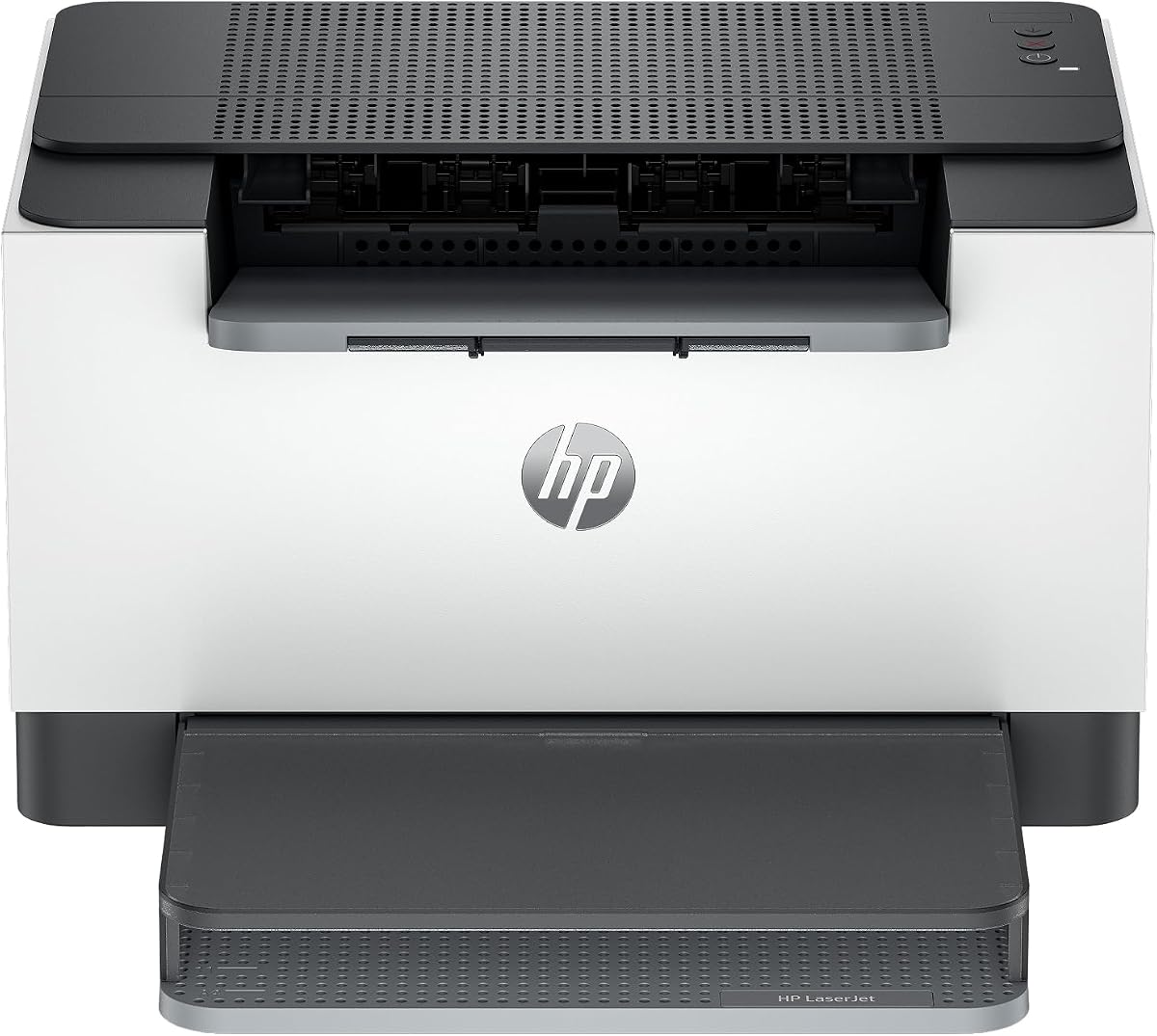
The HP LaserJet M110w is designed for small teams needing fast reliable printing in a tight space. Its compact size allows it to fit almost anywhere without compromising performance. The HP Smart app streamlines tasks like scanning to cloud storage from smartphones.
We may earn a commission when you buy through this link, at no additional cost to you.
With speeds up to 21 pages per minute, it handles daily print demands efficiently. The self-reset Wi-Fi feature helps maintain connectivity by resolving issues automatically without manual intervention. This ensures consistent availability for team members during working hours.
One notable restriction is the proprietary chip requirement which limits third-party toner options. Users must ensure they purchase original HP cartridges for reliable performance. While this adds to long-term costs, it guarantees security and quality for sensitive business data.
We recommend this printer for startups or small offices prioritizing space and ease of use. The app integration offers modern workflow benefits. Check toner costs carefully to ensure it aligns with your budget constraints before buying.
The HP Smart app simplifies repetitive tasks and allows scanning to the cloud easily.
Fits seamlessly into small desks or workspaces without taking up valuable room.
We may earn a commission when you buy through this link, at no additional cost to you.
The HP LaserJet M209dw stands out for its Instant Ink eligibility which can significantly lower toner costs. It offers fast speeds up to 30 pages per minute with automatic two-sided printing included. This makes it suitable for offices needing efficiency and cost management.
We may earn a commission when you buy through this link, at no additional cost to you.
Built-in security features protect against potential network attacks, adding peace of mind for businesses. Dual-band Wi-Fi ensures strong connections even in environments with many competing signals. The setup process is streamlined for quick deployment in small offices.
Users benefit from the convenience of HP's subscription service which delivers toner automatically when levels get low. However, it requires adherence to HP's ecosystem regarding chip security. This ensures reliability but may limit flexibility with aftermarket supplies.
We recommend this model for teams wanting a balance of speed and cost management through subscriptions. The security features add value for professional environments. Evaluate the Instant Ink terms to ensure they match your specific printing needs accurately.
Enroll in HP's service to receive toner shipments automatically when your printer runs low.
Connects to both frequencies for better signal strength and fewer drops in busy offices.
We may earn a commission when you buy through this link, at no additional cost to you.
The Canon imageCLASS LBP122dw offers wireless duplex printing at a competitive price point. With speeds up to 30 pages per minute, it handles everyday tasks quickly. The compact design fits well in home offices where space is limited but features are desired.
We may earn a commission when you buy through this link, at no additional cost to you.
It uses Canon Genuine Toner 071 which provides reliable quality for black and white documents. The app allows users to print from devices without complex network setups. This convenience supports flexible working from various locations within the home.
While it lacks scanning functions, its focused design keeps costs down and performance high. The duplex capability saves paper, adding value for users printing frequent drafts or reports. It is an excellent choice for those needing print-only functionality with smart features.
We recommend this printer for home users who prioritize duplex printing and wireless connectivity. The speed and affordability make it a strong contender. Check local supply availability for compatible toner cartridges before purchasing to ensure ongoing costs are manageable.
Automatically prints on both sides of the page to save paper without manual flipping.
Designed to fit into small spaces while maintaining powerful print capabilities.
We may earn a commission when you buy through this link, at no additional cost to you.
The HP LaserJet MFP M235sdw is a robust all-in-one designed for office efficiency. It supports printing scanning and copying with duplex capabilities. The inclusion of an Ethernet port provides a stable connection for office networks requiring wired reliability.
We may earn a commission when you buy through this link, at no additional cost to you.
Security features protect the device from potential attacks which is vital for business environments. Self-reset Wi-Fi helps maintain connectivity without manual intervention. This ensures minimal downtime and consistent access for team members working remotely or locally.
While it lacks a touchscreen, the interface remains straightforward for standard tasks. The speed of 28 pages per minute supports productivity during busy times. It fits well in offices needing professional quality output and connectivity options.
We recommend this model for small offices needing secure multifunction performance. The balance of wired and wireless options adds flexibility. Check current supply options to ensure long-term cost efficiency aligns with your budget plans.
Included Ethernet port ensures stable connection for office network environments.
Security features help protect your printer from potential attacks and data breaches.
We may earn a commission when you buy through this link, at no additional cost to you.
The Brother HL-L2480DW combines high speed with a user-friendly touchscreen interface. It offers printing scanning and copying in a compact footprint suitable for home offices. The touch screen simplifies navigation and allows direct access to cloud apps like Google Drive.
We may earn a commission when you buy through this link, at no additional cost to you.
Its 250-sheet tray supports higher volumes without constant refills. The automatic duplex printing helps reduce paper waste and costs effectively. With speeds up to 36 pages per minute, it handles demanding print jobs with ease and efficiency.
The subscription trial provides a way to manage toner costs which is beneficial for high volume users. The TN830 toners are standard and reliable for consistent output. This model is a strong choice for those valuing both speed and smart features.
We recommend this printer for users needing a balance of multifunctionality and performance. The touchscreen enhances usability making tasks quick and easy. Check current trial details to maximize value when starting your printing workflow.
Print and scan directly to cloud apps using the intuitive touchscreen interface.
The 250-sheet tray minimizes interruptions during high-volume printing sessions.
We may earn a commission when you buy through this link, at no additional cost to you.
Selecting the right printer involves evaluating various factors beyond just the initial purchase price. Understanding how different models handle costs and performance will help you make an informed decision for your specific needs.
The true cost of ownership depends heavily on the toner yield and the price per cartridge. Look for models that use standard toners with high page counts to ensure savings over time. Many Brother models offer high yield cartridges that significantly reduce the cost per page compared to budget options.
Prioritize printers with high yield toner options to minimize frequent replacements and save money.
Print speed affects how quickly documents are produced which is crucial for busy workflows. Models ranging from 19 to 36 pages per minute cater to different needs from personal use to office environments. Faster speeds improve productivity when handling large batches of documents or reports.
Choose a speed that matches your typical volume to maintain efficiency without unnecessary delays.
Connectivity options determine how easily you can print from various devices. Wireless models allow printing from smartphones and tablets while wired models offer stability for dedicated workstations. Dual-band wireless ensures better performance in crowded network environments typical of modern homes.
Select connectivity that aligns with your devices to ensure seamless printing from anywhere.
Decide whether you need scanning and copying capabilities alongside printing. Multifunction units save space and time by combining tools but may cost more upfront. Print-only models are often more compact and cheaper but require separate equipment for other tasks.
Assess your workflow needs to determine if added functions justify the extra cost and space.
Many modern printers offer subscription services that automate toner delivery and often provide discounts. Programs like Brother Refresh or HP Instant Ink can lower long-term costs by ensuring supplies arrive automatically. Evaluate the terms carefully to see if they fit your printing habits.
Consider subscriptions if you print consistently to save time and reduce supply costs.
Paper capacity determines how often you need to refill the tray which impacts convenience. Units with 250 sheets are generally better for offices compared to 150 sheet trays found in budget models. Larger capacities reduce interruptions and are vital for high-volume printing sessions.
Opt for higher paper capacity if you print frequently to minimize manual refilling tasks.
The physical size of the printer matters especially in small home offices or shared workspaces. Compact models fit on desks easily while larger multifunction units require dedicated space. Ensure the chosen model matches your available space to avoid clutter and workflow disruptions.
Measure your available space to find a printer that fits comfortably without obstruction.
Security features protect sensitive data especially in business environments. Built-in features help safeguard against network attacks ensuring privacy for business documents. Reliability is also key for consistent performance without frequent jams or maintenance issues.
Prioritize security and reliability features to protect your data and maintain consistent performance.
Begin by setting up your printer using the manufacturer's software or app to ensure proper configuration. Connect it to your network following the step-by-step instructions provided in the manual to avoid common connectivity issues during initial setup.
Regularly clean the exterior and interior to prevent dust buildup which can affect print quality. Use a soft cloth to wipe down surfaces and avoid harsh chemicals that might damage the finish. Cleaning the feed rollers periodically helps prevent paper jams and ensures smooth operation.
Keep the toner in a cool dry place before installing it to avoid condensation and ensure longevity. Replace the toner when the printer indicates low levels to prevent damage to the drum or poor print quality. Proper care extends the life of your printer and keeps performance consistent over time.
To find cheap toner, look for high yield cartridges that offer more pages per bottle. Check reputable third-party brands that meet your printer's specifications without voiding warranties. Compare price per page rather than just cartridge cost to identify the best long-term value options.
Many third-party toner cartridges are safe and perform well when chosen from reputable manufacturers. Ensure the product has positive user reviews and clear compatibility with your specific model. Using these can save money compared to original cartridges but check warranty terms first.
The average cost per page for laser printing typically ranges from two to six cents depending on the toner yield. High yield cartridges and efficient models can lower this cost significantly over time. Calculating cost per page helps compare different printers accurately before purchasing.
This issue often occurs due to a reset requirement after installing new toner. Check the printer settings for a toner reset option or reinstall the cartridge to ensure sensors detect it. Updating firmware might also resolve detection errors that indicate low toner incorrectly.
Laser printers require basic maintenance like cleaning dust and checking rollers regularly. Avoid storing them in humid areas which can damage internal components or cause toner clumping. Keeping the firmware updated ensures optimal performance and compatibility with new software.
No, monochrome laser printers are designed solely for black and white documents. If you need color output, you must choose a color laser or inkjet model instead. Stick to monochrome units if color is not required to maximize cost efficiency and toner savings.
Automatic duplex printing allows printing on both sides of the paper without manual intervention. This feature significantly reduces paper costs and saves storage space for printed documents. It also streamlines workflows by eliminating the need to re-feed pages for two-sided prints.
Subscription services automatically monitor toner levels and ship new cartridges when needed. Many offer discounts on supplies and include recycling for old cartridges as part of the deal. Enrolling simplifies managing supplies but requires checking if your usage matches the subscription terms.
We have explored ten top options ranging from budget-friendly models to advanced multifunction units. Each choice offers unique benefits such as high speed or subscription plans to manage ongoing costs. The Brother HL-L2405W and Canon imageCLASS LBP6030w stand out for their value and reliability.
When prioritizing your purchase focus on the total cost of ownership including toner yield and connectivity. A higher upfront cost might pay off over time with better efficiency and supplies. Consider your specific workflow needs to select the model that fits best.
Remember that prices and availability change frequently so verify current listings before buying. Checking for ongoing promotions can offer further savings on both the device and initial supplies. We hope this guide helps you find the perfect printer for your home or office needs.