
Brother HL-L2405W
4.1Editor score
Compact wireless design
Manual feed slot for envelopes
High-speed monochrome output
This guide compares the top laser printers with envelope feeders for home and office use, focusing on speed, quality, and versatile paper handling options.
Finding a reliable laser printer with an envelope feeder is essential for businesses and home offices that handle regular correspondence. These machines streamline workflows by allowing seamless printing on standard documents and various envelope sizes without constant manual adjustments.
We evaluated ten top-rated models based on print quality, connection options, and specialized paper handling features. Each product was analyzed for its ability to manage envelopes efficiently while maintaining high-speed monochrome or color output for professional results.
Each pick below highlights key strengths and potential trade-offs to help you choose the right device. Please note that availability and pricing can change frequently, so verify current details before making a final purchase decision online.
4.1Editor score

4.3Editor score

4.4Editor score
The following table provides a side-by-side comparison of all ten selected laser printers. It highlights their core specifications and features to help you quickly identify the model that best fits your specific printing requirements.




The Brother HL-L2405W is an ideal choice for home offices needing reliable monochrome printing with envelope support. It offers a high-quality print engine that delivers crisp text and graphics at a very competitive price point.
We may earn a commission when you buy through this link, at no additional cost to you.
This printer excels in its ability to handle various paper types through its manual feed slot. Users can easily print envelopes without clogging the main tray, making it perfect for occasional mailing tasks.
While it lacks automatic duplex printing, the manual feed ensures flexibility for specialty media. The wireless connectivity is robust, allowing seamless integration with multiple devices in a small office environment.
For budget-conscious buyers needing consistent quality and envelope handling, this model is a top recommendation. It balances performance and cost effectively without sacrificing essential features for daily use.
The Brother Mobile Connect app allows users to manage print jobs and track toner usage remotely, enhancing productivity for mobile workers.
Engineered for premium output, this printer produces sharp documents that look professional, ensuring your correspondence stands out.
We may earn a commission when you buy through this link, at no additional cost to you.
The Brother MFC-L5915DW is designed for busy environments that demand speed and high-volume capabilities. Its all-in-one functionality ensures that scanning and copying tasks are handled with the same efficiency as printing.
We may earn a commission when you buy through this link, at no additional cost to you.
This model supports versatile paper handling, including envelopes, through its flexible input options. The high-speed scanning ensures that documents are digitized quickly, which is crucial for modern paperless workflows.
While the physical size is larger than compact models, it offers superior throughput and reliability. The included toner cartridge provides a solid starting point for users before switching to high-yield options.
Businesses needing a reliable workhorse that handles envelopes and high volumes should consider this printer. It delivers professional results and reduces downtime through its advanced connectivity and speed.
With up to 50 pages per minute, this printer keeps up with demanding office schedules without causing bottlenecks in workflow.
The auto document feeder supports two-sided scanning at impressive speeds, making digitizing large stacks of paper incredibly efficient.
We may earn a commission when you buy through this link, at no additional cost to you.
The Brother HL-L2460DW brings automatic duplex printing to a compact monochrome device, making it perfect for home offices. It balances speed and efficiency while maintaining the ability to print on envelopes via its manual slot.
We may earn a commission when you buy through this link, at no additional cost to you.
This printer handles high-volume tasks well due to its 36ppm speed. The wireless connection ensures that all devices on the network can access it easily, facilitating collaboration in small teams.
The absence of scanning features means it is a print-only solution, but the quality remains top-tier. The manual feed slot remains a critical feature for those who need to print envelopes regularly.
For users prioritizing text output and paper savings through duplexing, this is a strong contender. It offers a practical solution for document creation without the bulk of multifunction units.
Save paper and reduce waste effortlessly with automatic duplex printing, which is ideal for reports and presentations.
Dual-band wireless ensures stable connections and faster data transfer, allowing seamless printing from any device on the network.
We may earn a commission when you buy through this link, at no additional cost to you.
The HP LaserJet MFP M234sdw is tailored for small teams that need professional document handling in a small space. Its integration with Instant Ink can help manage supplies efficiently without constant monitoring.
We may earn a commission when you buy through this link, at no additional cost to you.
This model offers reliable scanning and copying features alongside printing. The self-reset Wi-Fi ensures that connectivity issues are resolved automatically, minimizing downtime during critical work periods.
The design focuses on ease of use with a straightforward interface. While it lacks some advanced customization found in business models, it covers the essential needs for a typical small office.
Teams looking for a reliable all-in-one solution that supports various paper types will find this model suitable. It provides a balanced mix of features and ease of use for daily tasks.
Automatic detection and resolution of connectivity issues keep the printer online and ready to print whenever needed.
Built-in security features help protect your network and documents from potential attacks, ensuring peace of mind.
We may earn a commission when you buy through this link, at no additional cost to you.
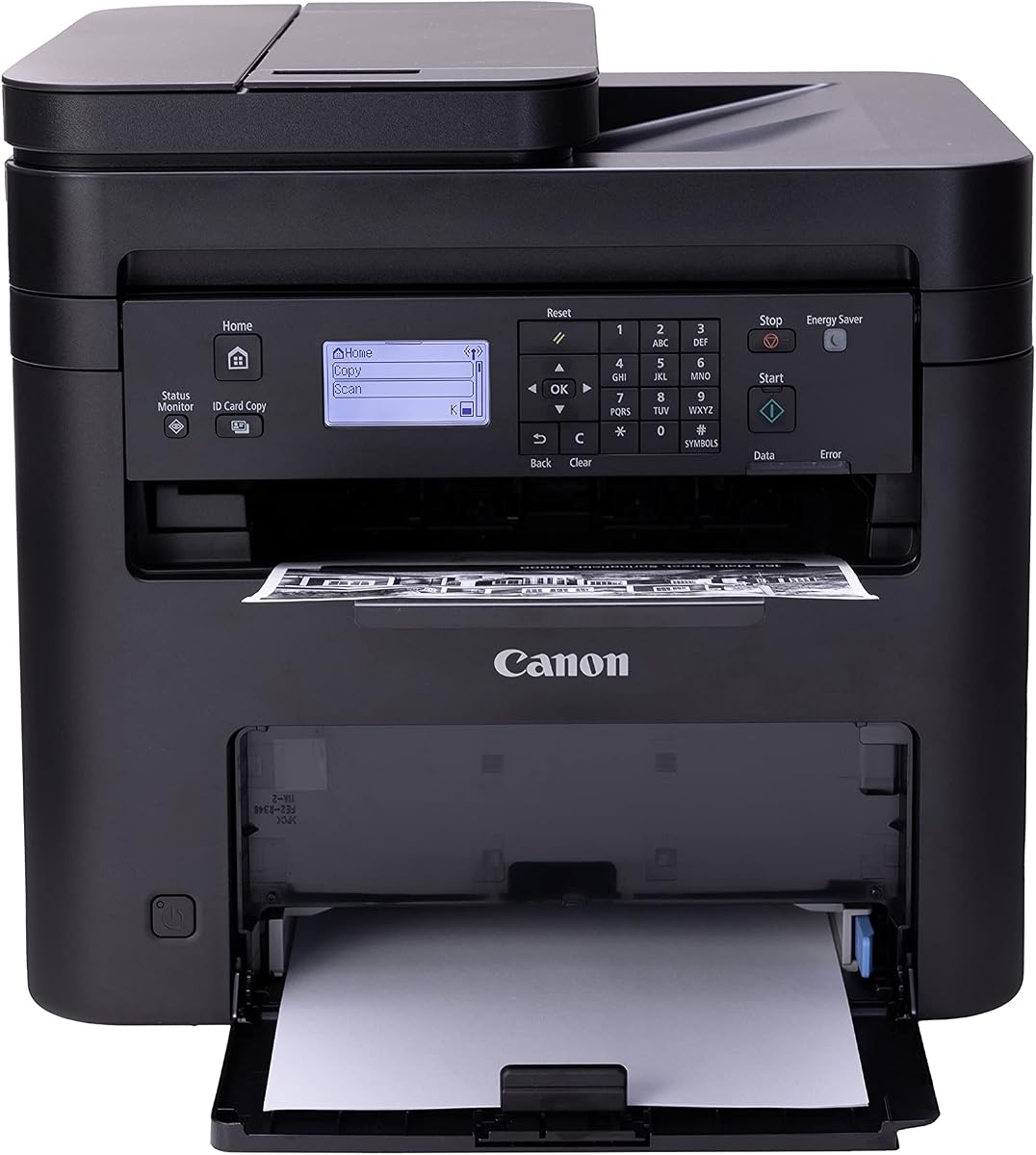
The Canon imageCLASS MF273dw offers a blend of speed and functionality that suits small offices. Its wireless capabilities and document handling features make it a versatile choice for various work environments.
We may earn a commission when you buy through this link, at no additional cost to you.
This printer handles envelopes through its versatile input system. The fast first print time ensures that urgent documents are ready quickly, reducing waiting times during busy periods.
With its auto document feeder, scanning multi-page documents becomes a seamless task. The warranty coverage provides additional confidence in the longevity of the device for daily business use.
For offices needing a balance of print, scan, and copy capabilities with minimal space usage, this is a strong option. It delivers consistent performance and reliable output for daily operations.
Achieve a first print out in approximately 5.3 seconds, ensuring that time-sensitive documents are produced immediately.
The auto document feeder allows for quick digitization of multi-page documents, streamlining the archiving process.
We may earn a commission when you buy through this link, at no additional cost to you.
The Brother MFC-L2820DW stands out as a versatile all-in-one printer that handles envelopes with ease. Its compact design makes it perfect for smaller spaces while delivering professional-quality monochrome prints.
We may earn a commission when you buy through this link, at no additional cost to you.
This printer is equipped with features that boost efficiency, including a dedicated touchscreen for easy navigation. The manual feed slot ensures that envelopes and other specialty papers are printed without jams.
Connectivity options are extensive, allowing secure connections to multiple devices on your network. This flexibility is crucial for teams that need to print and scan from various devices simultaneously.
For small offices needing a robust solution that balances cost and functionality, this model is an excellent choice. It delivers reliable performance and ease of use for daily business needs.
The 2.7-inch touchscreen provides easy access to cloud apps and settings, simplifying the printing process for all users.
Keep legacy workflows running smoothly with fax capabilities that complement modern scanning and printing features.
We may earn a commission when you buy through this link, at no additional cost to you.
The Canon imageCLASS MF462dw II is designed for users who need high speeds and extensive customization options. Its expandable paper capacity makes it ideal for environments that handle high volumes of printing.
We may earn a commission when you buy through this link, at no additional cost to you.
This printer supports versatile paper types, including envelopes, through its generous multipurpose tray. The fast duplex printing reduces waste and time, ensuring documents are produced efficiently.
The 5-inch color touchscreen provides a modern interface for managing settings and cloud services. This makes it easier to integrate the printer into a broader ecosystem of digital tools and services.
For users who value speed and a customizable interface, this model offers significant advantages. It is well-suited for growing teams that need a reliable and scalable printing solution.
Add optional cassettes to increase paper supply significantly, reducing the need for frequent refills during busy shifts.
The intuitive touchscreen simplifies navigation and allows quick access to frequently used features and cloud apps.
We may earn a commission when you buy through this link, at no additional cost to you.
The Brother MFC-L8930CDW is a premium color laser printer designed for businesses that require high-quality output. It combines advanced security with reliable paper handling for envelopes and specialty media.
We may earn a commission when you buy through this link, at no additional cost to you.
This printer handles documents with precision, offering a large multipurpose tray for custom printing needs. The advanced security features protect sensitive information, making it suitable for enterprise environments.
Color capabilities allow for professional brochures and marketing materials to be produced on-site. The high-speed scanning ensures that digitizing color documents is efficient and quick.
For businesses prioritizing quality and security alongside standard printing needs, this model is a top-tier choice. It delivers exceptional performance and versatility for demanding office workflows.
Protect devices and documents with advanced security features that help safeguard networks and prevent unauthorized access.
Produce sharp, professional color documents on demand, eliminating the need for external print shops for small jobs.
We may earn a commission when you buy through this link, at no additional cost to you.
The HP LaserJet Pro MFP 3101sdw is a reliable choice for small teams that need consistent black-and-white output. It delivers professional-quality prints quickly and efficiently without compromising on performance.
We may earn a commission when you buy through this link, at no additional cost to you.
This printer includes an auto document feeder for scanning, making it a versatile tool for daily office tasks. The wireless connection options ensure that all team members can print remotely with ease.
HP's reputation for reliability means you can expect minimal downtime and consistent performance over time. The design is straightforward, focusing on core functionalities that matter most to businesses.
For teams prioritizing reliability and ease of use, this printer is a solid option. It offers a balanced mix of speed and features that support productive office environments.
Experience performance you can count on page after page, with a design built to withstand high demands.
Stay connected with dependable Wi-Fi that automatically finds the best connection to keep the printer online.
We may earn a commission when you buy through this link, at no additional cost to you.
The Brother Premium MFC-L2690DW is a compact printer that excels in handling various paper types including envelopes. Its sturdy construction ensures it remains reliable even with frequent use in busy offices.
We may earn a commission when you buy through this link, at no additional cost to you.
This model is designed for efficiency with an adjustable paper tray that accommodates different document sizes. The manual feed slot ensures that envelopes can be printed without issues, providing flexibility for tasks.
Wireless connectivity allows for easy sharing across multiple devices, making it a collaborative tool for small teams. Its compact footprint saves valuable desk space, which is often a premium in office settings.
For users who need a reliable and compact solution for daily document tasks, this printer is a great choice. It combines durability with essential features to support efficient work environments.
The adjustable tray easily handles letter and legal sizes, reducing the need for manual adjustments during printing.
Sturdy and robust construction ensures the printer keeps up with your busy schedule without frequent maintenance needs.
We may earn a commission when you buy through this link, at no additional cost to you.
Choosing the right laser printer for your office involves evaluating several critical factors beyond just speed and cost. This guide outlines the essential aspects to consider to ensure you select a model that meets your specific needs for envelope printing and overall productivity.
The ability to print on envelopes efficiently is crucial for businesses that send regular correspondence. Look for a dedicated manual feed slot or a versatile input tray that supports various envelope sizes without causing jams. This feature ensures that your envelopes are handled gently and printed with the same precision as standard documents.
Prioritize printers with adjustable guides and clear instructions for setting up envelope trays to avoid alignment issues.
Print speed significantly impacts productivity, especially in environments with high document output. Consider models that offer at least 30 pages per minute to ensure your workflow remains uninterrupted. High-volume printers often have larger paper trays and more durable components to sustain continuous operation without overheating.
Evaluate the estimated monthly duty cycle to ensure the printer can handle your expected workload reliably over time.
Modern offices require versatile connectivity to support multiple devices and remote workers. Look for printers that offer both wireless and wired options to ensure flexibility and stability. Dual-band Wi-Fi is a valuable feature that reduces interference and improves connection speeds for seamless printing from any device.
Ensure the printer supports standard protocols like AirPrint or Mopria for easy integration with mobile devices and laptops.
Decide if you need scanning, copying, and faxing capabilities in addition to printing. Multifunction printers save space and streamline workflows by centralizing tasks on one device. For offices that regularly digitize documents, an auto document feeder (ADF) is essential for efficient multi-page scanning.
Consider whether the added functionality justifies the higher cost and potential complexity compared to a dedicated printer.
The long-term cost of printing is heavily influenced by the price and yield of toner cartridges. High-yield options often provide a lower cost per page, making them more economical for high-volume printing. Check if the manufacturer offers subscription services that automatically deliver toner before you run out to avoid downtime.
Compare the total cost of ownership including initial purchase price, replacement cartridges, and maintenance requirements.
For businesses handling sensitive information, security features are vital to protect data during transmission and storage. Look for printers with built-in encryption, secure print functions, and user authentication to prevent unauthorized access. Advanced security protocols help safeguard your network from potential threats originating from the printer itself.
Ensure the printer supports regular firmware updates to stay protected against the latest security vulnerabilities.
The physical footprint of a printer can be a limiting factor in smaller offices or home workspaces. Measure the available space carefully to ensure the printer fits without obstructing movement or other equipment. Compact designs often sacrifice some paper capacity or features, so balance size requirements with performance needs.
Choose a model with a design that complements your office environment and fits the intended location comfortably.
Reliable customer support and a comprehensive warranty are essential for minimizing downtime and repair costs. Look for manufacturers that offer responsive support channels such as live chat or phone assistance. Extended warranties can provide peace of mind and protect your investment against unexpected hardware failures or malfunctions.
Verify the availability of online resources and user manuals to help troubleshoot common issues independently.
To ensure optimal performance when printing envelopes, configure the printer settings to match the specific size and type of envelope you are using. Always use the manual feed slot if available to prevent the envelopes from getting stuck in the main paper path, as these trays are designed for standard paper.
Regularly clean the interior and rollers of your printer to prevent dust accumulation which can cause jams or poor print quality. Use a soft, lint-free cloth to wipe down the feed rollers and the paper tray to keep them in good condition. This maintenance step helps maintain consistent paper feeding and reduces the risk of mechanical failures.
Update your printer's firmware regularly to ensure compatibility with new operating systems and to benefit from security patches. Check the manufacturer's website for the latest updates and follow their instructions for installation. Keeping your software current ensures that all features work correctly and your device remains secure against potential threats.
Not all laser printers support envelope printing natively. You need to check the specifications to see if there is a manual feed slot or a dedicated envelope tray. Without these features, attempting to print on envelopes may cause jams or damage to the print engine. It is essential to select a model designed to handle varying paper thicknesses.
Envelopes are often made of different paper stocks compared to standard documents, so compatibility is key. Look for printer-friendly envelopes that are explicitly labeled for laser printing to avoid heat-related issues. Avoid using envelopes with windows or flaps that are not sealed as these can melt or jam inside the printer.
Simplex printing refers to printing on one side of the paper, while duplex printing prints on both sides automatically. For envelopes, simplex printing is usually the standard unless you have a specific requirement for double-sided printing. Most manual feed slots support simplex printing, which is sufficient for most business correspondence needs.
If a jam occurs, open the printer cover and remove the envelope carefully without tearing it. Check the path for any torn pieces or residue that might obstruct future prints. Ensure that the envelopes are loaded correctly according to the manual feed instructions to prevent recurring issues.
Wireless printers offer greater flexibility allowing multiple devices to connect without cables. This is particularly useful in home offices where space is limited and different users need access. However, ensure you have a stable internet connection to maintain reliability for daily printing tasks.
A printer with a scanner is worth the investment if you need to digitize documents regularly. It saves space and time by combining two functions into one machine. If you only need to print and rarely scan, a standalone printer might be more cost-effective and simpler to use.
The frequency depends on your usage volume and the page yield of the cartridge. Check the printer's dashboard for toner levels and replace the cartridge when it is low to avoid poor print quality. High-yield cartridges are more economical for frequent users and require less frequent replacements.
Look for printers with secure boot, encryption, and user authentication features to protect your data. These features ensure that sensitive documents are only accessed by authorized users and not intercepted during transmission. Regular firmware updates are also critical to maintain a strong security posture over time.
Selecting the right laser printer with envelope feeding capabilities can significantly streamline your document workflow. The top models highlighted in this guide offer a range of features to suit different budgets and business needs.
Prioritize features that align with your specific usage patterns such as speed, connectivity, and paper handling versatility. Investing in a reliable printer ensures that your operations run smoothly and your correspondence maintains a professional appearance.
Remember to check current availability and any ongoing promotions before making your final decision. Prices and features may vary, so verifying the latest details will help you secure the best deal for your office setup.