
Lexar D50E 256GB Solid State Dual Drive
4.6Editor score
Up to 400MB/s read transfer speeds
Dual USB-A and USB-C connectors
Durable metal housing protection
This guide compares ten top Lexar USB Flash Drive models for speed, durability, and compatibility to help you choose the right portable storage for your needs.
Finding the right portable storage solution is essential for modern computing and daily data management. A reliable Lexar USB Flash Drive offers speed, security, and convenience for users across various devices and operating systems.
We have carefully evaluated ten distinct models based on transfer speeds, build quality, compatibility, and security features. This comparison ensures you understand the unique strengths of each drive before making your final selection.
Each pick highlights specific use cases ranging from budget friendly options to high performance dual connector drives. Please note that availability and pricing may vary over time so check current listings before purchasing.
4.6Editor score
4.6Editor score

4.6Editor score
The following table provides a side-by-side comparison of the top ten Lexar USB Flash Drive models including their key specifications and ratings.


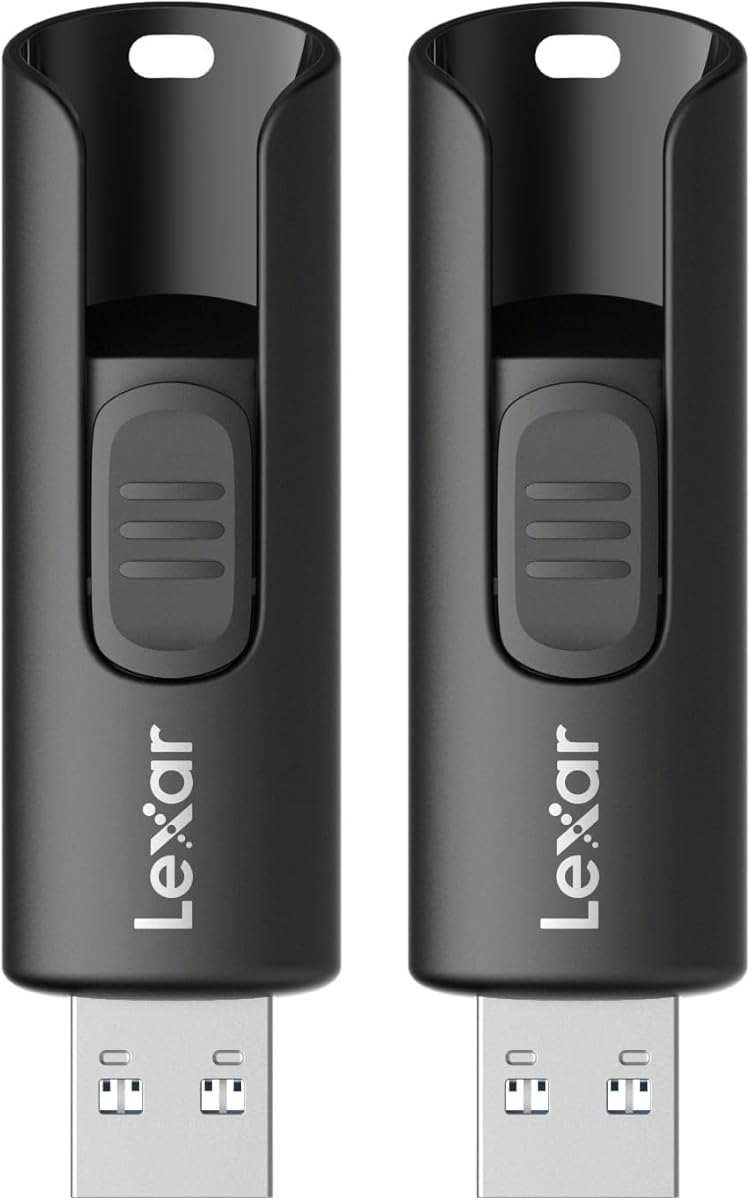
The Lexar A30E USB 3.2 Gen 1 Flash Drive offers a compelling combination of speed and security in a slim profile. With transfer speeds up to 100 MB/s it significantly outperforms standard USB 2.0 drives making it ideal for moving large files quickly.
We may earn a commission when you buy through this link, at no additional cost to you.
Its lightweight portable design ensures you can carry it anywhere without bulk while the push-button retractor protects the connector from damage. The included DataShield software adds a layer of security by allowing you to create password-protected safe files.
While it lacks USB-C connectivity which might limit compatibility with newer devices the high speed and dual pack value make up for this. The security features are robust and protect your data effectively once configured properly.
This drive is perfect for professionals and students who need reliable storage and data protection. Its balance of performance and price makes it the top choice for most general users seeking a modern flash drive.
The 100 MB/s speed ensures that videos and large documents move quickly between devices.
DataShield allows you to create encrypted secure files to protect sensitive personal or business data.
We may earn a commission when you buy through this link, at no additional cost to you.
The Lexar D50E stands out as a premium storage solution designed for high performance and versatility. With read speeds up to 400MB/s it handles large files with ease making it nearly as fast as internal SSDs.
We may earn a commission when you buy through this link, at no additional cost to you.
Its dual USB-A and USB-C design eliminates the need for adapters ensuring compatibility with almost any modern laptop tablet or smartphone. The metal housing adds a sleek look and provides durability for daily use.
Although it comes at a higher price point the speed and convenience justify the investment for power users. The included Lexar App Photo Backup function simplifies media management for mobile devices.
This drive is ideal for creative professionals who need quick access to large projects. Its robust build and dual interface make it a versatile tool for on-the-go productivity.
Speeds up to 400MB/s allow rapid transfer of high-resolution video and large datasets.
Dual connectors ensure you can connect to USB-C and USB-A ports without extra adapters.
We may earn a commission when you buy through this link, at no additional cost to you.
The Lexar E31 offers an affordable entry point into reliable high-speed portable storage. With transfer speeds up to 100MB/s it delivers solid performance for everyday file transfers without breaking the bank.
We may earn a commission when you buy through this link, at no additional cost to you.
Its all-metal build feels durable and premium while the integrated keyring loop ensures you never lose it. This makes it perfect for students or casual users who need dependable storage for documents and media.
While it lacks the high capacity and security software of premium models its speed and durability are impressive for the price. The broad compatibility ensures it works with most computers and peripherals.
For those seeking a no-fuss drive for daily tasks this is an excellent choice. Its balance of cost performance and build quality makes it a standout budget option.
The sturdy metal construction protects internal components from accidental drops and wear.
An integrated keyring loop allows easy attachment to keychains for secure transport.
We may earn a commission when you buy through this link, at no additional cost to you.
The Lexar 128GB JumpDrive S80 delivers impressive read speeds that facilitate quick access to stored data. Its retractable design keeps the connector safe when not in use extending the drive's lifespan significantly.
We may earn a commission when you buy through this link, at no additional cost to you.
The advanced security software uses 256-bit AES encryption to protect sensitive information effectively. This feature is crucial for business users who need to secure confidential documents on portable media.
While the write speeds may not match the read speeds the overall performance remains strong for typical storage tasks. The three-year warranty provides added peace of mind regarding durability and reliability.
This drive is well-suited for users who prioritize data security and speed. Its combination of hardware protection and software security makes it a robust choice for professional use.
Read speeds up to 150MB/s ensure quick loading of large media files and documents.
Use 256-bit AES encryption to safeguard private data from unauthorized access.
We may earn a commission when you buy through this link, at no additional cost to you.
The Lexar D40E offers a convenient dual connector design that works seamlessly with both USB-A and USB-C devices. The swivel mechanism allows easy switching between ports without the risk of losing caps.
We may earn a commission when you buy through this link, at no additional cost to you.
Its metal enclosure provides sturdy protection against physical damage while the two-pack ensures you have a backup drive ready. This makes it ideal for users who frequently switch between different device types.
While the speeds are decent for standard file transfers it may not match high-end SSDs for large media work. The convenience of not needing extra adapters is a major plus for daily use.
This set is perfect for IT professionals and travelers who need versatile connectivity options. Its practical design ensures you can transfer files to any device without compatibility issues.
Connect directly to both USB-A and USB-C ports without requiring separate cables.
The 360-degree swivel keeps connectors safe from bending and debris accumulation.
We may earn a commission when you buy through this link, at no additional cost to you.
The Lexar JumpDrive TwistTurn2 features a classic twist design that eliminates the hassle of losing removable caps. This makes it a reliable option for storing small files and transferring documents between older devices.
We may earn a commission when you buy through this link, at no additional cost to you.
Being part of a three-pack ensures you always have a spare available which is useful for sharing files or backup purposes. Its simple plug-and-play nature requires no installation or complex setup.
While USB 2.0 speeds are slower compared to modern standards this drive is sufficient for basic text and small image files. The design is durable enough for everyday use in a pocket or bag.
This drive is suitable for users who prioritize simplicity and convenience over high speed. It remains a practical choice for legacy systems or situations where robust connectivity is not required.
Rotates to reveal the connector ensuring the cover never gets lost during transport.
Includes three drives so you can distribute storage across multiple devices easily.
We may earn a commission when you buy through this link, at no additional cost to you.
The Lexar 256GB JumpDrive D400 provides ample storage space for large files including photos and videos. Its dual USB-C and USB-A ports ensure compatibility across a wide range of modern and older devices.
We may earn a commission when you buy through this link, at no additional cost to you.
The metal housing adds a premium look while protecting the internal components from physical damage. DataShield security software allows you to encrypt sensitive data to keep it private during transport.
While the speeds are decent for everyday use it may not meet the needs of high-speed professional workflows. However for general backup and file sharing it offers an excellent balance of capacity and speed.
This drive is recommended for users who need significant storage without moving to external hard drives. Its versatility and security features make it a strong contender for daily storage tasks.
256GB space allows you to store large libraries of media and documents easily.
Connect to both USB-C and USB-A ports for seamless file transfer options.
We may earn a commission when you buy through this link, at no additional cost to you.
The Lexar JumpDrive S60 set includes five drives which is perfect for offices or families needing multiple storage solutions. Each drive features a sliding cover that keeps the connector safe from dust and damage.
We may earn a commission when you buy through this link, at no additional cost to you.
The assorted colors help you visually distinguish between drives which is useful for organizing files or sharing them. Its plug-and-play functionality ensures you can start using them immediately without any software setup.
While the USB 2.0 interface limits speed it is sufficient for basic text files and small documents. The durability and protection features ensure each drive lasts through regular use and handling.
This set is ideal for distributed storage needs or for use in shared environments. Its practical design and cost-effective pack make it a useful tool for general organization.
Helps prevent damage to the connector while keeping the drive compact and clean.
Different colors allow for easy visual tracking and organization of multiple drives.
We may earn a commission when you buy through this link, at no additional cost to you.
The Lexar 128GB JumpDrive M400 combines style with high-speed performance for a visually appealing storage solution. Its read speeds reach up to 150MB/s ensuring that large files can be accessed quickly.
We may earn a commission when you buy through this link, at no additional cost to you.
The durable design not only looks good but also withstands daily wear and tear effectively. Lexar DataShield security provides peace of mind by allowing users to protect their private documents easily.
While write speeds may not match the high read speeds the drive still performs well for standard file transfers. Its compatibility with older USB 2.0 ports ensures it works with a wide range of systems.
This drive is perfect for users who value aesthetics alongside performance. It is a great choice for professionals who need a reliable and secure drive that fits their style.
Quick read speeds ensure files open and transfer without long waiting times.
Use DataShield to encrypt files and prevent unauthorized access to your data.
We may earn a commission when you buy through this link, at no additional cost to you.
The Lexar JumpDrive S60 3-pack offers a reliable and consistent solution for everyday file management needs. Each drive features a sliding protective cover that keeps the connector safe from damage and debris.
We may earn a commission when you buy through this link, at no additional cost to you.
Its simple plug-and-play design ensures you can use it immediately with any compatible system. The three-pack allows you to maintain backups or distribute files easily among team members or devices.
While USB 2.0 speeds are slower than modern standards the performance remains dependable for small files. The 2-year warranty provides assurance that the product will perform well over time.
This set is suitable for budget-conscious users who need multiple reliable drives. Its practical design and consistent performance make it a solid choice for general storage needs.
Dependable speeds for text and small files ensure smooth daily workflow tasks.
Three drives ensure you always have a spare available for backups or sharing.
We may earn a commission when you buy through this link, at no additional cost to you.
Selecting the right storage device depends on understanding your specific needs regarding speed capacity and device compatibility.
Transfer speed determines how quickly you can move files to and from the drive. Models with USB 3.2 Gen 1 capabilities offer significantly faster speeds compared to USB 2.0 drives allowing for efficient handling of large media files.
Always check the read and write speeds to ensure the drive meets your performance expectations.
Modern devices often require USB-C ports while older systems use USB-A connectors. Dual connector drives eliminate the need for separate adapters providing versatility across different hardware setups.
Choose a drive with the connectors that match your primary devices to avoid extra accessories.
Capacity ranges from small sizes suitable for documents to large sizes ideal for video and media libraries. Consider the total size of files you plan to store to ensure the drive has enough space.
Select a capacity that provides enough headroom for future file growth without exceeding your needs.
Build materials like metal housing offer better protection against physical damage and environmental factors. Features like retractable or swivel designs help protect connectors from bending and debris accumulation.
A sturdy build ensures the drive survives daily transport and use over a long period.
Advanced drives include encryption software or hardware security to protect sensitive data. This is critical for users who store confidential personal or business information on portable media.
Look for encryption options if you need to secure private files from unauthorized access.
A manufacturer warranty provides assurance against defects and ensures long-term reliability. Models with longer warranties often indicate higher quality control and durability standards.
Prioritize options with solid warranty coverage to protect your investment in portable storage.
To use your drive plug it into an available USB port and wait for the system to recognize it. Open the file manager to view and transfer files as needed.
When removing the drive use the safe removal option in your operating system to prevent data loss. Always eject it properly before unplugging from the device.
Store the drive in a cool dry place and keep the connectors covered when not in use. Regularly checking for firmware updates ensures optimal performance and security.
USB 3.2 Gen 1 drives offer faster transfer speeds up to 5Gbps while USB 2.0 drives are slower. The newer standard is better for moving large files quickly and is backward compatible with older ports.
Yes most Lexar drives are compatible with Mac systems out of the box. Some may require formatting to Mac-specific file systems depending on your usage needs.
Most security features like DataShield are software based and easy to configure. Simply install the provided software on your computer to set passwords and encrypt files.
No most Lexar drives use Plug and Play technology requiring no installation. Basic file management works directly through your operating system without extra software.
With proper care Lexar drives can last several years of regular use. Lifespan depends on usage frequency and physical handling.
Try plugging into a different USB port or restarting your computer. Ensure the drive is formatted correctly for your operating system.
The Lexar A30E D50E and E31 stand out as top choices offering distinct benefits for speed versatility and budget.
Consider your primary use case whether it is high-performance file transfer or simple storage needs.
Check current availability and ensure the specs match your devices before making your final selection.