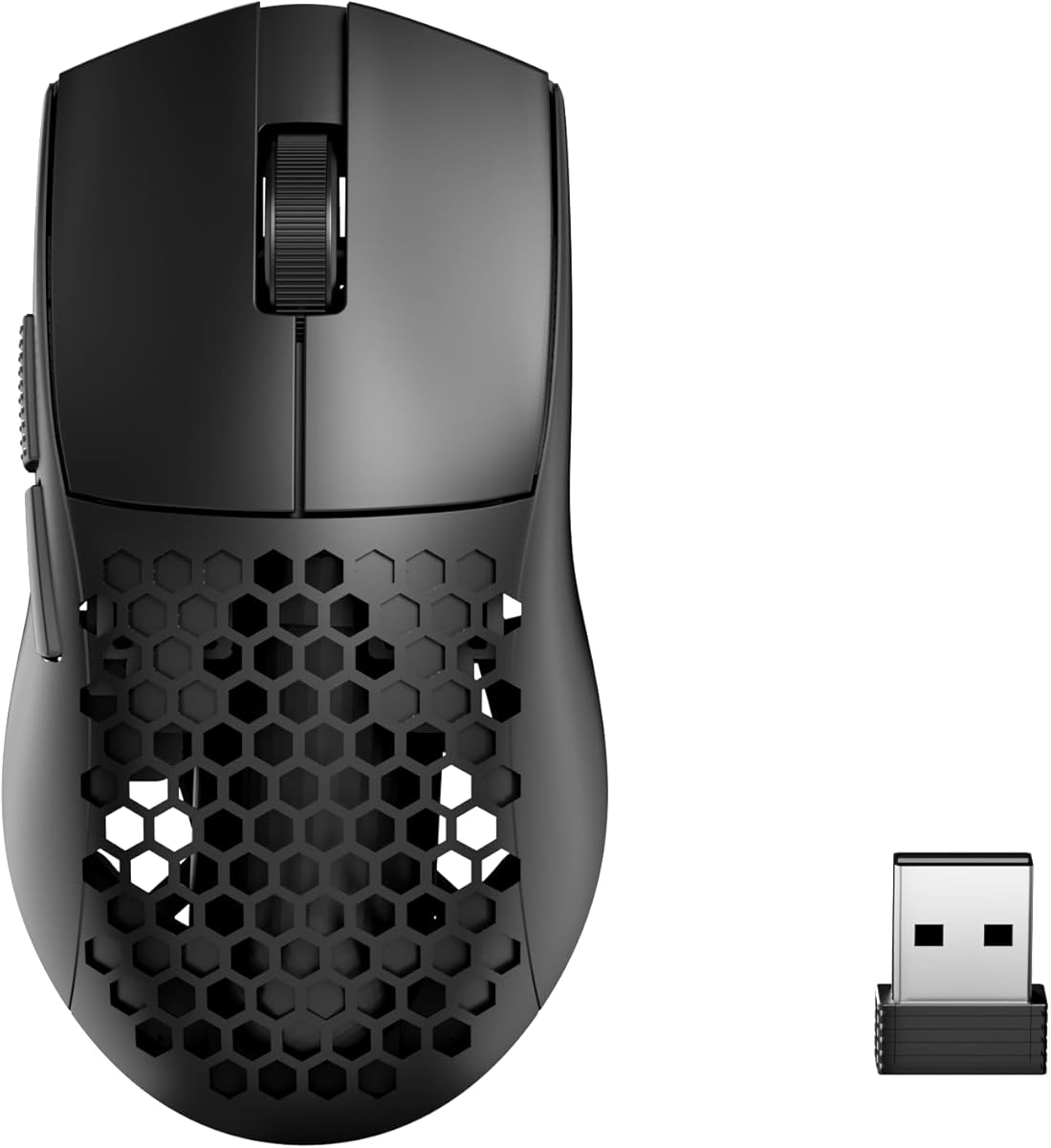
Redragon M725 Honeycomb Shell Gaming Mouse
4.4Editor score
Tri-Mode Bluetooth and wireless connectivity
49 grams ultra lightweight honeycomb design
5 programmable buttons with macro support
Explore the lightest mice for gaming compared side by side. We evaluate weight, sensor quality, and build to help you find the perfect ultra light mouse.
Finding the right gaming mouse can transform your competitive edge. Lightweight designs reduce fatigue and increase speed. Gamers seek precision without the burden of heavy hardware during long sessions.
We evaluated ten top models focusing on weight, sensor performance, and build quality. Our analysis covers wireless and wired options across various price points. Each pick balances portability with professional-grade features for serious players.
Every selection highlights unique strengths like battery life or ergonomic shape. We include detailed specs and real-world usage insights for clarity. Prices fluctuate often so verify current deals before you commit to a purchase.
4.4Editor score

4.5Editor score

4.3Editor score
This side by side comparison highlights key specifications for every model. We focus on weight, sensor type, and connectivity to help you decide quickly.


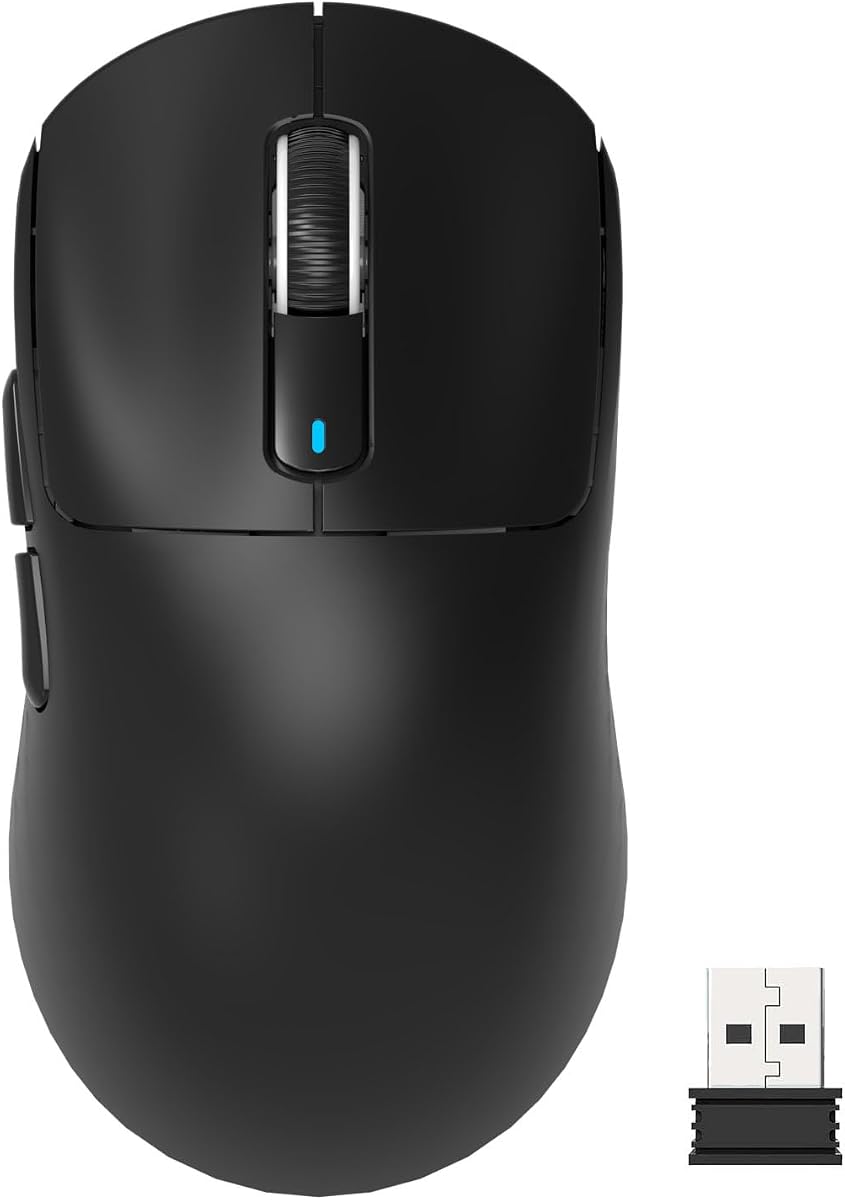


The Logitech G PRO X Superlight 2 sets the standard for competitive play. It maintains a lightweight profile while upgrading to an 8 kHz polling rate. This model combines speed with precision for serious gamers.
We may earn a commission when you buy through this link, at no additional cost to you.
Its HERO 2 sensor offers unmatched tracking accuracy without acceleration issues. The battery life is exceptional providing over 90 hours of use. Zero additive PTFE feet ensure smooth gliding across any surface.
While the price is high it justifies the build quality and performance. Some may find the lack of RGB unappealing but pros prefer focus over flair. The shape suits most grip styles effectively.
Competitive players should prioritize this model for tournament readiness. It balances weight and features better than most rivals. This is a top tier choice for esports pros and enthusiasts.
The HERO 2 sensor allows tracking over 888 inches per second with zero smoothing for flawless precision.
USB-C charging and POWERPLAY compatibility ensure you never run out of power during critical matches.
We may earn a commission when you buy through this link, at no additional cost to you.
This mouse redefines lightweight gaming by tipping scales at 37 grams. It feels nearly weightless yet delivers heavy duty performance. The minimalist design ensures ultra light handling for speed.
We may earn a commission when you buy through this link, at no additional cost to you.
The XS-1 sensor provides 32000 DPI resolution for pinpoint accuracy. Optical switches minimize double clicks for rapid responses. Dot skates included in the box enhance glide on any pad.
Its small size may not fit large hands comfortably for all users. The price reflects premium materials but budget shoppers might hesitate. Durability is strong despite the hollow build.
Ideal for claw or fingertip grips seeking maximum agility. It offers top tier specs for those willing to pay. This is a standout choice for elite competitive players.
Exclusive to Pulsar the XS-1 sensor supports high acceleration and tracking speeds for aggressive play.
Speed of Light optical switches ensure swift and pinpoint responses with a dust-proof structure.
We may earn a commission when you buy through this link, at no additional cost to you.
This model prioritizes endurance with up to 280 hours of single battery life. It features a mass centralized design for consistent swipes. The sensor ensures flawless tracking across glass and hard pads.
We may earn a commission when you buy through this link, at no additional cost to you.
Mechanical switches Gen 2 offer a 60 million click lifespan. On mouse DPI control allows quick toggling without software. The wireless connection remains smooth in noisy environments.
While lighter than standard mice it is heavier than ultralight rivals. The AA battery adds some weight compared to rechargeable units. It remains a solid choice for long sessions.
Gamers who hate charging cables will appreciate the battery setup. It offers great accuracy for the price point. This is a dependable option for competitive play.
Power through intense scrimming with up to 280 hours of high-performance gaming on a single AA battery.
The FOCUS PRO 30K Optical Sensor maintains flawless tracking on a wider variety of surfaces.
We may earn a commission when you buy through this link, at no additional cost to you.
This mouse delivers excellent value with tri-mode connectivity including Bluetooth and wireless. The honeycomb shell reduces weight to 49 grams effectively. It balances cost with features for new gamers.
We may earn a commission when you buy through this link, at no additional cost to you.
Five programmable buttons allow macro bindings for faster hotkeys. Software support lets you customize DPI levels easily. The symmetrical design supports long-term use without fatigue.
The sensor is lower tier than pro models but adequate for casual play. The honeycomb design collects dust and may feel less premium. It remains a strong entry point for budget buyers.
Perfect for students or beginners wanting wireless freedom. The price makes it accessible to many players. This is a versatile pick for work and gaming.
Type-C Wired Bluetooth and 2.4GHz modes let you switch seamlessly between devices efficiently.
Honeycomb hollow design reduces weight and enhances palm air circulation to keep hands dry.
We may earn a commission when you buy through this link, at no additional cost to you.
The G305 is a classic choice for wireless reliability and portability. It features a next generation HERO sensor with ten times power efficiency. The compact design fits easily in a laptop bag.
We may earn a commission when you buy through this link, at no additional cost to you.
Ultra-fast LIGHTSPEED technology delivers lag-free performance with a 1ms report rate. You can extend battery life up to nine months with Endurance mode. The receiver stores inside the mouse for travel.
While it lacks RGB it offers robust performance for most gamers. The AA battery adds slight weight but ensures convenience. It is a solid portable solution for travel.
Students and travelers will love this reliable wireless mouse. It combines battery efficiency with good sensor specs. This is a great portable desktop or laptop choice.
The next-generation optical HERO sensor delivers incredible performance and up to 10x power efficiency.
Compact design with built-in nano receiver storage makes it a great travel companion.
We may earn a commission when you buy through this link, at no additional cost to you.
This L7 series gaming mouse weighs about 39 grams for smooth moves. It uses a high hump design that fits various hand shapes well. The ergonomic balance helps precise control during quick maneuvers.
We may earn a commission when you buy through this link, at no additional cost to you.
Optical switches offer a 150 million click lifespan for durability. TOPSPEED wireless technology provides ultra-low latency for a competitive edge. A free wireless 8K receiver is included with purchase.
The brand is less known than giants but specs are impressive. The driver allows deep customization for unique play styles. Build quality feels solid for the price point.
Gamers seeking low weight and high refresh rates should check this. It offers strong performance for the cost. This is a versatile pick for modern esports.
High hump design and small waist angle conform perfectly to various hand shapes and grip styles.
Premium optical switches offer up to 150 million clicks of lifespan for clarity in every click.
We may earn a commission when you buy through this link, at no additional cost to you.
The X3 adopts the Pixart PAW3395 flagship sensor for high accuracy. It weighs 49 grams lighter than an egg to minimize hand burden. The ergonomic body supports palm of the hand well.
We may earn a commission when you buy through this link, at no additional cost to you.
Kailh Black Mamba switches offer fast trigger and quick rebound. It supports three connection modes to meet various using scenes. You can connect up to four devices simultaneously.
While affordable it requires driver setup for full optimization. The lightweight design is great but may feel fragile to some. It delivers high specs for the cost.
Ideal for gamers wanting flagship sensors on a budget. The tri-mode connectivity works for office and home. This is a strong contender for value seekers.
Committed to capturing the slightest movement and fastest response for the most precise positioning.
Three modes support meet various using scenes and connect up to four devices at same time.
We may earn a commission when you buy through this link, at no additional cost to you.
The X2 CrazyLight redefines lightweight with a 39 gram build. It features a low-profile symmetrical shape that supports claw grips well. The minimalist design delivers ultra-light handling for peak performance.
We may earn a commission when you buy through this link, at no additional cost to you.
XS-1 sensor resolution provides 32000 DPI for precision. Speed of Light optical switches minimize unintended double clicks effectively. Included DOT skates ensure smooth gliding on any pad.
Like its sibling it comes at a premium price point. The medium size may not suit very large hands. It remains highly durable despite the hollow construction.
Competitive gamers valuing speed and accuracy will enjoy this. The dust-proof structure is a unique benefit. This is a premium pick for enthusiasts.
Speed of Light optical switches ensure swift and pinpoint responses minimizing unintended double clicks.
Included DOT skates deliver exceptional low friction for smooth gliding on any surface.
We may earn a commission when you buy through this link, at no additional cost to you.
This model is co-developed with pro FPS players for accuracy. The compact semi-symmetrical shape optimizes fingertip and claw grips well. It weighs 49 grams for maximum control with minimal fatigue.
We may earn a commission when you buy through this link, at no additional cost to you.
ROG AimPoint Pro sensor tracks on glass with pixel-perfect accuracy. You get wired 2.4GHz and Bluetooth connectivity for flexibility. The ROG Omni Receiver links multiple devices easily.
Its mini size is ideal for smaller hands but limits others. The price is mid-range compared to other brands. Build quality is reliable for intense daily sessions.
Gamers with smaller hands should consider this refined shape. It offers strong sensor quality for competitive play. This is a solid pick for precision fans.
The ROG AimPoint Pro optical sensor delivers 42000 DPI and track-on-glass technology.
Tri-Mode allows seamless linking of up to three devices for flexible setups.
We may earn a commission when you buy through this link, at no additional cost to you.
This ultralight design assures long sessions without fatigue thanks to 85g build. The honeycomb shell offers infinite potential to maximize your aim. It supports RGB customization with software for personal style.
We may earn a commission when you buy through this link, at no additional cost to you.
Seven programmable buttons handle complex macro keybindings easily. The super-lite cable minimizes weight and friction during use. DPI settings are fully adjustable for different games.
Being wired limits portability but ensures zero latency. The honeycomb design may collect dust over time. It offers excellent specs for a very low price.
Casual gamers wanting RGB without high costs will like this. The build is solid for everyday use. This is a budget-friendly pick for wired fans.
Years-tested ultralight design assures long-session gaming without fatigue for better control.
DPI and 16.8 million colors are customizable to engineer your liked way to win.
We may earn a commission when you buy through this link, at no additional cost to you.
Choosing a lightweight gaming mouse requires understanding how weight affects aim and comfort. We break down the most critical factors for every gamer to consider.
Weight is the most obvious factor when buying a light mouse. Ideally you want something between 40 and 60 grams to reduce wrist strain. The center of gravity matters too as poor balance can make a light mouse feel awkward.
Look for models that distribute weight centrally for consistent swipes and flicks.
A lightweight shell means nothing if the sensor lacks precision. Look for flagship optical sensors like HERO or PAW3395 for tracking. These sensors ensure your movements translate accurately without spin outs or acceleration.
Always verify the sensor is up to date for competitive gaming.
Wireless connectivity is preferred for clean setups but wired options remain popular. Modern 2.4GHz wireless offers low latency comparable to cable. Tri-mode mice allow flexibility between Bluetooth and wired options for work.
Decide if freedom from cables is worth a premium cost.
Ergonomics determine how long you can use a mouse comfortably. Claw grip users often prefer symmetrical shapes while palm users may need humps. Ensure the mouse fits your hand size to avoid fatigue.
A well-shaped mouse reduces strain during marathon gaming sessions.
Wireless mice depend on battery life for uninterrupted use. Aim for models offering 70 hours or more per charge. Rechargeable batteries are common but some still use AA batteries for convenience.
Check battery duration to avoid frequent recharging cycles.
Ultra-light mice often use hollow or honeycomb designs to reduce mass. Ensure the material does not feel flimsy or crack easily. Durability is key for long term investment in hardware.
Solid hinges and durable skates extend the lifespan of your mouse.
Mechanical or optical switches impact click feel and lifespan. Optical switches minimize double clicks and offer faster response times. Ensure the switches have a high click rating for longevity.
High-quality switches provide crisp feedback for competitive play.
Budget mice offer great value but may lack premium sensors. High-end models justify cost with better build quality and tech. Determine which features matter most before buying to save money.
Focus on specs that impact performance over extra cosmetic lighting.
To start use the mouse on a clean mousepad to ensure tracking accuracy. Adjust DPI settings to match your game sensitivity before playing. This helps you aim precisely without moving your wrist excessively.
Keep the sensor lens clean by wiping it gently with a soft cloth. Dust accumulation can affect tracking speed on light mice. Regular cleaning maintains optimal performance over time.
Store the mouse in a cool dry place when not in use. If wireless store batteries properly to avoid corrosion or damage. Proper care extends the lifespan of your lightweight gear.
Lightweight mice reduce wrist fatigue and allow faster flicks. Less mass means your hand moves quicker with less effort. This improves reaction times during intense competitive gaming.
Many ultralight models use reinforced plastics or honeycomb designs to withstand use. While they are lighter they undergo strict testing. Check build reviews to ensure long term reliability.
Use a soft brush to remove dust from holes. Avoid liquids that might seep inside the shell. A dry cloth is safest for cleaning the exterior safely.
Modern wireless gaming mice use 2.4GHz tech with low latency. This connection rivals wired mice in speed. Lag is negligible if you use a stable receiver.
Yes many lightweight mice offer silent clicks for office use. Comfort and portability make them great for travel too. Just ensure battery life fits your daily work needs.
Top sensors include HERO and PAW3395 for accuracy and speed. These offer high DPI and low power usage. They ensure smooth tracking on any surface without jitter.
Our top picks highlight the Logitech G PRO X Superlight 2 and Pulsar options for premium play. Budget gamers may prefer the Redragon models for affordable performance. Each option offers unique strengths for different needs.
Prioritize sensor accuracy and shape over just raw weight. A comfortable mouse fits your grip style better than a heavier one. Balance your budget with the specs that matter most to you.
Remember to verify current pricing and stock before purchasing. Deals often change so check official links for updates. We hope this guide helps you find the perfect lightweight mouse.