
VSD Mini Macro Pad Shortcut Keypad
4.1Editor score
6 custom LCD programmable keys
Compact portable design
Dual side RGB light bars
Discover the top macro pads for streaming in October 2026. This guide compares features, compatibility, and ease of use for content creators.
Streaming has evolved into a professional pursuit requiring precise control over audio, video, and chat interactions. A macro pad for streaming serves as a central command center, allowing creators to execute complex commands with a single press. These devices streamline workflows by automating repetitive tasks like scene switching and sound effects.
To compile this list, we evaluated ten leading models based on key metrics including customizable key count, software compatibility, and build quality. We examined how well each device integrates with popular platforms like OBS and Twitch. Our analysis focuses on real-world usability for both beginners and seasoned professionals seeking efficiency.
Each selection below highlights specific strengths such as LCD customization, RGB lighting, and specialized modes like calculators or audio mixing. While prices fluctuate due to market dynamics, the value proposition remains clear for those aiming to enhance their setup. Check current availability before making your final decision to ensure you get the best deal.
4.1Editor score

4.8Editor score

4.9Editor score
This side-by-side comparison breaks down the essential specifications of each top-rated macro pad. You will find details on key counts, compatibility options, and unique features that distinguish each model in the current market.



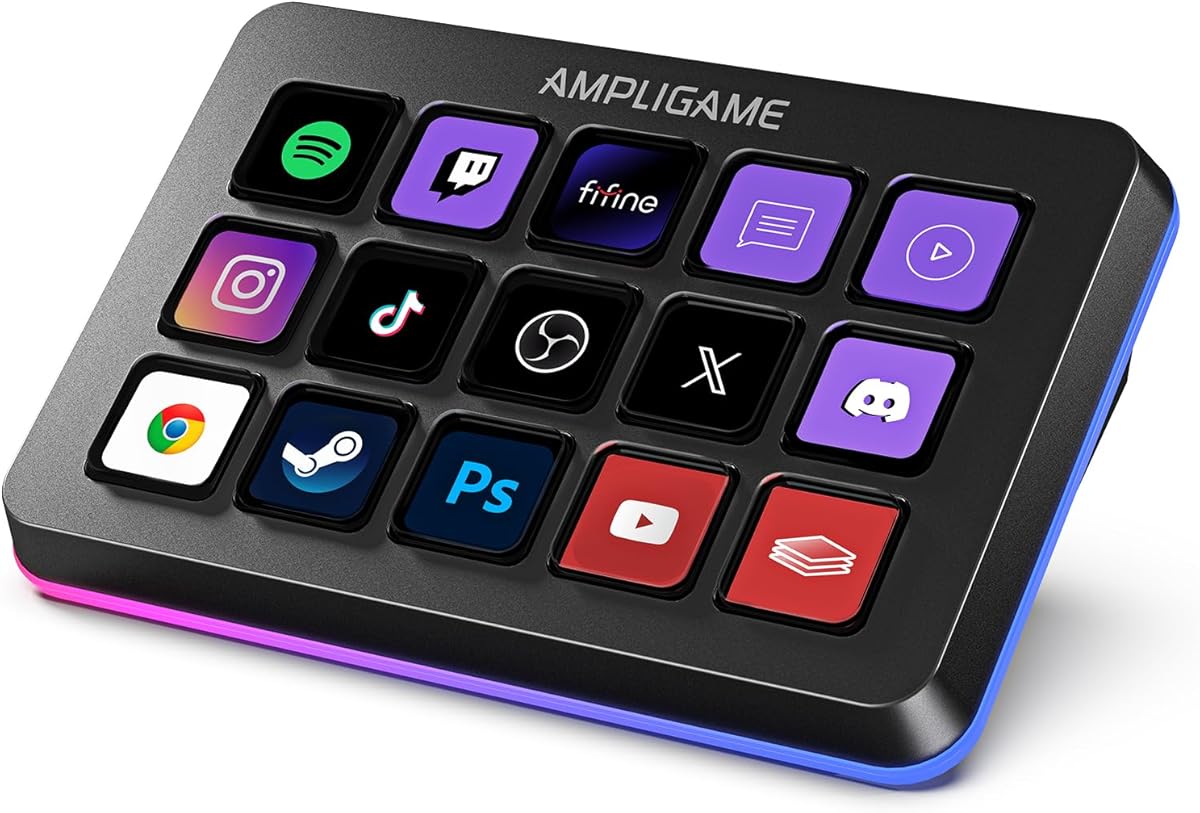


The VSD M18 Macro Pad stands out as a highly accessible entry point for streamers seeking advanced control without a high cost. With a rating of 4.4, it offers a robust set of features including 18 programmable keys and a vibrant RGB light ring. This device is designed to handle daily streaming operations efficiently.
We may earn a commission when you buy through this link, at no additional cost to you.
Its standout quality lies in the ability to program both single actions and multi-step sequences directly from the keypad. The 15 LCD visual keys allow users to display custom images or GIFs for quick recognition. This flexibility ensures that complex tasks like switching OBS scenes can be executed with a single tap.
While the device excels in functionality, it does require software installation which may pose a slight hurdle for immediate plug-and-play users. Additionally, native Linux support is not available, which limits its utility for open-source oriented setups. However, these trade-offs are acceptable given the price and feature set provided.
For budget-conscious creators or gamers who need a reliable shortcut keyboard, the VSD M18 is an excellent choice. It balances cost with performance effectively. We recommend it for anyone looking to upgrade their streaming setup without breaking the bank.
The LCD keys support JPG, PNG, and GIF formats allowing for dynamic visual cues that simplify workflow navigation during live broadcasts.
Users can program operation follow functions to run multiple macro steps in a custom order or simultaneous execution for adjustable task control.
We may earn a commission when you buy through this link, at no additional cost to you.
This Streaming Deck Macro Pad distinguishes itself with a unique vertical layout that saves valuable desk space while expanding shortcut key availability. Its impressive 4.7 rating reflects strong user satisfaction regarding its ergonomic design and functional versatility. It serves as a compact yet powerful tool for streamers.
We may earn a commission when you buy through this link, at no additional cost to you.
The device offers three distinct switchable modes including a left-hand shortcut keyboard mode, a calculator mode, and a numeric keypad mode. This multifaceted approach allows users to repurpose the device beyond standard streaming tasks. The 15 LCD keys support drag-and-drop customization for apps and files.
While the vertical design is efficient it may not align with every user's desk ergonomics requiring an adjustment period. The multiple modes also imply a learning curve to master all functionalities effectively. Despite this the productivity gains are significant for those who adapt quickly.
This model is ideal for users who need more than just a standard macro pad such as those doing calculations or data entry during streams. Its compatibility with major platforms ensures smooth integration. We suggest it for streamers prioritizing space efficiency and functional variety.
The vertical layout saves desktop space while expanding shortcut keys compared to traditional horizontal stream controllers.
Users can switch between left-hand shortcut, calculator, and numeric keypad modes to meet a variety of needs beyond streaming.
We may earn a commission when you buy through this link, at no additional cost to you.
The VSD M18 Stream Controller is designed to streamline workflow for gamers and content creators with its efficient one-touch operation. Rated 4.5, it focuses on speed and reliability allowing users to execute tasks accurately under pressure. It includes 18 customized macro keys for extensive customization.
We may earn a commission when you buy through this link, at no additional cost to you.
Its key strength is the ability to assign individual or series of actions to the keys including game combos and media control. The surrounding RGB light ring adds ambiance while the LED visual keys enhance recognition. This model supports Windows and macOS seamlessly.
Some users might find the interface similar to other VSD models which could limit perceived novelty. The lack of native Linux support remains a constraint for certain technical environments. However, the high-quality construction and plugin support mitigate these minor drawbacks effectively.
This device is best suited for individuals who value immediate responsiveness and visual customization in their streaming setup. It provides a solid balance of features and performance. We recommend it for users needing a reliable companion for daily production work.
One-touch operation allows instant launching of macros inputting text and switching scenes in OBS with a single click.
Personalize each LCD key with different images and animations for enhanced recognition and memorization during critical moments.
We may earn a commission when you buy through this link, at no additional cost to you.
The VSD Mini Macro Pad offers a compact alternative for users with limited desk space or those seeking portability. Rated 4.1, it delivers essential macro functionality in a smaller form factor. It features 6 fully customizable LCD visual keys for basic automation tasks.
We may earn a commission when you buy through this link, at no additional cost to you.
Its standout feature is the dual side custom RGB light bars which provide ambient lighting without occupying extra space. The device is USB powered ensuring continuous operation without battery concerns. It supports major platforms via software installation.
The limited number of keys compared to larger models restricts the complexity of workflows one can manage. Additionally, users must install exclusive VSD Craft software which adds a setup step. These factors make it less suitable for power users needing extensive controls.
This device is perfect for beginners or those who need a simple solution for basic scene switching and app launching. Its compact design ensures it fits anywhere on a desk. We suggest it for light users prioritizing portability.
Designed in mini portable size the VSD Mini stream controller deck saves desk space while retaining full macro customization functions.
Featured with 2 customized lcd light bars on left and right sides this streaming deck supports automatic color cycling.
We may earn a commission when you buy through this link, at no additional cost to you.
The VSD N4 Pro is a specialized device tailored for content creation and gaming with advanced audio controls. Rated 4.4, it combines LCD keys with physical knobs for tactile feedback during operations. It supports 500+ expandable downloadable plugins for extended functionality.
We may earn a commission when you buy through this link, at no additional cost to you.
Its unique selling point includes a USB sound deck capability allowing users to trigger sound effects and adjust audio atmospheres efficiently. The carbon-fiber panels and switchable haptic keys add a premium feel to the interaction. An ergonomic stand ensures comfortable viewing angles.
The higher price reflects its advanced features but might not be necessary for basic streaming needs. Some users may find the setup process complex due to the array of options available. However, the depth of control justifies the cost for professionals.
This controller is ideal for streamers who require precise audio mixing and tactile input alongside visual key feedback. It provides a comprehensive solution for studio-quality production. We recommend it for serious creators needing full control over their broadcast.
The device works as a professional USB soundboard for streamers to trigger sound effects and switch background audio with one tap.
Carbon-fiber panels and switchable haptic keys let you customize typing feedback for a more engaging user experience.
We may earn a commission when you buy through this link, at no additional cost to you.
The fifine D6 RGB Macro Keyboard is designed to enhance multi-tasking capabilities for gaming and productivity. With a 4.6 rating, it features 15 customizable macro keys that can be assigned to various operations. It supports drag-and-drop customization for easy setup.
We may earn a commission when you buy through this link, at no additional cost to you.
Its visual operation keypad allows users to see application icons directly on the screen reducing the need to open windows manually. The vivid RGB lighting enhances the setup aesthetic with multiple controllable modes. This device works well with major streaming software.
Users must ensure both firmware and software are updated to the latest versions before initial use which adds an initial step. Some users might find the visual interface less intuitive without practice. These minor issues do not detract from its overall utility.
This controller is best for users who juggle multiple tasks like gaming and content creation simultaneously. The extensive plugin support makes it a versatile tool. We suggest it for those needing a reliable interface for complex workflows.
After setting and customizing your keys you can see the application on the touchscreen of stream controller and press to control directly.
There is a glowing RGB ring around the twitch stream controller with a total of 9 different controllable and changeable modes.
We may earn a commission when you buy through this link, at no additional cost to you.
The TreasLin VSDinside Stream Controller Deck is a versatile tool offering 18 customizable macro keys for extensive workflow automation. Rated 4.4, it supports dynamic animated icons which adds a unique visual layer. It includes a rotary knob for additional control options.
We may earn a commission when you buy through this link, at no additional cost to you.
Key strengths include three modes of operation allowing for switching between shortcut keys calculator and numeric keypad modes. This flexibility makes it a robust choice for various desktop tasks. The VSD Craft software enables drag-and-drop icon customization.
Spotify integration requires an active Premium account which might be a limitation for some users. The setup process requires downloading specific software which is not plug-and-play. However, the extensive plugin market compensates for these minor inconveniences.
This device is ideal for creators who need a highly customizable interface that adapts to different scenarios like work or gaming. The dynamic icons provide a unique visual experience. We recommend it for those seeking personalized control.
While most stream dock on the market are limited to static image icons the N1 breaks new ground by supporting dynamic animated ones.
By pressing and turning the knob you can switch between shortcut key mode calculator mode and numeric keypad mode.
We may earn a commission when you buy through this link, at no additional cost to you.
The Streonor S15 Stream Controller stands out with 3 status display panels for real-time system information. Rated 4.6, it provides 15 customizable LCD keys for shortcuts and app actions. It supports action flows for complex automation tasks.
We may earn a commission when you buy through this link, at no additional cost to you.
Its status panels allow users to display weather CPU temperature and GPU status without leaving their workflow. This feature enhances monitoring capabilities significantly. The device supports multiple preset pages for different scenarios like streaming or editing.
Linux users are not supported which limits its accessibility for open-source platforms. Some third-party app connections require active accounts which may incur additional costs. However, the comprehensive plugin support makes it a strong choice for Windows and Mac users.
This device is perfect for users who need both quick access to commands and system monitoring simultaneously. It streamlines desktop operations effectively. We suggest it for professionals needing detailed system insights during work.
Display supported data such as weather time CPU temperature GPU status memory usage or system performance so you can stay informed.
Create dedicated layouts for the way you use your desk setup building specific pages for streaming editing or office work.
We may earn a commission when you buy through this link, at no additional cost to you.
The Streonor S10 Stream Controller offers a premium experience with an integrated touchscreen and programmable rotary knobs. Rated 4.9, it is designed for demanding workflows requiring both instant commands and precise adjustments. It combines LCD keys with a physical interface for full control.
We may earn a commission when you buy through this link, at no additional cost to you.
Its unique feature is the ability to assign knobs to volume microphone levels and media playback allowing tactile adjustments. The touchscreen provides access to supported information and controls without needing external windows. It supports extensive plugins for various platforms.
The higher price point reflects its advanced features which may not be necessary for casual users. Linux compatibility is not available which limits its scope. However, the performance and versatility justify the investment for serious content creators.
This device is best for professionals who require precise audio control and multi-functionality in one device. It serves as a central hub for complex setups. We recommend it for high-end streaming and editing environments.
Assign the knobs to volume microphone levels media playback scrolling zooming or timeline adjustments ensuring more control stays directly at your fingertips.
Access supported information and controls through the touchscreen providing a visual interface for advanced settings.
We may earn a commission when you buy through this link, at no additional cost to you.
The Elgato Stream Deck MK.2 is an industry-standard tool recognized for its reliability and extensive ecosystem. Rated 4.8, it offers 15 customizable LCD keys for instant control over apps and tools. Visual feedback ensures users know when a command executes.
We may earn a commission when you buy through this link, at no additional cost to you.
Its primary strength is seamless integration with major platforms like OBS Twitch and Discord. The device supports powerful plugins for tasks ranging from audio adjustment to lighting control. It remains a top choice for professionals worldwide.
While the device excels in functionality it carries a premium price tag compared to competitors. It requires installing the dedicated app which adds a setup step. However, its stability and compatibility make it a long-term investment worth considering.
This controller is ideal for users who value stability and a vast plugin library over raw cost savings. It simplifies complex workflows effectively. We recommend it for those seeking a reliable standard for professional production.
Know that your command has been executed instantly with visual feedback on the LCD keys.
Access powerful plugins for OBS Twitch YouTube Twitter Discord Spotify and Philips Hue to streamline film editing and music production.
We may earn a commission when you buy through this link, at no additional cost to you.
Choosing the right macro pad requires evaluating key factors such as key count customization options and software compatibility. This guide breaks down the most important considerations to help you find the perfect fit for your streaming needs.
The number of keys determines how many shortcuts you can store simultaneously. Devices range from 6 to 18 keys. Consider your typical workflow; if you switch scenes frequently or manage complex audio setups more keys offer greater flexibility.
Prioritize a layout that fits your desk space. Compact models save room but limit functionality. If you have ample desk space a larger model might provide better long-term utility.
Look for LCD keys that support images animations and dynamic icons. This visual feedback helps identify functions quickly during high-pressure moments. Models supporting GIFs or video files provide the highest level of personalization.
Ensure the software allows drag-and-drop file assignment. A user-friendly interface simplifies setup and reduces the time spent configuring macros. Check for compatibility with your OS before purchasing.
Verify that the device supports your primary streaming software like OBS or Streamlabs. Most modern macro pads offer extensive plugin support which bridges gaps with other applications. Incompatibility can render the device less useful.
Also consider if the device works with your OS. Some models are limited to Windows or macOS. Linux users should check for open-source SDK support to ensure full functionality.
USB-C connectivity ensures faster data transfer and easier cable management. A reliable connection prevents dropped commands during critical moments. Check if the device supports plug-and-play or requires installation.
USB power is standard and avoids battery issues. Ensure the cable length accommodates your desk setup. Wired models generally offer more stability than wireless alternatives.
Durability is essential for long streaming sessions. Look for sturdy materials and solid construction. High-quality keys withstand repeated presses without failing. A robust build ensures longevity and reliability.
Ergonomic stands and adjustable features improve comfort during extended use. Devices that can be angled reduce wrist strain. Check reviews for mentions of hardware failures to gauge reliability.
RGB lighting enhances the visual appeal of your setup. Customizable rings or bars allow you to match your theme. Brightness levels help ensure visibility in different lighting conditions.
While aesthetic features are secondary they can add to the immersion of a setup. Prioritize functionality over lighting if you are on a tight budget. Good lighting can still be achieved with external sources.
Prices vary widely based on features. Entry-level models offer basic functionality while premium devices include knobs and touchscreens. Determine your maximum budget and look for the best feature set within that range.
Remember that a higher price does not always mean better performance. Sometimes a mid-range model offers the sweet spot of utility and cost. Weigh the long-term value against the upfront cost carefully.
A rich plugin ecosystem extends device capabilities significantly. Some devices offer thousands of community-created plugins. Access to these resources can automate complex workflows without custom coding.
Check if plugins require additional accounts or subscriptions. Some integrations like Spotify Premium may have hidden costs. Ensure you have the necessary services to utilize full functionality.
Start by downloading the official software from the manufacturer's website. Connect the device via USB and follow the setup instructions. Customize your first few keys for essential tasks like launching OBS or muting your microphone.
Regularly update your firmware and software to ensure stability. Check for new plugins that might automate your workflow further. Experiment with multi-step macros to save time during live broadcasts. Consistency in usage helps you memorize key placements.
Clean the device periodically using a soft cloth to remove dust. Avoid exposing it to excessive moisture or extreme temperatures. Store it in a safe place when not in use to prevent physical damage. Proper care extends the lifespan of your investment.
Yes most macro pads are designed to integrate seamlessly with OBS Studio. They allow you to switch scenes trigger recording and adjust settings instantly. Always check the specific compatibility list before purchasing.
Absolutely macro pads allow gamers to execute complex key combos instantly. They can store in-game commands like item usage or chat macros. This reduces physical strain on fingers during intense gameplay sessions.
Most models require dedicated software to customize key functions and layouts. While some offer basic plug-and-play capabilities advanced features depend on installed drivers. Ensure your system meets software requirements.
Yes you can use multiple devices simultaneously to expand your control capabilities. This is useful for separating audio and video controls. Just ensure your computer has enough USB ports or use a hub.
Linux support varies by manufacturer. Some devices provide open-source SDKs for community customization. Others limit functionality to Windows and macOS. Always verify compatibility if you rely on Linux.
Reset instructions usually involve reinstalling the software or using a specific hardware combination. Consult the user manual for the exact steps. Clearing configurations helps troubleshoot software glitches effectively.
Many models are compatible with macOS but verify the minimum version required. Some features may differ between Windows and Mac versions. Checking the official compatibility chart ensures full functionality.
Most manufacturers offer a one-to-two-year warranty covering defects. Keep your purchase receipt as proof of eligibility. Some brands also provide dedicated customer support for technical issues.
Choosing the right macro pad for streaming significantly enhances your workflow efficiency. From the budget-friendly VSD Mini to the premium Streonor S10 each option offers unique benefits tailored to different needs.
Prioritize compatibility and customization features that align with your daily streaming routine. A device with strong plugin support and intuitive software will save you time and reduce stress during live broadcasts.
Always verify current prices and availability as these can fluctuate frequently. Investing in a reliable macro pad ensures your setup remains professional and efficient for years to come.