
Hamile for iPad Case
4.5Editor score
Affordable price point
180 hours battery life
Detachable magnetic design
Choosing the right keyboard case for your 8th Generation iPad transforms it into a versatile productivity machine. A good option combines protection, typing comfort, and seamless connectivity to enhance your daily tasks without adding unnecessary bulk or complexity to your setup.
We evaluated ten top-rated products based on compatibility, build quality, battery performance, and user feedback. Our analysis covers a wide range of styles from budget-friendly detachable keyboards to premium models with trackpads and rotating hinges for maximum flexibility.
Each pick highlights key features, pros, and cons to help you make an informed decision. Please note that product availability and pricing can change frequently, so always verify current details before making your final purchase decision online.
4.5Editor score

4.4Editor score

4.4Editor score
As an Amazon Associate we earn from qualifying purchases.
The following table provides a quick side-by-side comparison of all ten products evaluated in this guide. Use this to compare key specifications like battery life, features, and compatibility at a glance before diving into the detailed reviews.


The TUNKARMOR Case Keyboard stands out as a top choice for users seeking a complete typing solution. With a rating of 4.4 stars, it offers a robust combination of protection and functionality. The inclusion of a Bluetooth mouse sets it apart from many competitors in this category.
We may earn a commission when you buy through this link, at no additional cost to you.
This case transforms your iPad into a mini laptop quickly thanks to the magnetic detachable keyboard. The adjustable backlight allows you to choose from seven colors, making typing comfortable in various lighting conditions. The protective cover ensures full edge coverage with a honeycomb pattern inside to prevent overheating.
While the mouse adds versatility, it also introduces a slight learning curve for detachment and reattachment. Some users might find the extra accessory bulky when traveling. However, the overall protection and typing experience justify this minor inconvenience for most power users.
Ideal for students and professionals who need a comprehensive typing solution, this product delivers significant value. The pencil holder ensures your stylus is always within reach. We recommend it for those who want an all-in-one package that covers typing, clicking, and protection.
The inclusion of a Bluetooth mouse provides a complete typing experience without needing to buy separate accessories.
The honeycomb grid pattern inside the case helps dissipate heat and protects the iPad from overheating during heavy use.
We may earn a commission when you buy through this link, at no additional cost to you.
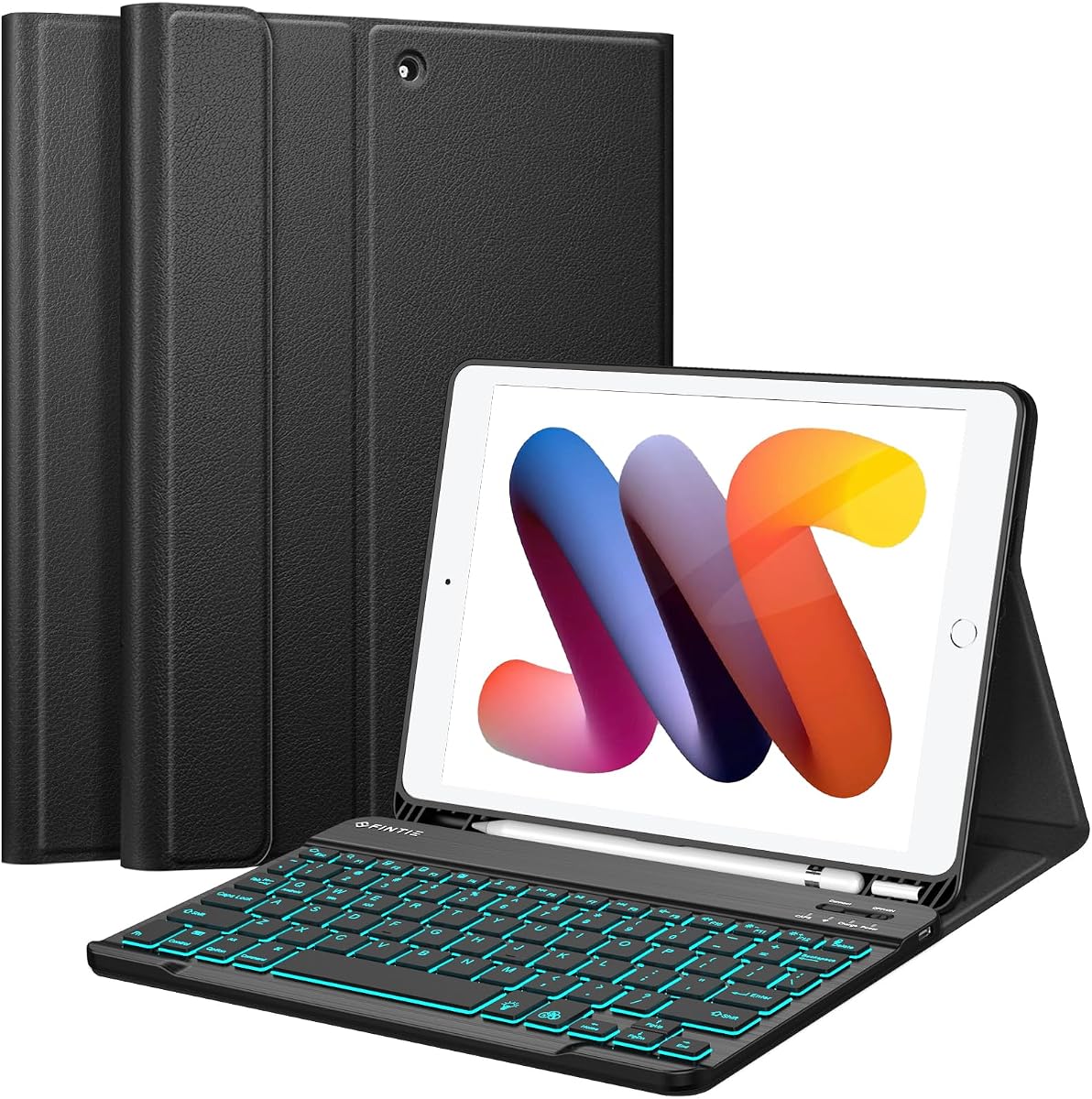
The FINTIE Backlit Keyboard Case is praised for its impressive battery life, offering up to 230 hours of continuous use. With a high rating of 4.5 stars, it appeals to users who prioritize endurance. The mechanical scissor keys provide a comfortable typing experience that reduces noise significantly.
We may earn a commission when you buy through this link, at no additional cost to you.
Its detachable keyboard design allows for flexible positioning, while the auto sleep wake feature conserves power when not in use. The case supports multiple systems including iOS, Android, and Windows, making it versatile for various devices. The pencil holder adds practical convenience for artists.
Users should note that the keyboard charges exclusively via Type-C, which might limit compatibility with older accessories. Additionally, the color options are limited compared to RGB alternatives. Despite these minor drawbacks, the durability and battery performance make it a strong contender.
This product is best suited for travelers and students who need a reliable keyboard that lasts for days on a single charge. The slim profile ensures it does not add unnecessary bulk to your backpack. We recommend it for those valuing efficiency and long-term use.
The energy-efficient design automatically switches to power-saving mode after ten minutes of inactivity to extend standby time significantly.
Ergonomic mechanical scissor keys with a rebound feature reduce noise and provide a comfortable typing experience even over long hours.
We may earn a commission when you buy through this link, at no additional cost to you.
The typecase Touch Keyboard Case offers a premium experience with its precision trackpad and rotating hinge. Rated 4.4 stars, it is designed for users who want maximum control and flexibility. The trackpad enables multi-gesture controls that redefine productivity for document editing and web browsing.
We may earn a commission when you buy through this link, at no additional cost to you.
The 360-degree hinge allows you to use the iPad in native tablet mode or as a laptop, offering seven distinct use modes. The illuminated typing feature includes a full row of iOS shortcuts and laser-etched keys that shine through a 10-color RGB backlight. The hard-shell design protects all sides effectively.
While the price is higher than standard cases, the functionality justifies the cost for power users. Some users might find the trackpad sensitivity requires adjustment to their workflow. However, the durability and versatility make it a top-tier choice for professionals needing precise control.
Ideal for creatives and business professionals, this keyboard case transforms the iPad into a true workstation. The pencil holder ensures your stylus is safe and accessible. We recommend it for those who need a robust solution for high-performance tasks.
The patented 360-degree hinge is stress tested for 20,000 cycles allowing you to use the iPad in multiple comfortable positions.
The precision trackpad allows multi-gesture controls that enable you to edit documents and build presentations with unparalleled speed.
We may earn a commission when you buy through this link, at no additional cost to you.
The Hamile for iPad Case provides exceptional value with a high rating of 4.5 stars. It features a built-in 400mAh battery ensuring at least 180 hours of use on a single charge. The mechanical scissor keys with rebound feature reduce noise for comfortable typing in quiet environments.
We may earn a commission when you buy through this link, at no additional cost to you.
Its detachable magnetic design offers convenience allowing you to use the tablet freely when needed. The honeycomb heat dissipation pattern inside protects your iPad from overheating during extended use. The case is made of quality PU leather providing a luxurious feel and protection from drops.
While the materials may feel slightly thin compared to premium options, they are sufficient for daily protection. The lack of advanced features like a trackpad keeps the cost low which is perfect for budget-conscious buyers. The responsive keyboard ensures no delays when typing emails.
This product is perfect for students or casual users looking for reliable protection and typing without overspending. The pencil holder keeps your stylus organized and safe. We recommend it for anyone seeking a cost-effective solution for their iPad 8th generation.
The affordable price point combined with a long battery life makes this an excellent choice for budget-conscious users.
The honeycomb heat dissipation design helps prevent overheating and extends the service life of your device.
We may earn a commission when you buy through this link, at no additional cost to you.
This Keyboard Case with Pencil Holder focuses on stability and usability with a 4.4-star rating. It features a durable PU leather cover with a safety magnetic buckle to protect the iPad effectively. The non-slip rubber lining provides strong anti-slip performance for stable support from multiple angles.
We may earn a commission when you buy through this link, at no additional cost to you.
The magnetic wireless keyboard is compatible with iOS, Android, and Windows systems allowing easy switching via Fn keys. Full shortcut keys customized for iPads give you an efficient way to use the device. The honeycomb grid design helps prevent overheating and extends the service life.
The battery life offers 80 hours of work time and 130 days standby which is decent but lower than some competitors. The auto sleep mode after 15 minutes helps save power effectively. It is a solid choice for users who prioritize basic functionality and protection.
Ideal for casual users who need a reliable keyboard for notes and emails, this product offers great utility. The pencil holder ensures your stylus is secure during transport. We recommend it for those who want a no-fuss solution for everyday tasks.
Compatible with multiple systems including iOS, Android, and Windows allowing you to switch easily with simple key presses.
The non-slip rubber lining provides full protection and stable support for your iPad from multiple angles.
We may earn a commission when you buy through this link, at no additional cost to you.
The Logitech Slim Folio is a well-known choice known for its exceptional battery life and reliability. With a 4.4-star rating, it offers comfortable typing thanks to large well-spaced keys stretched edge-to-edge. The full row of iOS shortcut keys provides one-tap access to media volume controls.
We may earn a commission when you buy through this link, at no additional cost to you.
It uses two replaceable coin cell batteries powering the keyboard for up to 4 years based on daily use. The Bluetooth Low Energy connectivity ensures a reliable and energy-efficient connection. The case envelopes your iPad for all-around protection against bumps, scratches, and spills.
The lack of a backlight means it might be difficult to use in dark environments. Replacing coin cell batteries every few years requires a bit of effort but ensures long-term use. The pencil holder keeps the Apple Pencil or Logitech Crayon secure.
Best suited for users who prioritize long-term reliability over advanced features, this case is a classic choice. The slim profile ensures it does not bulk up your device. We recommend it for those who prefer a low-maintenance solution.
Uses two replaceable coin cell batteries to power the keyboard for up to four years without needing replacements.
The full row of iOS shortcut keys allows one-tap access to media volume controls and other essential functions.
We may earn a commission when you buy through this link, at no additional cost to you.
The KBCASE Keyboard Case stands out for its slim and lightweight design ideal for portability. Rated 4.5 stars, it features an ultra-thin keyboard that is easy to carry in a briefcase or backpack. The detached Bluetooth keyboard combines industry-leading design with spacious scissor-structure keys.
We may earn a commission when you buy through this link, at no additional cost to you.
The multiple viewing angles are adjusted easily through slot fixing for comfortable work or watching videos. The honeycomb grid pattern design aids in better heat release and anti-skid performance. The case protects your tablet from scratches and damage effectively with solid construction.
While the protection is standard, it lacks advanced features like trackpads or backlighting. The light blue color adds a touch of personality to your device. Users should verify compatibility before purchasing to ensure it fits their specific model number.
This product is perfect for students or professionals on the go who need a portable typing solution. The pencil holder keeps your stylus safe while you travel. We recommend it for those valuing a lightweight and stylish accessory.
The ultra-thin keyboard is easy to carry and fits into a briefcase, handbag, or backpack without adding bulk.
Multiple viewing angles can be easily adjusted to comfortable angles for work, writing, or watching videos.
We may earn a commission when you buy through this link, at no additional cost to you.
The Dexnor Floating Stand case offers a magic style experience with a durable aluminum alloy hinge. Rated 4.3 stars, it features a built-in trackpad that supports multi-finger gestures for unparalleled speed in navigation. The scissor-switch key structure allows quiet typing without losing characters.
We may earn a commission when you buy through this link, at no additional cost to you.
The backlight offers 7 solid colors with 3 adjustable brightness levels for various environments. The battery provides up to 200 hours of working time on a single charge. The case allows portrait mode setup for a better viewing experience which is useful for reading.
While the price is higher, the aluminum hinge and trackpad functionality justify the cost for professionals. The trackpad may require some time to master but offers great control once set up. It is a versatile companion for travel and daily use.
Ideal for users who need precise control and a sturdy stand, this product is a strong contender. The auto wake/sleep function saves battery power effectively. We recommend it for those who value quality construction and advanced features.
The built-in trackpad supports multi-finger gestures allowing you to navigate and edit documents with unparalleled speed.
The durable aluminum alloy hinge guarantees a sturdy magnetic connection transforming your tablet into a laptop instantly.
We may earn a commission when you buy through this link, at no additional cost to you.
The INFILAND Keyboard Case delivers a zero-lag magnetic keyboard with stable and satisfying keystrokes. With a 4.5-star rating, it transforms your iPad into a true mini laptop. The built-in precision trackpad brings smooth cursor control to your device for browsing and multitasking.
We may earn a commission when you buy through this link, at no additional cost to you.
The backlit keys offer 7 colors and 3 brightness levels to match your mood. The form-fitting case shields your iPad from scratches and minor bumps during daily use. The polished modern look makes it a thoughtful gift for students and professionals.
While the keyboard is highly responsive, users must allow time to adjust to the trackpad gestures. The single black color might not appeal to those wanting more variety. However, the efficiency and design make it a top pick for productivity.
This product is ideal for those who need a professional-looking and functional setup. The pencil holder ensures your stylus is secure and within reach. We recommend it for users who value efficiency and modern aesthetics.
The magnetic Bluetooth keyboard delivers instant key response with stable keystrokes and no missed inputs.
The precision trackpad allows you to navigate and multitask without constantly reaching up to tap the screen.
We may earn a commission when you buy through this link, at no additional cost to you.
The KBCASE Touchpad Keyboard Case stands out with its 360-degree swivel and 180-degree flip capabilities. Rated 4.4 stars, it provides multiple viewing angles for typing, viewing, or reading comfortably. The keyboard allows you to control your cursor like a laptop without touching the screen.
We may earn a commission when you buy through this link, at no additional cost to you.
The hardshell design protects all sides of your tablet from scratches and dust. The trackpad makes it convenient to edit documents and browse the web efficiently. The pencil holder prevents losing your stylus and keeps it securely stored during use.
Users should note that trackpad control requires a learning curve to master effectively. The light purple color is unique but limited compared to standard black or grey options. However, the rotating hinge offers excellent flexibility for any task.
This product is perfect for creatives and students who need flexible viewing angles. The precision trackpad adds significant value for document editing. We recommend it for those who want a versatile and colorful solution.
The 360-degree swivel and 180-degree flip provide multiple viewing angles for any task.
The trackpad allows you to control your cursor like a laptop without needing an additional mouse.
We may earn a commission when you buy through this link, at no additional cost to you.
Selecting the right keyboard case involves balancing several factors to ensure it meets your specific needs. This guide breaks down the key considerations to help you make an informed decision.
Always verify your iPad model number starting with 'A' before purchasing. The 8th generation iPad corresponds to model A2270, A2428, A2429, and A2430. Incompatibility can lead to poor fit or malfunctioning keys.
Check the product description to confirm it lists your specific model number to ensure a precise fit and full functionality of all features.
Battery life varies significantly between products ranging from 80 hours to over 200 hours. Consider how often you travel and how easily you can recharge your device.
Look for USB-C charging for faster recharging times and modern compatibility with your existing devices.
Scissor-style keys generally offer a more comfortable and quieter typing experience compared to standard membrane keys. The tactile feedback reduces strain during long typing sessions.
Prioritize ergonomic designs with proper key spacing to prevent fatigue and ensure accurate typing over extended periods.
A good case should offer full edge coverage and materials like PU leather or hard-shell polycarbonate. This protects your device from drops, scratches, and daily wear and tear.
Look for honeycomb patterns inside the case as these help dissipate heat and protect your iPad from overheating.
Models with built-in trackpads allow for precise cursor control similar to a laptop. This is ideal for power users who need to manage multiple windows or documents.
Some budget models include a separate Bluetooth mouse instead which offers portability but requires pairing and carrying an extra device.
A rotating hinge or multiple stand angles allows you to switch between typing and viewing modes seamlessly. This versatility is key for multitasking and watching media.
Ensure the hinge is sturdy enough to support your iPad securely in landscape and portrait orientations.
If you use an Apple Pencil, a dedicated holder ensures it is always secure and accessible. This prevents losing your stylus during travel or daily use.
Verify that the holder is easily accessible and does not interfere with the keyboard or screen when attached.
Most keyboards support iOS but check for Android or Windows compatibility if you switch devices frequently. Multi-system support increases the value of your purchase.
Look for shortcut keys that map to your specific operating system to maximize productivity across platforms.
To get started, charge your keyboard using the included USB-C cable until the indicator light shows full. Once charged, enable Bluetooth on your iPad and pair the keyboard using the instructions provided in the manual.
Clean the keyboard regularly with a soft cloth to remove dust and debris. Avoid using liquid cleaners directly on the keys to prevent damage to the internal components and circuitry.
When not in use for long periods, store your iPad in a cool dry place. Regularly check the battery levels to prevent deep discharge which can shorten the lifespan of the rechargeable battery.
Many of the listed products are compatible with the 7th generation iPad in addition to the 8th generation. Always check the specific model numbers in the compatibility list before purchasing to ensure a proper fit.
No, the keyboard has its own battery and connects via Bluetooth. However, the iPad needs to be turned on for the keyboard to function and display output on the screen.
Most modern apps support the cursor control provided by trackpads. However, some older apps may not utilize the trackpad gestures fully. Always test with your most frequently used apps to ensure full functionality.
Battery life varies by model ranging from 80 hours to over 200 hours depending on usage and brightness settings. Generally, a single charge lasts several days of moderate use.
No, the Apple Pencil is not included in any of the packages. You must purchase the pencil separately if you want to use it with the case.
No, the keyboard is either magnetic or requires the case to be open to expose the keyboard. The iPad must be accessible to the keyboard for typing to occur.
We have reviewed ten top keyboard cases for the 8th Generation iPad ranging from budget-friendly options to premium choices with trackpads. Each product offers unique features like backlit keys and detachable designs to suit different needs.
Prioritize what matters most to you whether it is battery life, comfort, or protection. A case with a trackpad is great for productivity while a budget option may be better for casual use.
Prices and availability fluctuate so verify current details before purchasing. We hope this guide helps you find the perfect accessory to enhance your iPad experience.