
Monitor Light Bar
4.2Editor score
11.8-inch LED screen bar
Up to 800 lux brightness
USB powered with memory function
Finding the right internal PC work light can transform your desk setup by reducing eye strain and improving focus during long hours. These lights are designed to mount directly on monitors or desks without taking up valuable space. They provide targeted illumination that keeps your screen and workspace bright while minimizing glare on your eyes.
We have compared ten highly rated models based on their lighting quality, adjustability, and mounting options. Each product offers unique features such as stepless dimming, RGB modes, or specialized streaming capabilities. Our analysis focuses on how well each light performs in real-world scenarios for work, study, and entertainment.
Every pick in this list highlights specific strengths like budget-friendly options or premium streaming tools. We include detailed reviews to help you understand the trade-offs involved with each choice. Please note that availability and pricing may change over time so check current listings before purchasing.
4.2Editor score
4.5Editor score

4.5Editor score
As an Amazon Associate we earn from qualifying purchases.
The following table provides a side-by-side comparison of all ten models to help you quickly identify key specifications and features that matter most for your specific needs.




This Monitor Light Bar stands out as a highly affordable option for anyone seeking to improve desk lighting without breaking the bank. With a rating of 4.2 stars it delivers solid performance for everyday tasks. Its main appeal lies in the 11.8-inch LED bar that provides wide and even coverage across your workspace.
We may earn a commission when you buy through this link, at no additional cost to you.
The light delivers up to 800 lux of brightness which is significantly higher than many standard desk lamps. It covers an area of roughly 30 by 20 inches eliminating dark spots on your desk. The 45-degree beam angle ensures that light hits your screen and work surface without reflecting directly into your eyes.
While it lacks advanced app controls the mechanical switch is straightforward to use. You can adjust color temperature and brightness with simple presses and long presses. The built-in memory function is a nice touch that recalls your last settings automatically so you do not have to readjust every time.
This light is ideal for budget-conscious users who need reliable task lighting for work or gaming. It fits most screens including curved ones thanks to its counterweight clip. For those who want quality illumination at a low cost this bar is a strong recommendation.
The ultrawide lighting design ensures your entire desk is lit uniformly reducing eye strain during long sessions.
The patented counterweight clip holds firmly in place without tools and keeps your desk surface clear for other items.
We may earn a commission when you buy through this link, at no additional cost to you.
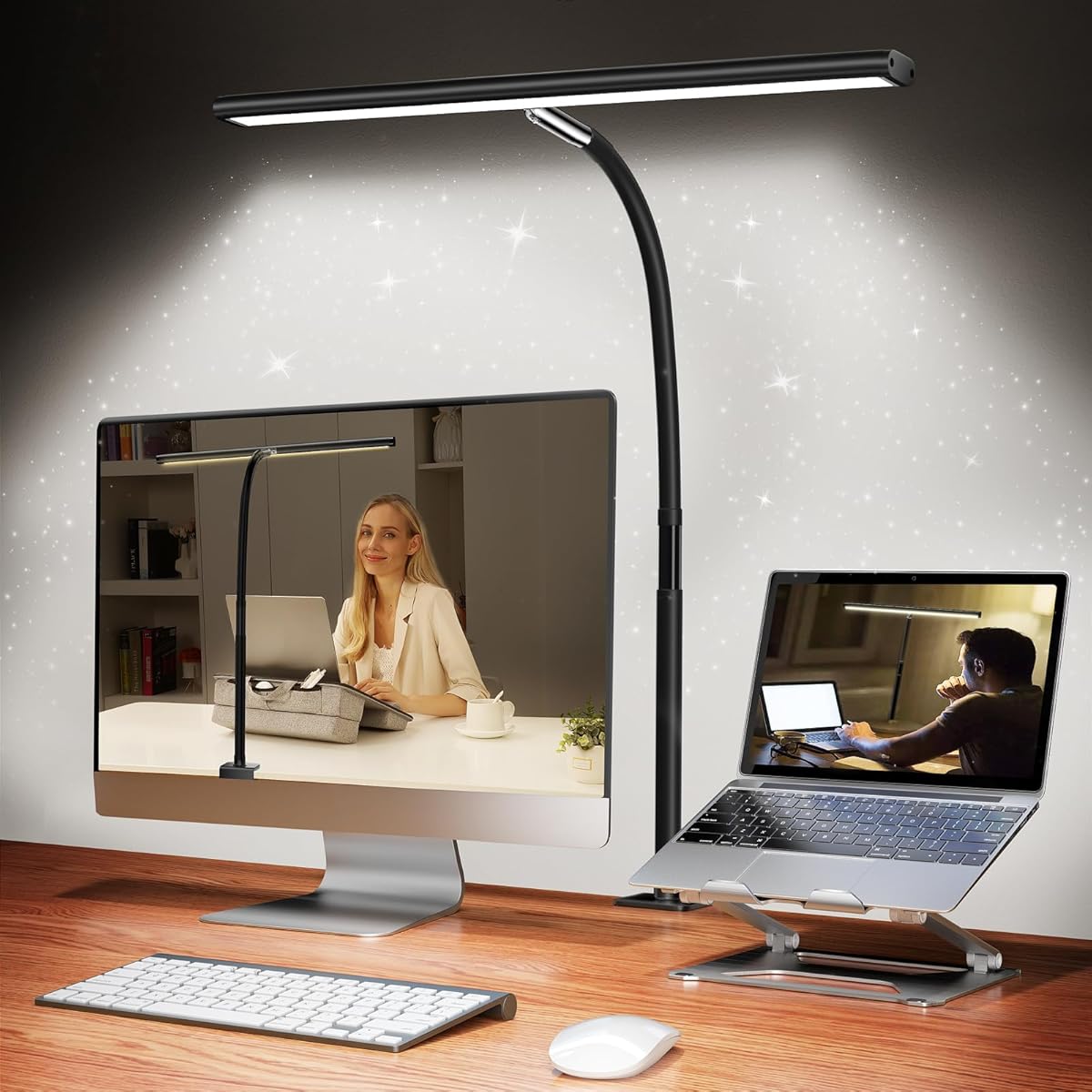
The Airlonv LED Desk Lamp earns our Editor's Choice for its balance of features quality and ease of use. It received a 4.5-star rating from users who appreciate its versatility. The 17-inch lamp bar provides ample light for large desks or dual monitor setups.
We may earn a commission when you buy through this link, at no additional cost to you.
One of its best features is the stepless dimming which allows you to set brightness anywhere from one to one hundred percent. You can also adjust color temperature seamlessly across a wide range. The long flexible gooseneck gives you complete control over where the light points.
While it does not remember settings it offers a clean and organized setup with built-in wire management. The sturdy metal clamp supports desks up to 2.36 inches thick making it compatible with most workstations. It also comes with a reliable adapter so you can plug it in immediately.
This lamp is perfect for those who want precise control over their lighting environment. Whether you are reading drawing or working on a computer the adjustable arm helps position light exactly where you need it. It is a reliable choice for home offices and creative workspaces.
Stepless dimming and a flexible gooseneck allow you to tailor brightness and angle perfectly to your task.
It uses high-quality lamp beads that save energy and minimize eye fatigue with uniform strobe-free light.
We may earn a commission when you buy through this link, at no additional cost to you.
The Logitech Litra Glow is a premium option designed specifically for creators who need professional lighting for video conferencing and streaming. It holds a 4.5-star rating and uses TrueSoft technology to deliver balanced full-spectrum light. This ensures your skin tones look natural on camera during calls or broadcasts.
We may earn a commission when you buy through this link, at no additional cost to you.
Its frameless diffuser radiates soft wide light that eliminates harsh shadows on your face. The mount allows precise positioning with adjustable height tilt and rotation. You can control brightness and color temperature through the G HUB desktop app to save presets for different scenes or times of day.
Although it is more expensive than basic desk lights it is built to clear strict safety guidelines for all-day streaming. The lightweight USB-powered design makes it easy to carry between locations. It is particularly useful for anyone who prioritizes their appearance on video platforms.
This light is best suited for streamers podcasters and remote professionals. If you want to look your best on Zoom or Twitch the Litra Glow offers the tools to achieve that polished look. Its premium build and specialized features justify the investment for content creators.
TrueSoft technology and a frameless diffuser provide flattering natural light that minimizes shadows for video.
Use the G HUB app to adjust settings and save your preferred configurations for instant access.
We may earn a commission when you buy through this link, at no additional cost to you.
The Pzloz Architect Lamp offers versatile lighting options with 25 combinations of brightness and color temperature. It features a rating that suggests high user satisfaction with its flexible design. The lamp is built to handle detailed tasks like drafting and sewing while also serving as a desk light.
We may earn a commission when you buy through this link, at no additional cost to you.
With 5 color temperatures and 5 brightness levels you can customize the light to fit any mood or activity. A wireless remote control makes it easy to change settings without reaching for the lamp. The 360-degree standing swing arms and rotatable head allow you to direct light from multiple angles.
While it is an effective task light users should note that the remote relies on batteries which are not always included. The clamp design supports dual screens but may not fit very thick desks. Overall it provides a good balance of functionality and adjustability.
This lamp is great for artists students and office workers who need varied lighting. The ability to adjust the head and arms independently helps eliminate shadows during detailed work. It is a solid choice for those who want control without complex app setups.
Choose from 25 modes to match reading drafting or study needs with precise color and brightness settings.
Multiple rotating and folding points let you position light exactly where it is needed most.
We may earn a commission when you buy through this link, at no additional cost to you.
This RGB Monitor Light Bar combines task lighting with ambient RGB effects making it perfect for gamers and enthusiasts. It received a 4.1-star rating from users who enjoy the dual lighting capability. The bar includes a front light for reading and a rear backlight for atmosphere.
We may earn a commission when you buy through this link, at no additional cost to you.
The front light uses a 45-degree beam to reduce glare while the RGB backlight offers nine modes to energize your setup. Both lights can be controlled independently with tactile buttons. A memory function recalls your last settings so your preferred look appears automatically.
The USB-C power connection makes it easy to plug into various devices. The retractable clip fits most screens and does not damage the display. While the RGB mode is fun it may not be suitable for professional work environments that require neutral lighting.
This light is ideal for those who want style and function in one device. It helps reduce eye strain during long gaming sessions while adding a cool visual element to your desk. If you value ambiance alongside illumination this bar is a unique pick.
Front light protects eyes during work while RGB backlight sets the mood for entertainment.
Retractable clip grips securely on flat or curved screens without taking desk space.
We may earn a commission when you buy through this link, at no additional cost to you.
The ShineTech LED Desk Lamp features an expandable dual-head design that covers a wide area of your workspace. With a 4.5-star rating users appreciate its brightness and flexibility. The two heads span 31.5 inches providing even light for large desks or dual monitor setups.
We may earn a commission when you buy through this link, at no additional cost to you.
You can choose from 50 lighting modes by combining five color temperatures with ten brightness levels. The gooseneck arm and adjustable heads allow precise positioning. An auto-off timer helps save energy so you do not leave the light on by accident.
While it offers excellent coverage the clamp may not fit desks thicker than 2.9 inches. It is built to last with high-quality LEDs rated for 50000 hours. The assembly is simple and quick so you can start using it immediately.
This lamp is suited for professionals who need broad illumination for tasks like drafting or reading. The timer and wide reach make it practical for long work sessions. It is a durable choice for home offices and study rooms.
The double head design spreads light across a large area minimizing shadows and glare.
Set an auto-off timer to ensure you do not forget to turn off the light.
We may earn a commission when you buy through this link, at no additional cost to you.
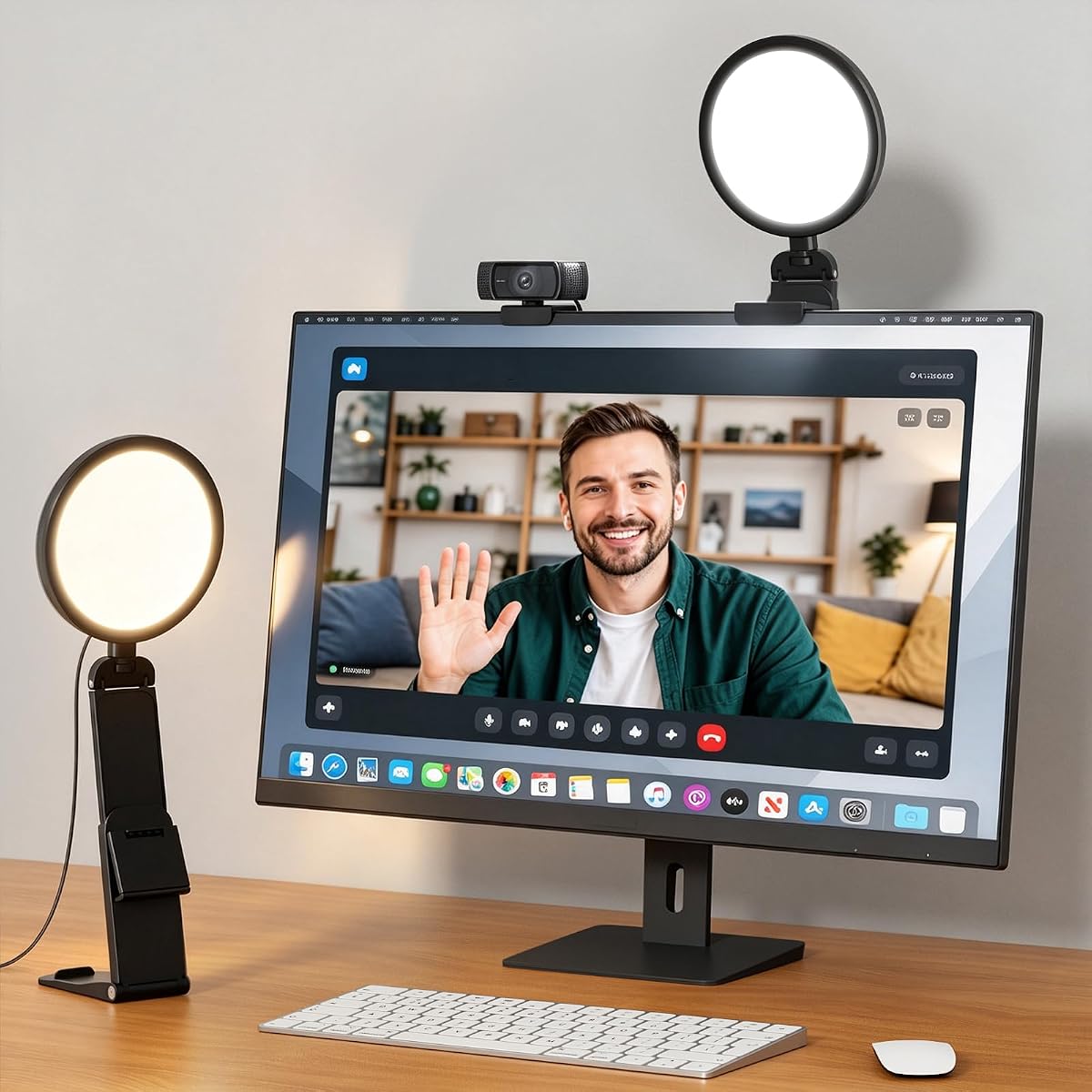
This Zoom Lighting set includes two lights designed to improve your appearance on video calls. It holds a 4.3-star rating from users who value clarity in online meetings. The light uses edge-lit technology to avoid glare and provides bright soft illumination.
We may earn a commission when you buy through this link, at no additional cost to you.
With a High CRI above 97 your colors appear natural and vivid on camera. The foldable bracket and 360-degree rotation allow you to adjust the angle easily. It weighs only 11.7 ounces making it easy to carry to different locations.
The screen-safe clip prevents damage to your monitor and works with curved or flat screens. You can adjust brightness and color temperature with simple buttons. However the small light head is better suited for close-up video rather than filling a whole room.
This light is ideal for remote workers and content creators who need to look their best on Zoom. It is portable and simple to use without needing extra software. For video conferencing it is a reliable and effective tool.
High CRI ensures natural color reproduction so you look realistic on video calls.
Lightweight and foldable build allows you to take the light anywhere easily.
We may earn a commission when you buy through this link, at no additional cost to you.
The Xiaomi Monitor Light Bar is known for its asymmetric design that avoids screen reflections. It has a 4.4-star rating and is popular for its sleek look and functionality. The metal body and optical glass ensure high quality light without flicker.
We may earn a commission when you buy through this link, at no additional cost to you.
A wireless remote lets you adjust brightness and color temperature easily. The lamp turns on automatically when you start your computer thanks to USB Type-C connection. It has a high color rendering index of 95 for natural colors and reduced eye fatigue.
While it costs more than basic bars the design and materials justify the price. It saves desktop space and looks professional on any monitor. The remote is convenient but may need battery replacement over time.
This bar is perfect for those who want a refined and modern desk setup. It provides effective task lighting without cluttering your workspace. If you value design and ease of use it is a great investment.
The custom shape directs light to your desk while preventing glare on the screen.
Connect via USB Type-C for the light to turn on with your computer automatically.
We may earn a commission when you buy through this link, at no additional cost to you.
The Logitech G Litra Beam is a premium lighting solution designed for gamers and streamers. It earned a 4.5-star rating for its ability to create professional effects on a desktop. TrueSoft technology delivers balanced light that looks natural on camera.
We may earn a commission when you buy through this link, at no additional cost to you.
The slim design fits where other lights cannot making it easy to place discreetly. You can adjust brightness and color temperature precisely. Use the G HUB app to save presets for different games or times of day.
It has passed strict safety guidelines so it is safe to use for long sessions. The stand allows flexible positioning to highlight your setup. While it is pricey it offers high-quality performance for serious users.
This light is ideal for gamers who want to elevate their look and setup. It provides reliable illumination that is safe and easy to control. If you stream or game often this is a top-tier choice.
TrueSoft technology gives a natural radiant look for streaming or gaming content.
Multiple mount points and a 3-way stand allow endless angles for your space.
We may earn a commission when you buy through this link, at no additional cost to you.
This Video Conference Panel Light is a simple and affordable solution for quick video calls. It has a 4.1-star rating and is praised for its plug-and-play nature. The design avoids batteries and software so you can start using it immediately.
We may earn a commission when you buy through this link, at no additional cost to you.
You can choose from three color modes and ten brightness levels using an inline controller. The light attaches to monitors with a clip or magnetic base. It eliminates harsh shadows and makes you look clearer on Zoom or Teams.
While it is basic and less durable than pricier models it works well for occasional use. It is lightweight and does not clutter your desk. For those needing a quick fix for lighting it is a practical option.
This light suits students or remote workers on a tight budget. It offers essential features without complexity. If you just want better camera lighting for a small price this is a good choice.
Plug into USB and use the controller to set brightness and color.
Use the clip or magnet to attach securely to your monitor or webcam.
We may earn a commission when you buy through this link, at no additional cost to you.
Choosing the right internal PC work light involves evaluating several key features to ensure it fits your specific needs and workspace.
Brightness determines how well your workspace is illuminated. Look for lights that provide even coverage without dark spots. A wider bar or dual head design can help cover larger desks effectively.
Prioritize lights that offer sufficient lumens for your task size to reduce eye strain.
Different tasks benefit from different color temperatures. Cool white helps with focus while warm light is better for relaxation. Adjustable options give you the flexibility to change lighting throughout the day.
Choose a model with multiple color settings to adapt to different times and activities.
A good light should be easy to position for your needs. Features like flexible goosenecks or rotating heads allow you to direct light precisely. Ensure the mounting clip fits your monitor thickness securely.
Select a mounting style that keeps your desk clean without damaging your screen.
Controls vary from mechanical switches to app-based systems. Simple buttons are easy to use while apps offer more preset options. Consider how much customization you need versus ease of use.
Opt for controls that match your preference for convenience or advanced settings.
Most lights use USB power which allows connection to computers or adapters. This offers flexibility in placement without needing an outlet nearby. Some models include adapters for immediate use.
Ensure the power cable is long enough to reach your available USB port.
Lights designed for long use often include flicker-free technology and anti-glare designs. These features reduce strain on your eyes during extended work sessions. Look for descriptions mentioning eye safety or comfort.
Choose models with certifications or features that promote healthy lighting conditions.
Materials like metal and ABS plastic contribute to longevity. A sturdy clamp prevents the light from falling or shifting. High-rated products often have better build quality for daily use.
Invest in a durable model if you plan to use it frequently over time.
Some lights offer RGB modes or timers for added utility. These can enhance ambiance or help save energy. Consider whether these extras add value to your specific routine.
Pick features that align with your hobbies or work habits for maximum benefit.
Start by attaching the light securely to your monitor or desk using the provided mount. Ensure it does not slide easily so it stays in place during use.
Plug the USB cable into a computer port or adapter. Adjust the brightness and color to your preferred setting for comfort.
Clean the lens occasionally with a soft cloth to maintain clear light. Avoid exposing the unit to excess moisture or heat for longer life.
Yes these lights are designed to reduce eye strain by providing flicker-free and glare-free illumination. They often feature adjustable brightness to suit different needs. Using them as directed helps protect your eyes during long sessions.
Many models are compatible with curved screens thanks to flexible clips. Check product specs to confirm the range of curvature supported. Most brands specify compatibility to ensure a secure fit on all monitor types.
Most lights have buttons or dials to change levels without extra steps. Some advanced models use apps for precise control. Look for stepless dimming if you want smooth transitions between brightness settings.
It depends on the power source. If connected to a computer USB port it may turn off with the system. Using a wall adapter keeps it on. Some units have auto-on features that sync with your PC.
Cool white around 4000 to 5000 Kelvin is often best for focus. Warm light suits reading or relaxing. Adjustable options allow you to pick the right tone for your current task.
Most operate independently without software. Some premium models offer apps for advanced control. Plug-and-play options work right out of the box with simple physical controls.
Use a soft dry cloth to wipe the surface gently. Avoid liquids or harsh cleaners that might damage LEDs. Unplug the unit before cleaning to ensure safety during maintenance.
Yes many models feature portable designs for easy relocation. Clips are removable so you can shift the light as needed. USB power supports flexible placement without rewiring.
Our top picks include the Airlonv LED Desk Lamp for overall performance and the Logitech Litra Glow for premium streaming. The Monitor Light Bar offers excellent value for budget buyers seeking quality illumination.
When selecting a model consider your primary task whether it is work gaming or streaming. Features like adjustability and eye care should be prioritized to ensure comfort.
Prices and availability can change so always check current listings before making a purchase. We hope this guide helps you find the perfect light for your workspace needs.