
MOVONE Wireless Controller
4.2Editor score
Dual vibration motors
USB wired PC support
3.5mm audio jack
Discover the top aftermarket PS4 controllers for 2026. This guide compares features, compatibility, and performance to help you choose the right gamepad for
Finding the right controller can transform your gaming experience on PlayStation 4. Aftermarket options offer unique features like extra paddles, turbo functions, and custom designs without the premium price of official hardware.
We evaluated ten top-rated models based on user feedback, build quality, and feature sets. Our comparison covers wireless and wired options, ensuring you find a match for your play style and budget.
Each pick highlights specific strengths such as battery life, ergonomics, or customization. Keep in mind that availability and terms may change over time, so verify details before purchasing your next upgrade.
4.2Editor score

4.2Editor score

3.8Editor score
This table provides a side-by-side overview of key specifications for each model. Use it to quickly identify which controller matches your needs regarding connectivity, features, and design.




The AceGamer 2 Pack offers an excellent entry point for anyone needing multiple controllers. It holds a solid rating and delivers reliable wireless performance for local multiplayer sessions.
We may earn a commission when you buy through this link, at no additional cost to you.
Key strengths include the ability to set turbo keys for rapid fire and a 360-degree refined analog stick. The dual motor vibration provides good feedback during gameplay.
One trade-off is the initial pairing requirement via USB cable. Additionally, PC users without Bluetooth will need a separate receiver which is not included in the box.
This set is ideal for families or friends who want a budget-friendly solution without sacrificing core features like motion control and vibration feedback.
Adjust turbo frequency easily by holding the share key and touching the joystick up or down for three different gear settings.
Non-slip grips on both sides help maintain control during intense gaming sessions without worrying about sweat slipping.
We may earn a commission when you buy through this link, at no additional cost to you.
MOVONE delivers a straightforward wireless controller that meets basic needs without extra cost. It supports both console and PC play with a simple setup process.
We may earn a commission when you buy through this link, at no additional cost to you.
The dual motion motors ensure you feel every impact in action games. The clickable touch pad and integrated light bar maintain compatibility with standard PS4 features.
While the build feels standard, it remains functional for daily use. PC users should note that a wired connection is required for Windows systems.
Buy this if you need a dependable backup or secondary controller that offers full feature support at a lower price point.
Enjoy games across PS4 and Windows PC using the same controller with USB wired support for PC connectivity.
Use the 3.5mm jack for private listening and manage volume directly on the controller to avoid disturbing others.
We may earn a commission when you buy through this link, at no additional cost to you.
This controller stands out with anti-drift ALPS sticks and rear paddles for advanced control. It is designed to reduce input lag and improve aiming in shooters.
We may earn a commission when you buy through this link, at no additional cost to you.
The 1200mAh battery provides extended playtime between charges. Type-C charging ensures you can use modern cables for quick top-ups.
Some users may find the extra buttons take time to master. However, the ability to create up to 13-button combos adds significant versatility.
It suits gamers who want pro-level upgrades without buying a fully custom unit. The combination of features makes it a strong contender for daily use.
Set common actions to rear ML or MR buttons to simplify complex inputs during competitive gaming sessions.
Dual vibration motors and a built-in speaker work together to provide sound cues and tactile feedback.
We may earn a commission when you buy through this link, at no additional cost to you.
The official DualShock 4 remains the gold standard for PS4 gameplay. It offers the highest rating due to its reliable connection and refined sensitivity.
We may earn a commission when you buy through this link, at no additional cost to you.
Motion sensors and a clickable touch pad open unique gameplay possibilities. The built-in speaker adds audio immersion without needing headphones.
While it costs more than third-party options, the durability and integration are unmatched. It is also compatible with PS5 for PS4 titles.
Choose this if you prefer proven reliability and the full range of system features. It is the best choice for pure gaming performance.
Highly sensitive accelerometer and gyroscope detect tilt and rotation for immersive motion-controlled gaming experiences.
Seamlessly integrates with PS4 and PC systems with easy recharging via the console even in rest mode.
We may earn a commission when you buy through this link, at no additional cost to you.
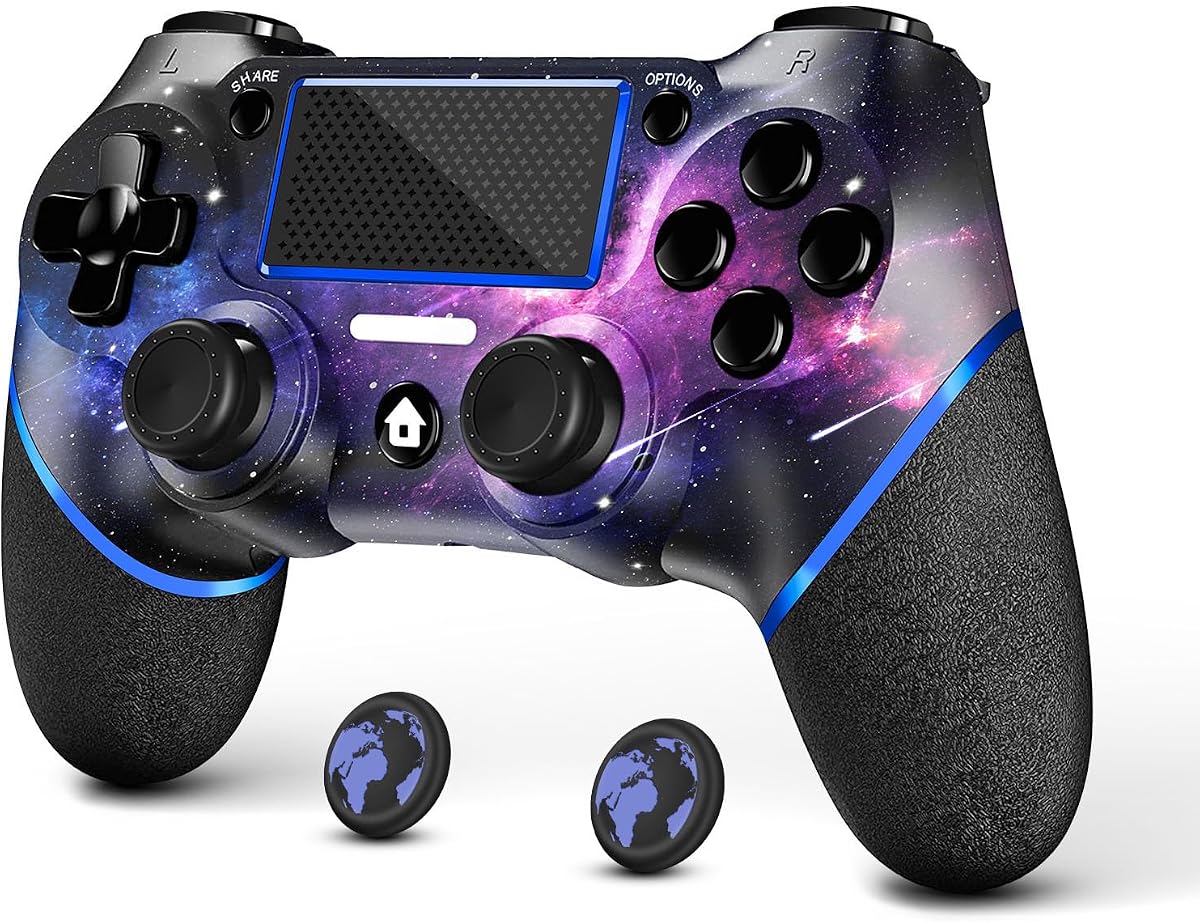
AceGamer brings a visually striking galaxy design that stands out. The water transfer process ensures the print is durable and not just a sticker.
We may earn a commission when you buy through this link, at no additional cost to you.
It includes turbo function and non-slip grips like other models. Thumb caps are included to protect your analog sticks during play.
The design adds value for those who want personalization. However, performance remains similar to other third-party wireless controllers.
Buy this if you care about aesthetics alongside standard features. It offers a unique look at a competitive price point.
Smooth hand feel oil applied ensures sweat will not erode the galaxy design during long gaming sessions.
Includes a USB-C charge cable and thumb caps to enhance your experience right out of the box.
We may earn a commission when you buy through this link, at no additional cost to you.
This renewed controller offers official Sony quality at a reduced cost. It provides the same functionality as a new model with potential aesthetic improvements.
We may earn a commission when you buy through this link, at no additional cost to you.
The Magma Red color adds a stylish touch to your setup. You still get sensitive analog sticks and trigger improvements for better control.
Since it is renewed, quality may vary. Always check return policies when purchasing refurbished items from third-party sellers.
It is a smart pick if you want official hardware but have a tighter budget. The color makes it a standout choice.
Save money while still accessing the premium build and features of a standard DualShock 4 controller.
Stand out with Magma Red coloring that adds personality to your gaming station setup.
We may earn a commission when you buy through this link, at no additional cost to you.
Nacon provides an officially licensed wired controller that ensures low latency. The three-meter cable gives plenty of reach for any couch setup.
We may earn a commission when you buy through this link, at no additional cost to you.
Rubber coating and larger face buttons improve comfort during long sessions. Dual vibration motors deliver strong feedback during games.
The lack of wireless is a trade-off for stability. PC users might need mapping software for non-Steam games.
Ideal for competitive gaming where a wired connection is preferred. It offers official features without wireless concerns.
Official PlayStation layout with rubber coating ensures the grip and comfort during marathon gaming sessions.
Connect your headset to the 3.5mm stereo port for instant game audio and chat support while playing.
We may earn a commission when you buy through this link, at no additional cost to you.
Another renewed option, this Jet Black model offers classic design and full functionality. It retains the essential Share button for easy streaming and screenshots.
We may earn a commission when you buy through this link, at no additional cost to you.
The integrated light bar helps identify players in multiplayer matches. It can be recharged efficiently via the console or any standard charger.
Like other renewed items, check reviews for quality assurance. It is a good choice for needing an extra controller cheaply.
Opt for this if you want the original look without paying full price. It covers all essential gaming needs well.
The Share button makes sharing your greatest gaming moments as easy as a push of a button.
Easily recharged by plugging it into your PlayStation 4 system even when on standby.
We may earn a commission when you buy through this link, at no additional cost to you.
This model targets serious gamers with premium features like hair triggers and swappable thumbsticks. It allows up to six remapping profiles for versatile strategies.
We may earn a commission when you buy through this link, at no additional cost to you.
The hair triggers reduce activation distance to 1.5mm for ultra-fast responses. Interchangeable sticks help improve accuracy across different game genres.
It lacks a cable in the package and carries a higher price tag. These features demand a learning curve for new users.
It is perfect for competitive players needing every edge. Invest in this if you want maximum control over your inputs.
Save valuable time in competitive games by pressing slightly to instantly launch a full fast shoot.
Assign up to 14 buttons to rear buttons during the game to execute complex strategies instantly.
We may earn a commission when you buy through this link, at no additional cost to you.
The Strike Pack turns your existing DualShock 4 into a modded controller. It includes features like anti-recoil and rapid fire without extra software.
We may earn a commission when you buy through this link, at no additional cost to you.
Two remappable paddles let you keep thumbs on sticks for smoother movement. On-the-fly mapping allows instant changes without pausing games.
It is wired to ensure lag-free gaming. Compatibility is limited to PS4 and specific models, so check your console version.
Buy this if you want advanced mods without replacing your whole controller. It offers a unique blend of customization and stability.
Activate MODs instantly or map them to paddles for faster execution and enhanced gameplay across shooters.
Precision fit with responsive switches and detachable magnetic paddles ensure comfort during long sessions.
We may earn a commission when you buy through this link, at no additional cost to you.
Selecting the right controller depends on your play style and budget. This section breaks down the key factors you should consider before buying.
Decide between wireless and wired options based on your setup. Wireless offers freedom of movement, while wired ensures zero latency for competitive play.
Choose wired for competitive setups and wireless for casual convenience.
Look for non-slip grips and rubber coatings if you have large hands or sweat during long sessions. Comfort is critical for avoiding fatigue.
Prioritize controllers with textured grips for better long-term comfort.
Check the mAh rating if you choose a wireless model. Higher capacity means fewer interruptions for charging during gaming marathons.
Select models with 1200mAh or higher for extended play time.
Some controllers offer turbo functions, paddles, or swappable sticks. These features can give you a competitive edge in fast-paced games.
Look for extra paddles and turbo buttons for enhanced gameplay control.
Verify if the controller works on Windows PC without extra software. Some require a receiver or specific driver installation for seamless use.
Ensure PC support is native or includes necessary drivers for ease.
Official Sony controllers offer guaranteed compatibility but cost more. Third-party options often provide more features for less money.
Choose official for reliability and third-party for advanced features.
Check user reviews regarding stick drift or button issues. A solid warranty policy ensures you are covered if the unit fails.
Prioritize brands with positive durability feedback and clear support terms.
Controllers with a 3.5mm jack allow private audio listening. Ensure the headset support matches your specific console generation.
Select models with audio jacks for personal sound control.
To connect a wireless controller, hold the home and share buttons until the light flashes. Pair it through the console's Bluetooth settings to establish the link.
Regularly clean your sticks and buttons with a microfiber cloth. Avoid using excessive moisture to prevent internal damage to the electronics.
Store the controller in a cool dry place when not in use. This helps preserve battery health and prevents unnecessary wear on the casing.
Most aftermarket PS4 controllers are compatible with PS5 only when playing PS4 games. They do not support PS5 native titles. Always check the product details for specific compatibility notes.
Some third-party controllers need a USB cable for the initial pairing to sync with the console. After this first connection, Bluetooth wireless mode works independently.
Many of these controllers support PC but may require a receiver or Steam Input. Some wired models work natively while others need additional software mapping.
Turbo allows you to hold one button and have it fire repeatedly. This is useful for rapid fire actions in shooters or quick actions in RPGs.
Genuine DualShock controllers come with official packaging and serial numbers. Third-party brands should list their manufacturer details clearly in the product description.
Wireless controllers typically last between 10 to 20 hours depending on usage. Vibration and light bar usage can significantly reduce battery life.
Back paddles allow you to access buttons without removing your thumbs from the sticks. This improves reaction time in competitive gaming significantly.
Most controllers come with a USB cable for charging. A dock is optional and adds convenience but is not necessary for functionality.
We have reviewed ten options ranging from budget bundles to premium pro models. Each offers unique benefits depending on your budget and gaming habits.
Consider your need for wireless freedom versus low-latency wired performance when making your decision. Extra features like turbo keys or paddles add significant value for enthusiasts.
Remember to check current availability and specific compatibility notes before finalizing your purchase. Prices and stock change frequently so act when you find a deal that fits.