
MINISFORUM MS-S1 MAX Mini AI Workstation PC
4.5Editor score
128GB LPDDR5x unified memory
AMD Ryzen AI Max+ 395 APU
Dual-unit cluster support for scaling
This guide compares the top 10 Dual GPU AI Setup systems for local inference, training, and enterprise workloads, highlighting key specs and performance.
Choosing a Dual GPU AI Setup is critical for researchers and developers needing massive local compute power. These systems enable efficient large language model inference and training without relying on expensive cloud services. Selecting the right configuration ensures your workflows run smoothly and cost-effectively over time.
We evaluated ten leading options based on GPU memory capacity, architecture generation, and total system performance. Our analysis considers real-world capabilities for running quantized models, parallel processing tasks, and complex scientific simulations. Each product was assessed for its potential to handle demanding artificial intelligence workloads effectively.
Each pick highlights unique strengths, from compact mini stations to high-density rackmount servers. Prices and availability fluctuate frequently, so always verify current listings before purchasing. We provide detailed breakdowns to help you match the hardware to your specific project requirements and budget constraints accurately.
4.5Editor score

4.8Editor score

4.7Editor score
This side-by-side comparison details the hardware specifications and unique capabilities of each system to help you find the right fit for your needs.


This unique graphics card combines two Arc Pro B60 GPUs into one package, offering 48GB of VRAM for local inference. It delivers 394 TOPS of combined compute power, making it highly effective for running large models like QwQ-32B and DeepSeek-R1 efficiently.
We may earn a commission when you buy through this link, at no additional cost to you.
The card supports PyTorch and vLLM natively, enabling smooth deployment for developers. Its dual-GPU design allows flexible task assignment, while the triple-thermal cooling ensures stable performance during long inference sessions without thermal throttling.
However, you need a motherboard that supports PCIe lane bifurcation to get full bandwidth, which might limit platform choices. Software support is growing but still lags behind NVIDIA, though it covers most open-source models adequately for serious users.
Buy this if you need a budget-friendly way to access 48GB VRAM without building a complex multi-card server. It is perfect for local developers and researchers who want to experiment with larger models without cloud subscription costs.
The 48GB unified VRAM allows loading entire 70B-class quantized models without splitting data, which simplifies setup and improves inference speed.
It works on standard desktop motherboards when paired with bifurcation support, significantly lowering total system cost compared to multi-GPU servers.
We may earn a commission when you buy through this link, at no additional cost to you.
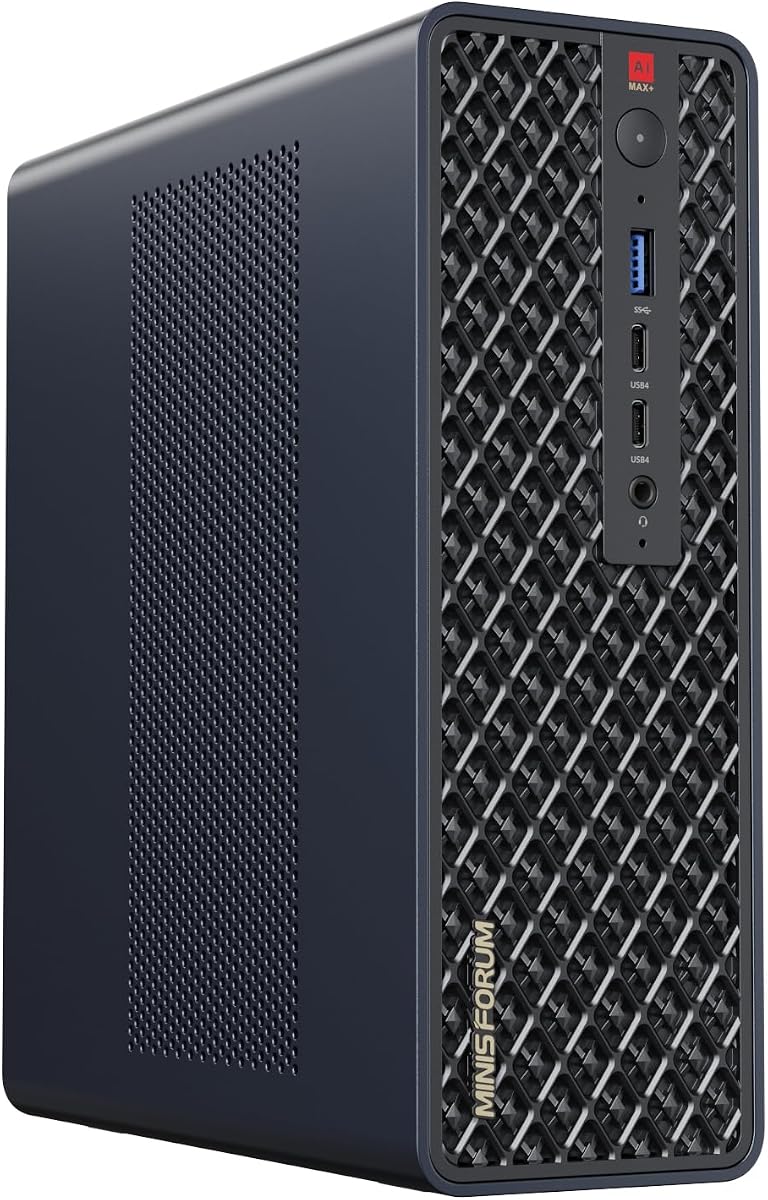
This mini workstation packs the AMD Ryzen AI Max+ 395 APU with 128GB LPDDR5x RAM, delivering 126 TOPS total performance. It is designed for running large LLMs locally by leveraging unified memory access to eliminate traditional VRAM bottlenecks effectively.
We may earn a commission when you buy through this link, at no additional cost to you.
Its cluster design allows you to connect multiple units to run even larger models like 235B parameter Q4 models locally. The aerospace-grade aluminum chassis and advanced thermal system ensure stable performance even during continuous high-load operations in small spaces.
While it does not use discrete GPUs, the integrated RDNA 3.5 GPU and NPU are powerful enough for many AI tasks. However, users expecting NVIDIA CUDA support might find the open-source software stack slightly less mature than established ecosystems.
Choose this if you need a portable or space-saving AI solution that can scale via clustering. It is ideal for small studios, home labs, or professionals who need powerful inference in a compact chassis without noise and heat.
The 128GB shared memory pool between CPU and GPU eliminates VRAM bottlenecks, enabling smoother data transfer and stability during high-intensity computations.
Multiple units can be cascaded into a distributed cluster, creating a high-efficiency computing center without requiring massive rackmount infrastructure.
We may earn a commission when you buy through this link, at no additional cost to you.
This server is a powerhouse for high-performance computing, featuring dual AMD EPYC 9965 processors and up to eight NVIDIA RTX PRO 6000 Blackwell GPUs. With a total of 768GB vRAM, it is designed to handle the most demanding enterprise AI and data science workloads locally.
We may earn a commission when you buy through this link, at no additional cost to you.
Networking capabilities are exceptional, supporting up to 200GbE NICs directly connected to the CPU to reduce latency. The toolless design and ASUS Control Center software streamline maintenance, making it easier to manage complex clusters in professional environments.
While performance is top-tier, the price point and physical requirements make it unsuitable for most home users. You will need significant rack space and 240V power infrastructure to run this system at maximum capacity without throttling.
Buy this if you are running a research lab or data center needing massive local compute. It eliminates cloud dependency for sensitive data and delivers enterprise-grade performance that scales effortlessly with your growing project needs.
Eight 96GB GPUs provide 768GB total VRAM, allowing massive parallel processing and training of models that would otherwise require expensive cloud clusters.
Toolless maintenance, advanced security, and root-of-trust solutions ensure stable 24/7 operation in critical business environments.
We may earn a commission when you buy through this link, at no additional cost to you.
The MES2X workstation comes prebuilt with dual RTX PRO 6000 GPUs and a powerful AMD Ryzen 9-9950X processor. It offers 192GB total VRAM and is ready to run right out of the box, making it ideal for users who want a reliable local AI setup.
We may earn a commission when you buy through this link, at no additional cost to you.
Custom cable management and liquid cooling ensure stable operation under heavy loads. The 1600W power supply provides ample headroom for GPU performance and expansion, while Windows 11 Pro ensures compatibility with most enterprise software.
It is expensive compared to DIY solutions, and the custom configuration limits future upgrades. However, the convenience of a tested, professional system saves time and reduces the risk of assembly errors.
Choose this if you need a ready-to-run workstation without spending time on hardware assembly. It is perfect for researchers and designers who want professional-grade performance immediately.
Custom built and fully tested ensures reliable performance, eliminating common assembly issues found in user-built systems.
We may earn a commission when you buy through this link, at no additional cost to you.
This workstation utilizes two NVIDIA RTX 5090 GPUs, delivering exceptional consumer-level performance. With 64GB of GDDR7 memory per card, it handles complex inference and training tasks efficiently while remaining more accessible than enterprise-class GPUs.
We may earn a commission when you buy through this link, at no additional cost to you.
The AMD Ryzen 9-9950X processor and DDR5 memory ensure data flows quickly between CPU and GPU. Storage is handled by an 8TB NVMe RAID array, providing plenty of space for large datasets and local model weights.
The system requires robust cooling and significant power, which might not suit all offices. However, its performance and cost balance make it appealing for serious hobbyists and researchers.
Buy this if you want the fastest consumer GPUs for local AI without enterprise pricing. It is excellent for training and running large models locally with high throughput.
Dual RTX 5090s provide massive compute power, making it one of the most potent local AI systems available for consumers.
We may earn a commission when you buy through this link, at no additional cost to you.
DGX Spark brings supercomputer performance to your desk, enabling enterprise-scale AI workloads locally. With 128GB unified memory per unit, it runs models up to 200 billion parameters, making it ideal for rapid prototyping and secure testing.
We may earn a commission when you buy through this link, at no additional cost to you.
It integrates seamlessly with the NVIDIA AI software stack, reducing setup time and improving productivity. The Grace Blackwell architecture delivers up to 1 petaFLOP of AI performance, accelerating fine-tuning and inference tasks significantly.
The ecosystem is optimized for NVIDIA tools, which might limit flexibility for users needing diverse frameworks. However, for enterprise workflows relying on NVIDIA technology, this device is unmatched in speed and security.
Choose this if you need a secure, high-performance desktop AI supercomputer. It is perfect for enterprises wanting to prototype locally before deploying to the cloud.
Run and test large models locally with 128GB memory, ensuring data privacy while accelerating development cycles.
We may earn a commission when you buy through this link, at no additional cost to you.
This workstation is designed for specific mapping and survey workflows, offering powerful specs for data processing. It includes a Threadripper 9970X processor, 128GB ECC RAM, and a single RTX 5090 GPU for high-performance computing tasks.
We may earn a commission when you buy through this link, at no additional cost to you.
Networking options include 10GbE and Wi-Fi 7, ensuring fast data transfer. The 1600W Platinum PSU provides enough power for sustained loads, while the liquid cooler maintains stable thermal performance.
While excellent for its intended use, it may be overkill for general AI tasks. The high core count benefits multi-threaded data processing but consumes more power than necessary for simpler models.
Buy this if you specialize in GIS, mapping, or heavy data visualization. It delivers the raw power needed for complex local processing.
Threadripper cores and ECC memory ensure reliable, fast processing for large spatial datasets and models.
We may earn a commission when you buy through this link, at no additional cost to you.
This workstation features a 192-core AMD EPYC 9965 CPU, offering unmatched multi-threaded processing for massive LLM training. With triple RTX PRO 6000 GPUs and 768GB RAM, it eliminates bottlenecks for real-time data manipulation.
We may earn a commission when you buy through this link, at no additional cost to you.
The 3-year warranty and rigorous stress testing ensure reliability. It arrives with Windows 11 Pro pre-installed, ready for immediate use in engineering or data science environments.
Power requirements are high, needing 240V for full capability. This limits placement options but ensures maximum performance for mission-critical tasks.
Buy this if you need a powerful local training system. It is ideal for engineering and research teams requiring secure and fast compute.
192 cores and massive RAM eliminate cloud latency, allowing efficient local training of complex models.
We may earn a commission when you buy through this link, at no additional cost to you.
This Max-Q workstation card offers 96GB GDDR7 memory, enabling local generation AI pipelines without multi-card setups. It delivers 3511 TOPS of AI performance with a modest 300W power cap, making it highly efficient.
We may earn a commission when you buy through this link, at no additional cost to you.
The thermal design supports multi-GPU scaling in standard desktops without overheating. It bridges the gap between calculation and visuals, ideal for rendering and video pipelines.
As a single card, it limits total memory unless you buy multiple units. However, its reliability and performance make it a strong choice for professional workflows.
Choose this if you need enterprise reliability in a desktop-friendly form. It is perfect for teams scaling intelligence locally without cloud overhead.
Delivers 3511 TOPS at only 300W, making multi-GPU scaling viable without massive power upgrades.
We may earn a commission when you buy through this link, at no additional cost to you.
This mini workstation integrates the AMD Ryzen AI Max+ 395 with Radeon 8060S graphics, delivering strong performance for creative workflows. With five 8K video outputs, it supports complex display setups for video editing and trading.
We may earn a commission when you buy through this link, at no additional cost to you.
The system features dual 10GbE ports for fast networking and Wi-Fi 7 for wireless flexibility. It includes 128GB LPDDR5 RAM and supports external storage expansion for large media files.
While it offers strong AI capabilities, the lack of discrete GPU limits complex 3D rendering. However, its balance of power and size is unique for its class.
Buy this if you need a compact, multi-monitor workstation for video and AI tasks. It is ideal for professionals needing flexibility in a small space.
Five 8K video outputs provide wide field of view for engineering, animation, and multi-stream editing.
We may earn a commission when you buy through this link, at no additional cost to you.
Selecting the right Dual GPU AI Setup requires evaluating memory, architecture, and power to match your project needs.
VRAM is critical for loading large models. Aim for at least 48GB total across GPUs to handle quantized 70B models efficiently. More memory allows larger contexts without offloading.
Prioritize setups with high total VRAM to avoid bottlenecks during inference and training.
Newer architectures like Blackwell offer better performance and efficiency. Ensure drivers and frameworks like PyTorch support the hardware for smooth operation.
Choose modern GPUs to benefit from long-term software support and faster speeds.
High bandwidth ensures rapid data transfer to GPUs. Look for GDDR7 or high-speed DDR5 to reduce latency during model execution.
Focus on bandwidth alongside capacity for faster inference times.
Dual GPU systems require high-wattage PSUs. Ensure your supply can handle sustained loads without throttling, ideally 1600W or more for pro GPUs.
Always match your PSU to the total TDP of all components.
Adequate cooling is vital for thermal stability. Air or liquid solutions should maintain low temperatures during extended AI tasks.
Invest in quality cooling to prevent throttling.
Fast networking helps with data ingestion. 10GbE or Wi-Fi 7 can improve overall system responsiveness for cloud-connected workflows.
High-speed connections reduce data transfer bottlenecks.
Consider physical space requirements. Mini PCs save space, while server-grade options offer maximum power but need specialized racks.
Choose a form factor that fits your workspace.
Ensure room for future upgrades. PCIe slots and RAM capacity should accommodate potential expansion as your needs grow.
Check expansion options before finalizing your purchase.
Start by installing the latest drivers and frameworks like PyTorch or vLLM. Ensure PCIe slots are properly seated to maintain full bandwidth for all GPUs.
Monitor temperatures during initial inference tests. Adjust fan speeds or liquid cooling settings to keep components within safe limits during prolonged usage.
Perform regular maintenance by cleaning dust from fans and ensuring adequate airflow. Update firmware periodically to ensure compatibility with new models and software.
Yes, many systems require motherboards supporting PCIe lane bifurcation to allocate bandwidth correctly. Check your motherboard specs to ensure x8+x8 split capability for full performance.
Absolutely. With sufficient VRAM, models like QwQ-32B and DeepSeek-R1 run efficiently. Local setups provide faster iteration and better data privacy.
NVIDIA offers robust software support. However, alternatives like Intel and AMD provide viable options at lower costs, with growing community support for open-source models.
For full 70B models, 48GB or more is ideal. Quantized versions can run on less, but higher VRAM ensures smoother context windows and faster speeds.
Yes, high-end mini PCs with 128GB unified memory work well for inference. They offer excellent power efficiency but may lack raw compute for heavy training.
Good cooling prevents thermal throttling, maintaining consistent performance during long tasks. Liquid cooling often provides better stability for sustained inference.
Cloud is useful for scaling beyond local capacity. However, local setups reduce costs and latency for daily development and testing.
GPU VRAM is fixed. To increase memory, you must upgrade to higher-capacity GPUs. Ensure your power supply and cooling support new cards.
The WEELIAO MAXSUN and MINISFORUM options offer excellent value for developers and enthusiasts. The ASUS and APC systems provide enterprise-level power for larger projects.
Prioritize VRAM capacity and software compatibility to ensure long-term usability. Consider your specific workflow requirements before committing to a setup.
Always check current prices and stock levels before buying. These systems evolve quickly, and updated models may offer better value as time passes.