
HP Laptop 14 inch Computer 2026
4.3Editor score
Intel N150 Processor
14 inch HD Display
Compact Design
Choosing the right laptop for Enscape requires balancing processing power, graphics capability, and display quality. Enscape is a real-time rendering and virtual reality plugin that demands robust hardware to deliver smooth workflows and high-quality visual outputs for architects and designers.
We evaluated ten diverse laptop models ranging from budget-friendly options to powerful business machines. Each device was assessed for CPU performance, RAM capacity, storage speed, and graphics handling to determine suitability for 3D modeling and rendering tasks within the Enscape ecosystem.
Every pick in this list highlights specific strengths and potential limitations to help you find the perfect match for your needs. Prices and availability can change frequently so please verify current details before making your final purchase decision to ensure you get the best value available.
4.3Editor score

4.5Editor score

4.1Editor score
As an Amazon Associate we earn from qualifying purchases.
Here is a side-by-side comparison of all ten laptops to help you quickly identify key differences in hardware and design features.




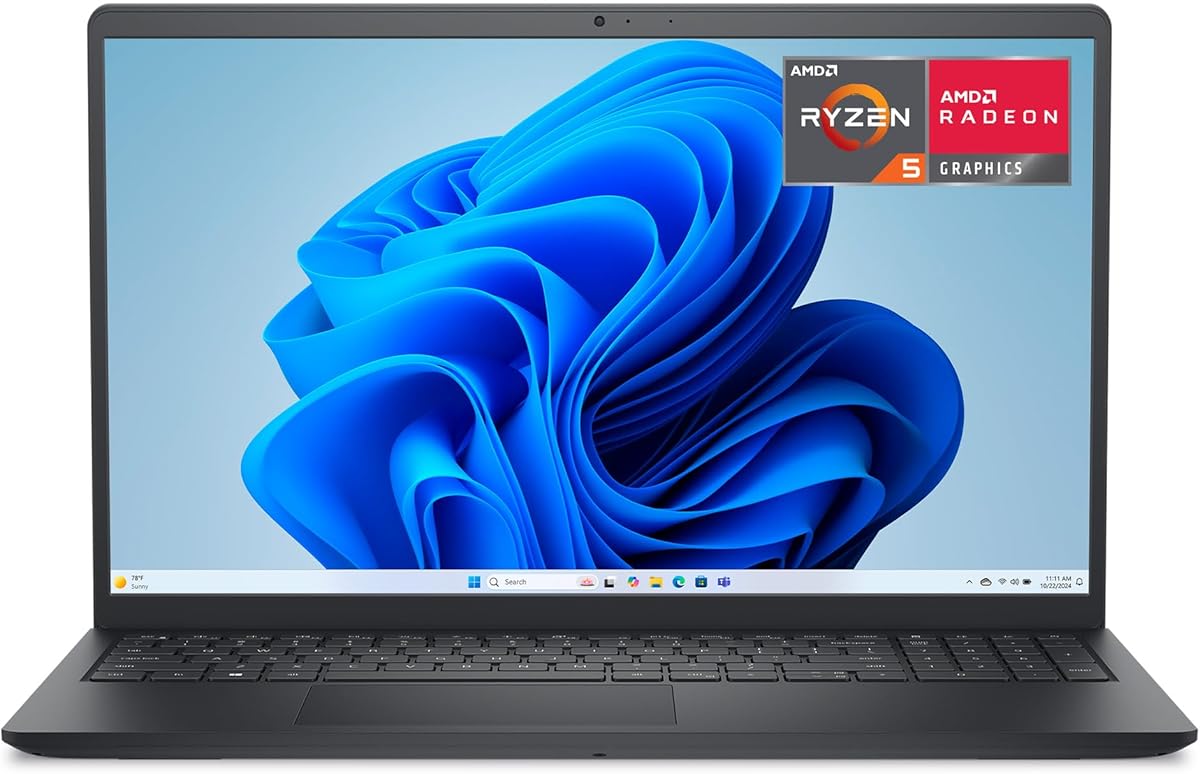


This HP business laptop offers a compelling balance of screen real estate and processing power suitable for Enscape workflows. With a 17.3 inch FHD display and 16GB of RAM it handles moderate rendering tasks efficiently. The numeric keypad aids in precise data entry which is useful for architectural planning.
We may earn a commission when you buy through this link, at no additional cost to you.
The AMD Ryzen 5 processor delivers reliable performance for everyday multitasking while the 512GB SSD ensures fast boot times and application loading. Windows 11 with Office 365 integration streamlines collaboration and document management for professionals working remotely or in the office.
While the integrated graphics are not designed for heavy-duty 3D gaming they suffice for standard Enscape visualization tasks. The battery life supports extended work sessions away from a power outlet making it a versatile choice for students and professionals alike.
If you need a dependable machine for daily tasks and moderate 3D modeling this laptop provides excellent value. It is best suited for users who prioritize screen size and battery life over raw graphical performance for intensive rendering.
The large 17.3 inch display provides ample room for viewports and toolbars simultaneously improving workflow efficiency.
Built-in Office 365 for the Web allows seamless document editing without needing extra software installations.
We may earn a commission when you buy through this link, at no additional cost to you.
This light gaming laptop features an AMD Ryzen 7 processor that offers surprising performance for its price point. The 16GB RAM supports smooth multitasking which is essential when running Enscape alongside other design software. Its compact design makes it easy to carry between classes or client meetings.
We may earn a commission when you buy through this link, at no additional cost to you.
The integrated Radeon graphics provide decent performance for rendering tasks that do not require dedicated GPU power. Storage is handled by a fast NVMe SSD ensuring quick access to large project files and system updates. Connectivity options include HDMI and USB-C for versatile peripheral support.
While it excels in general performance thermal management may be a consideration during prolonged rendering sessions. The build quality is solid enough for daily use but may not withstand heavy travel without a protective case.
Ideal for students or freelancers on a budget this laptop delivers strong processing power without a premium price tag. It is a practical choice for those who need reliable performance for moderate 3D work on the go.
The Ryzen 7 processor handles multiple applications efficiently ensuring smooth operation during complex design projects.
Designed for mobility this laptop weighs less than traditional workstations making it perfect for on-site presentations.
We may earn a commission when you buy through this link, at no additional cost to you.
The HP 14 inch computer is designed for basic productivity tasks and light creative work. While it may struggle with heavy Enscape rendering due to limited RAM it remains a viable option for viewing projects and making minor edits. The inclusion of Office 365 adds immediate value for students.
We may earn a commission when you buy through this link, at no additional cost to you.
Its small form factor makes it exceptionally portable allowing users to carry it anywhere with ease. The HD display is clear enough for text and web browsing though it lacks the resolution needed for detailed visual design work. Wi-Fi 6 ensures reliable connectivity in busy environments.
Storage limitations require reliance on cloud services or external drives for large files. The laptop is best suited for users who need a secondary device for communication and light tasks rather than primary rendering work.
If you need an affordable secondary machine for meetings and basic work this laptop fits the bill. It is not recommended for complex 3D modeling but works well for documentation and planning.
This model offers a low-cost entry point for users needing a reliable device for communication and light tasks.
Preloaded Office 365 allows immediate access to productivity tools without additional setup steps.
We may earn a commission when you buy through this link, at no additional cost to you.
This OmniBook features a gorgeous 2K OLED display that delivers vibrant colors and deep blacks ideal for visual work. The Snapdragon processor provides efficient performance with significant battery life benefits for long days on campus or in transit. AI features assist with meeting summaries and task organization.
We may earn a commission when you buy through this link, at no additional cost to you.
The Adreno GPU is capable of handling modern UI tasks but may face limitations with traditional Windows rendering applications. The 16GB RAM helps maintain smooth operation across multiple applications without significant slowdowns. The design is sleek and modern appealing to professional users.
Software compatibility with ARM-based processors can be a hurdle for specialized design tools. Users should verify that their specific Enscape version supports this architecture before purchasing to avoid functional issues.
For users prioritizing display quality and battery life this laptop is an excellent choice. It is best suited for viewing and reviewing designs rather than heavy rendering due to architectural constraints.
The OLED screen offers true-to-life color reproduction enhancing the accuracy of design previews and client presentations.
Designed for endurance this device supports all-day use without frequent recharging needs.
We may earn a commission when you buy through this link, at no additional cost to you.
The Lenovo V15 Gen 4 brings a powerful H-series processor to a business chassis providing robust performance for professional work. The Intel Core i5-13420H offers strong multi-core capabilities suitable for multitasking and rendering tasks. Windows 11 Pro adds security features beneficial for enterprise environments.
We may earn a commission when you buy through this link, at no additional cost to you.
With 16GB of RAM and a 512GB SSD the system handles data efficiently and boots quickly. The inclusion of an RJ45 port ensures stable wired connectivity which is valuable for large file transfers. The numeric keypad aids in entering data accurately during design reviews.
The laptop is relatively heavy compared to thin-and-light options making it less ideal for frequent travel. Battery life is average so expect to carry a charger for extended work sessions outside the office.
This device is well-suited for office professionals needing reliable performance and connectivity options. It balances power and practicality effectively for those who work primarily at a desk.
Built-in Ethernet and USB ports provide versatile connection options for monitors and peripherals.
The H-series CPU delivers consistent performance for demanding tasks without thermal throttling.
We may earn a commission when you buy through this link, at no additional cost to you.
This HP 17 inch laptop stands out with its massive 32GB of RAM which is rare at this price point. It supports heavy multitasking and large dataset handling effectively for rendering workflows. The storage includes both internal and external SSD options totaling 1.5TB for extensive file management.
We may earn a commission when you buy through this link, at no additional cost to you.
The AMD Ryzen 5 processor provides reliable everyday performance for business and creative tasks. The large screen offers plenty of workspace for split-screen applications. Windows 11 Pro security features add an extra layer of protection for professional data.
Despite the RAM capacity graphics performance is limited by integrated Radeon technology. This makes it a solid choice for data processing but less ideal for GPU-intensive rendering. The bulk of the device makes it less portable than smaller laptops.
If storage and memory capacity are your priorities this laptop offers exceptional value. It is perfect for users who manage large libraries of assets and need to keep multiple apps open simultaneously.
32GB RAM allows for running virtual machines or heavy software without performance degradation.
The included portable SSD expands storage conveniently for on-the-go data access.
We may earn a commission when you buy through this link, at no additional cost to you.
This 16 inch OmniBook features a 2K touchscreen that allows direct interaction with design elements and tools. The display quality is sharp providing clear visuals for detailed work. It is lightweight and portable making it convenient for students or remote workers who travel frequently.
We may earn a commission when you buy through this link, at no additional cost to you.
The AMD Ryzen 3 processor handles basic computing tasks efficiently while the 8GB RAM is sufficient for everyday use. Battery life is impressive supporting long work sessions without needing a charger. The AI noise reduction feature improves call quality in noisy environments.
While the touchscreen is a valuable asset for creative work the hardware may struggle with heavy multitasking. Users needing more resources might find the 8GB RAM a constraint in the long run.
For those valuing touch input and portability this laptop is an attractive option. It serves well as a versatile device for presentations and light creative work on the go.
Direct touch input simplifies navigation through complex interfaces and design tools.
High pixel density ensures crisp text and clean lines in architectural drawings.
We may earn a commission when you buy through this link, at no additional cost to you.
This Dell laptop focuses on durability and serviceability making it a dependable choice for business users. The Ryzen 5 processor provides consistent performance for daily tasks. Its ergonomic hinge design improves typing comfort over long periods. The 1 Year onsite service ensures quick repairs if hardware issues arise.
We may earn a commission when you buy through this link, at no additional cost to you.
The integrated Radeon graphics handle basic visualization tasks but are not designed for heavy rendering. The numeric keypad is a useful inclusion for data entry tasks. Adaptive thermals keep the system running cool during intensive operations.
The display is functional but not exceptional in terms of brightness or color accuracy. Port selection is minimal limiting connectivity options without dongles. It is a straightforward machine with a focus on reliability.
Ideal for users who value support and build quality this laptop offers peace of mind. It is well-suited for professional environments where uptime is critical and heavy graphics are not required.
Onsite service means technicians can visit your location to resolve hardware issues quickly.
Ergonomic hinge placement reduces wrist strain during extended typing sessions.
We may earn a commission when you buy through this link, at no additional cost to you.
The Dell 16 Laptop offers a 16:10 aspect ratio providing more vertical space for documents and code. This is beneficial for professionals who need to view more content without scrolling. The Intel Core 7 processor delivers modern performance for demanding workflows. ComfortView Plus reduces blue light to minimize eye strain during long work hours.
We may earn a commission when you buy through this link, at no additional cost to you.
With 16GB of RAM this machine supports smooth multitasking across various applications. The design is sleek and professional fitting well in corporate or academic settings. The webcam features noise reduction for clearer virtual meetings and collaboration.
Graphics performance relies on integrated hardware which is standard for thin laptops but limits high-end rendering. The price reflects the modern hardware and design features but may be higher than entry-level options.
For professionals who need a wider workspace and modern performance this laptop is a strong contender. It is well-suited for development and design work that benefits from vertical screen space.
The 16:10 aspect ratio maximizes vertical space improving document and code visibility.
ComfortView Plus filters harmful blue light to keep eyes comfortable during long sessions.
We may earn a commission when you buy through this link, at no additional cost to you.
This OmniBook combines a large 17.3 inch screen with a budget-friendly price point. It offers plenty of workspace for multitasking without requiring a high-end investment. The Ryzen 3 processor handles everyday tasks efficiently for general users. The 512GB SSD provides ample space for applications and files.
We may earn a commission when you buy through this link, at no additional cost to you.
The design is modern with a silver finish that looks professional. Battery life supports all-day use with fast charging to keep you productive on the move. Connectivity includes Wi-Fi 6 and Bluetooth 5.4 for reliable wireless access.
While great for general use it may struggle with heavy rendering or complex 3D tasks. The 8GB RAM is sufficient for most users but might limit performance in highly demanding scenarios.
For those needing a large screen on a budget this is a practical choice. It works well for students and professionals who need a versatile device for standard productivity.
This laptop balances cost and screen size effectively for everyday computing needs.
Support for modern wireless standards ensures fast and stable internet access anywhere.
We may earn a commission when you buy through this link, at no additional cost to you.
Selecting the right laptop for Enscape involves balancing performance needs with budget constraints and mobility requirements.
A fast processor ensures smooth handling of complex 3D models and real-time rendering. Look for Intel Core i5 or AMD Ryzen 5 or higher for optimal performance.
Prioritize modern multi-core CPUs to handle multitasking and heavy calculations effectively.
16GB of RAM is recommended for comfortable multitasking between Enscape and other design software. It prevents slowdowns when working with large scene files.
Ensure your laptop has upgradable RAM to extend its lifespan as software demands increase over time.
While Enscape supports integrated graphics, a dedicated GPU offers better performance for detailed rendering. Check GPU specs if you plan to work on complex visuals regularly.
Integrated GPUs are sufficient for basic visualization but may limit frame rates in complex scenes.
High resolution and accurate color reproduction are essential for design work. Aim for at least 1080p Full HD with good brightness levels.
A larger screen improves workspace efficiency allowing you to view multiple toolbars simultaneously.
NVMe SSDs provide fast boot and load times which are critical for productivity. They ensure quick access to large project files and software.
At least 512GB of storage is recommended to accommodate operating systems and project libraries comfortably.
Long battery life is important for professionals who work in various locations away from power outlets. Look for devices rated for 8 hours or more.
Fast charging technology helps reduce downtime when you need to recharge quickly between meetings.
Multiple ports such as USB-C, HDMI, and Ethernet allow you to connect external monitors and devices easily. This flexibility supports better workspace setups.
Wi-Fi 6 support ensures reliable network connectivity for file sharing and cloud collaboration.
Consider the weight and size if you need to carry your laptop frequently. A balance between screen size and weight is ideal for on-the-go work.
Ultralight models offer mobility but may sacrifice screen real estate or cooling performance.
To maximize performance, keep your graphics drivers updated to ensure compatibility with the latest Enscape features. Regularly check for system updates to maintain security and stability.
Avoid placing your laptop on soft surfaces like beds or blankets as this can block vents and cause overheating during rendering. Use a hard flat surface or a cooling pad for better airflow.
Clean the screen with a microfiber cloth and avoid harsh chemicals to preserve display quality. Use keyboard covers to protect against dust and spills during extended work sessions.
Yes, Enscape can run on integrated graphics, but performance may vary based on the complexity of the project. For best results, use a laptop with at least an AMD Radeon or Intel Iris Xe GPU for smooth real-time previews.
8GB is the minimum requirement, but 16GB is recommended for comfortable multitasking. If you work with large datasets or multiple apps open, consider 32GB for future-proofing.
A larger screen provides more workspace for toolbars and viewports, which can improve workflow efficiency. However, ensure the laptop is not too heavy if you plan to travel with it regularly.
While not strictly necessary, a dedicated GPU significantly speeds up rendering times and improves scene performance. Integrated GPUs are suitable for basic tasks but may struggle with high-detail projects.
It depends on the specific model. Some business laptops allow RAM upgrades, while others have soldered memory. Check the manufacturer's specifications before purchasing to confirm upgradeability.
Aim for at least 8 hours of battery life to work throughout the day without needing a charger. Fast charging features can also help you quickly replenish power between meetings.
Enscape is compatible with Windows 10 and 11, but Windows 11 offers better security and newer driver support. It is recommended for long-term use to ensure compatibility with future updates.
Ensure proper ventilation by keeping vents clear and using a cooling pad. Avoid running resource-heavy tasks on soft surfaces, and regularly clean dust from fans to maintain optimal performance.
The HP 17 inch Business Laptop and Lenovo V15 Gen 4 stand out as top picks for those seeking balanced performance and reliability. These models provide sufficient RAM and processing power for most professional needs.
When prioritizing, focus on RAM and processor speed to ensure smooth operation during rendering tasks. Screen quality and battery life also play significant roles in long-term productivity and comfort.
Remember to verify current pricing and availability before purchasing as these factors can change frequently. Choosing the right laptop will enhance your workflow and allow you to deliver high-quality visual work efficiently.