
Canon CanoScan LiDE 300
4.2Editor score
USB powered portability
Auto Scan Mode included
Compact lightweight design
Finding the right flatbed scanner can transform how you manage digital archives and creative projects. Whether you need to digitize old photos or scan large documents, choosing the correct model matters.
We evaluated ten top-rated flatbed scanners based on resolution, speed, ease of use, and software capabilities. This guide helps you navigate features to find the perfect fit for your workflow.
Each product entry highlights key specifications, pros, cons, and ideal use cases. Note that prices and availability may fluctuate over time, so check current listings before purchasing.
4.2Editor score

3.7Editor score

3.9Editor score
As an Amazon Associate we earn from qualifying purchases.
This side-by-side comparison highlights key differences across the top ten flatbed scanners. Use this table to quickly assess resolution, speed, and specific features relevant to your needs.


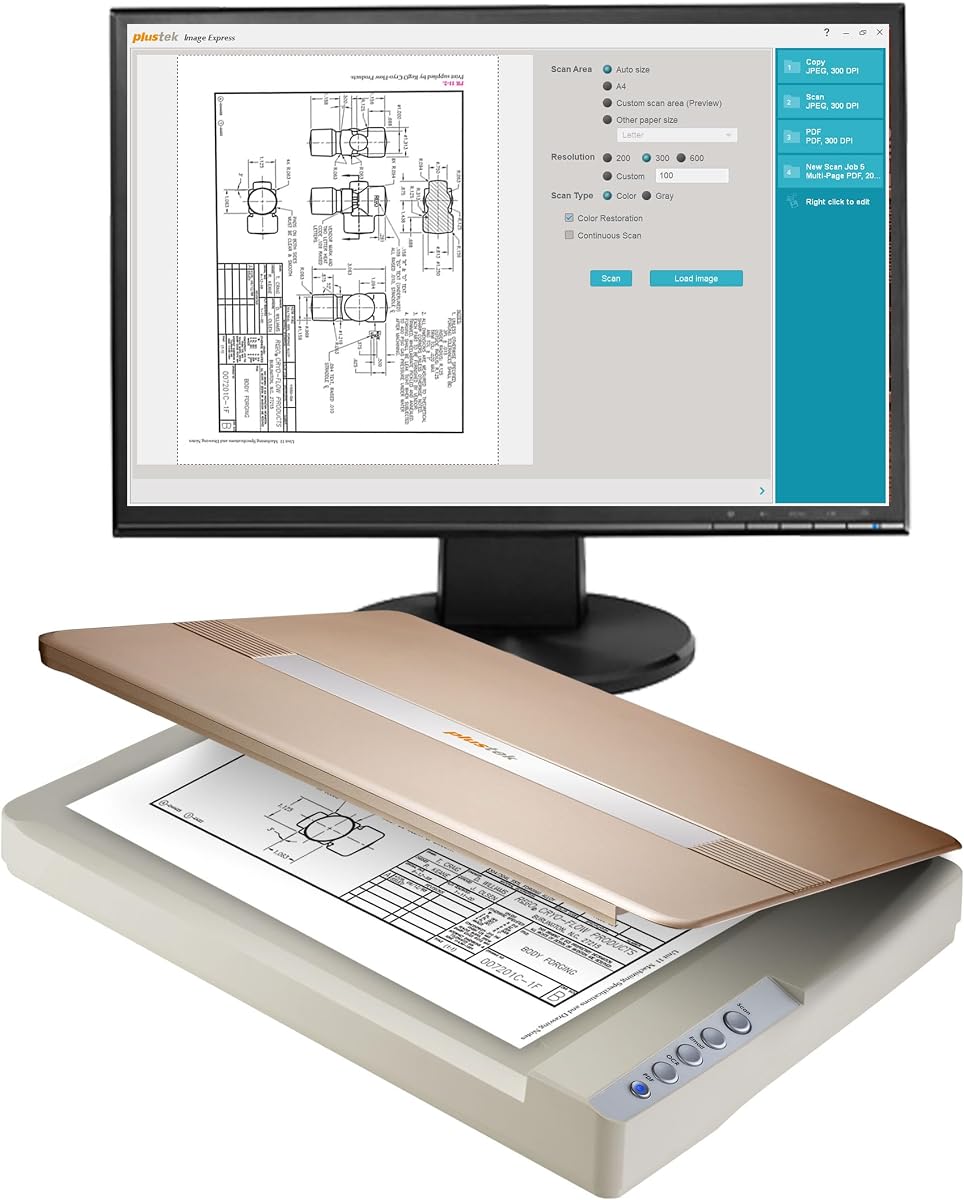
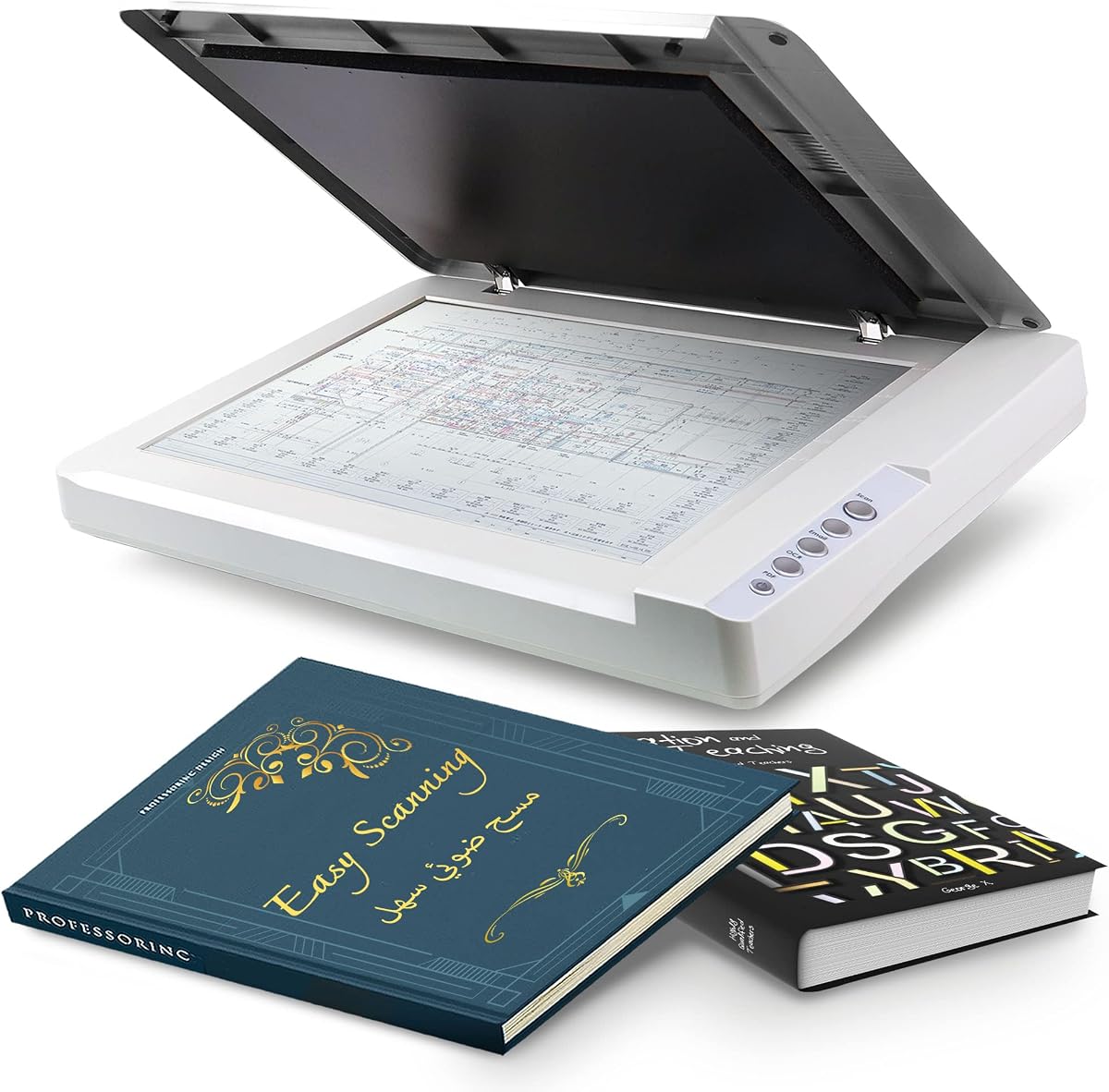


The Epson Perfection V39 II is a dedicated flatbed scanner designed primarily for photo restoration and home document digitization. With a 4800 DPI optical resolution, it captures fine details in prints and artwork effectively. This model stands out for its ability to restore faded colors with a single click using Easy Photo Fix technology.
We may earn a commission when you buy through this link, at no additional cost to you.
Key strengths include its compact design and USB-powered operation, which allows for easy portability between rooms or offices. The included ScanSmart software facilitates seamless cloud uploads and oversized image stitching. Users appreciate the high-rise removable lid that enables scanning of books and photo albums without damage.
However, this scanner lacks an automatic document feeder, meaning multi-page documents require manual placement. Additionally, while excellent for photos, it is not optimized for high-volume business scanning tasks. These trade-offs are acceptable given its specialized focus on preserving personal memories and creative projects.
This scanner is ideal for home users, photographers, and archivists looking to digitize old photo collections. If you prioritize image clarity and ease of use over speed for documents, the V39 II offers a reliable solution for bringing your memories to digital life.
The Easy Photo Fix technology automatically enhances faded images with a single click, making it accessible even for non-tech-savvy users.
From documents to books, the high-rise lid accommodates thicker items, ensuring safe scanning of fragile photo albums and bound materials.
We may earn a commission when you buy through this link, at no additional cost to you.
The Canon CanoScan LiDE 300 is a streamlined flatbed scanner perfect for basic document and photo digitization needs. It offers a cost-effective solution for home offices and students who need reliable scanning without breaking the bank. The device focuses on simplicity and ease of use with minimal setup requirements.
We may earn a commission when you buy through this link, at no additional cost to you.
Its standout feature is the Auto Scan Mode, which automatically detects what you are scanning and adjusts settings accordingly. This reduces the need for manual configuration and speeds up the workflow. The USB connectivity ensures power and data transfer through a single cable, keeping desktop clutter to a minimum.
While efficient for basic tasks, this model lacks advanced features like network connectivity or automatic document feeding. The resolution is adequate for standard documents but might not satisfy professional archiving needs requiring ultra-high detail. For casual users, these limitations are reasonable trade-offs for the price.
Choose the LiDE 300 if you need an entry-level scanner for occasional document or photo scanning. Its user-friendly interface and budget-friendly cost make it a solid choice for households and small offices prioritizing value and simplicity over advanced capabilities.
The Auto Scan Mode intelligently recognizes the type of item placed on the glass, optimizing settings instantly for better results.
With its slim profile and USB-powered operation, this scanner fits easily on small desks without needing additional power outlets.
We may earn a commission when you buy through this link, at no additional cost to you.
The VIISAN 3120 is designed to handle large format documents, making it suitable for schools, libraries, and small office environments. Its A3 scanning bed allows for digitizing engineering drawings, maps, and books without needing to stitch images together. The frameless design further enhances its ability to scan edge-to-edge.
We may earn a commission when you buy through this link, at no additional cost to you.
With a maximum optical resolution of 1200 DPI, it delivers detailed color scans suitable for both text and images. The scanning speed is impressive, completing an A3 color document in approximately eight seconds at standard settings. The auto-scan feature starts automatically when the lid is closed, reducing user interaction.
The CIS sensor technology is efficient but only supports flat materials, excluding three-dimensional items like CDs or acrylic sleeves. Additionally, Windows users may find WIA driver limitations restrict resolution compared to the proprietary software. These constraints are manageable for users focused on flat paper documentation.
This scanner is recommended for educational institutions and businesses that frequently handle oversized documents. Its combination of speed, capacity, and ease of use makes it a practical choice for environments where efficiency and large format support are critical.
Scanning A3 documents quickly allows for rapid digitization of large archives, improving workflow in libraries and engineering offices.
LED light source reduces energy consumption and eliminates warm-up time, ensuring the scanner is ready for use immediately.
We may earn a commission when you buy through this link, at no additional cost to you.
The VIISAN VF3240 pushes the boundaries of large format scanning with a rapid four-second scan time for A3 color documents. Designed for professionals who need high throughput, this model handles CAD drawings, blueprints, and oversized business documents efficiently. Its 2400 DPI resolution ensures precise details are captured in every scan.
We may earn a commission when you buy through this link, at no additional cost to you.
Speed is the standout feature here, allowing users to process large volumes of documentation in a fraction of the time required by standard scanners. The frameless design facilitates scanning of books and bound materials, while the four-button control panel simplifies common tasks like emailing or printing directly.
To achieve full resolution on Windows, specific software must be used due to driver limitations imposed by the operating system. While the CIS sensor is great for flat documents, it is not suitable for 3D objects, which may limit versatility for certain archival tasks. For most business users, these are minor constraints.
This scanner is the top choice for engineering firms and architectural offices requiring fast, high-resolution large document scanning. Its ability to handle oversized materials quickly makes it an invaluable tool for maintaining digital records of technical drawings and plans.
The four-second scan time significantly reduces wait periods during high-volume scanning sessions, improving overall office productivity.
With 2400 DPI capability, even fine lines in CAD drawings are captured clearly, ensuring accuracy in digital reproduction.
We may earn a commission when you buy through this link, at no additional cost to you.
The Epson Perfection V19 II is a compact solution for users focused primarily on photo scanning and small document digitization. Its 4800 DPI resolution provides excellent detail for enlargements, while the lightweight design makes it easy to carry between rooms. This model balances performance with space-saving convenience.
We may earn a commission when you buy through this link, at no additional cost to you.
One of its unique features is the built-in kickstand, which allows the scanner to stand vertically for storage. This is particularly beneficial for home offices with limited desk space. The software suite includes Easy Photo Fix for enhancing old photos and OCR for creating searchable PDFs.
However, it is not designed for heavy document work or large formats like A3. The lack of an automatic feeder means batch scanning requires manual intervention. These factors limit its utility for large-scale archives but do not diminish its value for personal use.
Choose the V19 II if you need a portable, space-saving scanner for personal photo collections and occasional document scanning. Its ease of use and storage-friendly design make it ideal for households or remote workers with minimal workspace.
The built-in kickstand allows for vertical placement, freeing up valuable desk space when the device is not in active use.
Simple software tools enable users to restore color and adjust settings effortlessly, making digital archiving accessible to everyone.
We may earn a commission when you buy through this link, at no additional cost to you.
The Plustek OpticPro A320E is a professional-grade large format scanner suitable for handling maps, drawings, and bound books. Its 12×17 inch scan area ensures compatibility with A3 size paper and other wide-format documents. This model is tailored for environments requiring efficient document management and storage.
We may earn a commission when you buy through this link, at no additional cost to you.
A key feature is its ability to save scans to multiple file formats simultaneously, streamlining workflows for diverse needs. It also supports scanning to FTP web folders and Windows public directories, facilitating easy sharing across networks. OCR functionality enables the creation of searchable PDFs for better document retrieval.
Linux users may need to contact the seller for specific driver support, which can be a hurdle for open-source environments. Additionally, Windows versions are limited to 64-bit systems, which could be an issue for legacy setups. Despite these constraints, it remains a powerful tool for businesses.
Ideal for libraries and corporate offices, this scanner helps in digitizing large archival collections efficiently. Its robust file management features make it a strong contender for organizations that need structured and accessible digital records.
The Doc Action feature simplifies saving scans to various destinations, reducing manual steps in the digitization workflow.
Support for Windows, Mac, and limited Linux ensures that most office environments can integrate the device without major hurdles.
We may earn a commission when you buy through this link, at no additional cost to you.
The Plustek OpticSlim 1680 is built for speed, capable of scanning tabloid-sized documents in just three seconds in grayscale mode. This high performance makes it suitable for busy office environments where time is of the essence. Its intuitive interface ensures that users can get started without extensive training.
We may earn a commission when you buy through this link, at no additional cost to you.
Four pre-configured buttons allow for one-touch operations, simplifying tasks like scanning to PDF or printing directly. The dual view advanced settings provide a quick check of image adjustments, ensuring quality before saving. Compatibility with both Windows and Mac via TWAIN and ICA drivers increases its versatility.
While fast, the color scan time is slightly higher than grayscale, which might be a consideration for users prioritizing color over speed. Additionally, ensuring drivers are downloaded from the official website is necessary for optimal performance. These are minor steps for a highly efficient device.
This scanner is a great fit for departments handling high volumes of documents quickly. Its speed and ease of use make it an excellent choice for businesses needing to process large documents without slowing down daily operations.
Fast scan times reduce waiting periods for users, allowing for quicker turnaround on document digitization projects.
The simple button layout ensures that staff members can operate the scanner immediately without needing technical manuals.
We may earn a commission when you buy through this link, at no additional cost to you.
The Plustek OS1180 is designed for small offices and libraries needing reliable A3 format scanning. It balances speed and quality, scanning documents in about nine seconds while maintaining clarity. Its pre-set functions and one-touch buttons streamline the scanning process for daily tasks.
We may earn a commission when you buy through this link, at no additional cost to you.
Included software like DocAction and ABBYY OCR enhances productivity by enabling easy file sharing and searchable PDF creation. The LED light source saves energy and eliminates warm-up time, ensuring the scanner is ready for immediate use. versatility with 48-bit color and 16-bit gray-scale modes makes it suitable for various document types.
It lacks advanced networking features, requiring direct USB connection for operation. While sufficient for small teams, larger organizations might miss network scanning options. However, for small offices, the simplicity and reliability of this model are significant advantages.
Choose the OS1180 for its balance of performance and ease of use in a small office setting. It provides all necessary tools for efficient document management without unnecessary complexity, making it a practical investment.
Software tools streamline the process of converting scans into usable digital formats, saving time and effort.
LED technology reduces power consumption and heat output, extending the device's lifespan and efficiency.
We may earn a commission when you buy through this link, at no additional cost to you.
The Epson DS-1630 combines a flatbed with an auto document feeder, offering a versatile solution for mixed document types. It supports duplex scanning and can process stacks of documents at speeds up to 25 pages per minute. This makes it ideal for offices that need both bulk and fragile document scanning.
We may earn a commission when you buy through this link, at no additional cost to you.
Its network connectivity allows scanning directly to online storage accounts like Dropbox and Google Drive. This feature simplifies archiving and sharing of large documents across teams. The included software ensures seamless compatibility with existing workflows through TWAIN and ISIS drivers.
The unit is larger and heavier than standard flatbeds, which may require dedicated space. Additionally, the price reflects its advanced features, which might be steep for home users. However, the comprehensive warranty and performance justify the investment for business users.
This scanner is recommended for businesses needing high-volume document processing with flexibility. Its combination of speed, connectivity, and durability makes it a top choice for professional environments.
Direct scanning to cloud services simplifies workflow, allowing easy access to digital files from multiple devices.
A three-year warranty with advance exchange ensures minimal downtime, providing peace of mind for critical office tools.
We may earn a commission when you buy through this link, at no additional cost to you.
The Plustek OpticSlim 2700 offers fast scanning speeds of just three seconds for standard documents. This quick turnaround makes it suitable for home offices needing to process documents efficiently without complex setup. Its compact design fits easily on any desk, providing convenience and performance.
We may earn a commission when you buy through this link, at no additional cost to you.
With four one-touch buttons, common tasks like copying or saving as PDF become effortless. The software includes image processing features like auto rotation and deskew, ensuring that scanned images are aligned correctly without manual adjustment. These automated tools save time for everyday users.
While it handles standard documents well, it may lack some advanced features found in more expensive models. However, for typical home use, these omissions are negligible. The simplicity and speed make it a strong contender for personal digitization needs.
Choose this model if you need a quick, reliable solution for document scanning at home. Its user-friendly design and speed make it perfect for handling paperwork and creating digital archives efficiently.
One-touch buttons reduce the number of steps required to scan and save, making the process accessible to all users.
Automated image correction ensures that all scans look professional, saving time on manual adjustments.
We may earn a commission when you buy through this link, at no additional cost to you.
Selecting the right flatbed scanner involves understanding your specific scanning needs and technical requirements. Here are the key factors to consider before making a purchase.
Resolution determines the level of detail your scanner can capture. For photos and fine art, aim for at least 4800 DPI, whereas standard documents may only require 600 DPI. Higher resolution results in larger file sizes but better clarity for enlargements.
Always check the optical resolution rather than interpolated values to ensure true image quality.
Scanning speed varies significantly between models. If you process large volumes of documents, look for features like Auto Scan Mode or high-speed capabilities to reduce wait times. Faster speeds improve overall productivity in busy environments.
Consider both single-page and batch scanning performance to match your typical workflow demands.
Ensure the scanner bed size supports your document needs. Standard A4 is common, but if you handle A3 or oversized items, select a large format model with frameless boundaries. This prevents cropping and ensures complete image capture.
Verify compatibility with book or bound item scanning if you need to digitize thick materials.
Check that the scanner supports your operating system, whether Windows or macOS. Look for features like OCR for searchable PDFs and cloud integration options. Software quality can significantly impact usability and workflow efficiency.
Ensure drivers are easily available and regularly updated for long-term support.
Most flatbed scanners use USB for simplicity and power efficiency. If mobility is essential, prioritize USB-powered models that do not require an external power source. Network-ready models are better suited for multi-user office environments.
Assess your workspace constraints to determine if a compact or networked solution is more appropriate.
Prices vary widely based on features and build quality. Set a realistic budget that covers essential features like resolution and speed without overpaying for unnecessary capabilities. Balance cost with longevity and performance needs.
Remember that a slightly higher upfront investment can lead to long-term savings through durability and efficiency.
A solid warranty provides peace of mind against potential defects or failures. Look for at least a one-year coverage, with options for extended service. Reliable customer support is crucial for resolving technical issues quickly.
Check user reviews and manufacturer reputation to ensure dependable after-sales service.
Some models offer specialized tools like photo restoration, auto-feeders, or duplex scanning. Identify which of these are essential for your tasks to avoid overpaying for unused functions. Tailor your choice to your specific use case for maximum value.
Prioritize features that directly impact your daily workflow to ensure you get the best return on investment.
Proper usage starts with preparing your documents by removing staples or paper clips that could scratch the glass. Place your item flat on the scanning bed and close the lid gently to avoid misalignment. Always check your software settings to ensure the correct resolution and file format are selected before starting.
Regular cleaning of the glass surface is essential to prevent streaks and dust spots on your scans. Use a soft, lint-free cloth with a small amount of glass cleaner to wipe the surface. Avoid harsh chemicals that might damage the glass coating or surrounding materials.
Store your scanner in a cool, dry place when not in use to prevent hardware damage from humidity or heat. If you move the device frequently, ensure it is securely packed to prevent internal components from shifting. Keeping the device clean and properly stored extends its lifespan significantly.
Optical resolution refers to the actual physical capability of the scanner hardware to capture detail, while interpolated resolution is software-enhanced to increase pixel count artificially. Optical resolution is the true measure of image quality and should be prioritized when comparing models.
Yes, many models feature high-rise lids or frameless designs that allow scanning of books and thick items. However, check the product specifications to ensure the lid can open wide enough for your specific materials.
Most modern flatbed scanners include drivers for macOS, but compatibility depends on the specific model. Always verify driver availability for your operating system version before purchasing to ensure seamless integration.
An ADF is beneficial for high-volume document scanning but is not necessary for photo scanning or occasional use. Decide based on whether you need to scan multiple pages quickly without manual intervention.
PDF is the most versatile format for documents, offering both searchable and editable options. JPEG is suitable for photos, while TIFF provides high quality for archival purposes. Choose based on your storage and access needs.
Use a scanner explicitly supporting A3 sizes, typically found in large format models. Ensure your software settings are adjusted for the larger dimensions to capture the entire document without cropping.
Blurry scans can result from a dirty glass surface, incorrect resolution settings, or movement during scanning. Clean the glass, ensure the scanner is stable, and verify that the resolution is set appropriately for your needs.
Many modern scanners support direct cloud integration through built-in software or drivers. Check the specifications for services like Google Drive, Dropbox, or OneDrive to streamline your digital workflow.
Choosing the right flatbed scanner ultimately depends on your specific requirements for resolution, speed, and document size. Whether you need a budget-friendly option for home use or a high-speed professional model for large documents, there is a suitable choice available.
Prioritize features that align with your workflow to ensure long-term satisfaction. Consider factors like software compatibility and ease of use alongside hardware specifications to make an informed decision that meets your needs.
Remember that prices and availability may vary over time. Regularly check current listings to ensure you get the best deal and up-to-date model specifications before finalizing your purchase.