
Seagate BarraCuda 2TB Internal Hard Drive HDD
4.7Editor score
2TB storage capacity
2.5 inch form factor
SATA 6Gb/s interface
This guide compares the top 5400 Rpm HDD Hard Drive options for desktop, laptop, and NAS use to help you find reliable storage.
Finding the right storage solution is essential for modern computing needs. A 5400 Rpm HDD Hard Drive offers a balance of capacity, reliability, and power efficiency for various applications.
We evaluated ten top-rated models based on performance, build quality, and user feedback. Our analysis covers desktop, laptop, and network-attached storage options to ensure comprehensive coverage.
Each selection highlights specific strengths tailored to different use cases. Prices fluctuate frequently so check current listings before purchasing to ensure you get the best value available.
4.7Editor score

4.3Editor score

4.6Editor score
The following table provides a side-by-side comparison of all ten selected models. Review the specifications to identify which drive best fits your specific storage requirements and form factor needs.


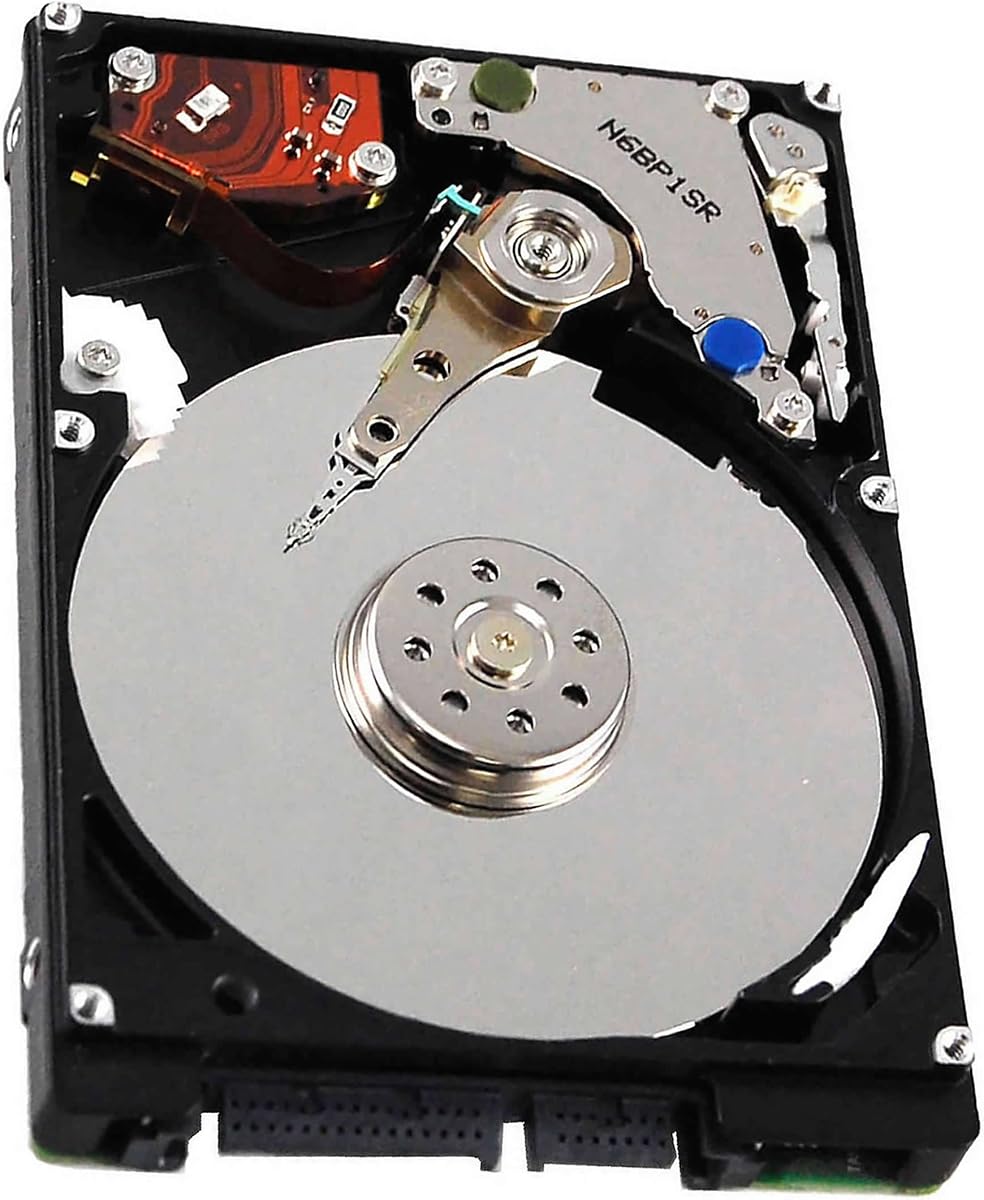


This drive stands out as a top choice for users needing reliable internal storage. With a 4.7 rating, it offers excellent performance for general computing tasks. The 2TB capacity ensures ample space for files and applications.
We may earn a commission when you buy through this link, at no additional cost to you.
The BarraCuda series is known for its stability and speed. Users appreciate the 5400 RPM speed which balances performance with power consumption. The 128MB cache helps smooth out data access during multitasking.
While it is not specifically optimized for NAS environments, it excels in desktop and laptop setups. The packaging is designed to reduce damage during shipping which adds value. However, it may cost slightly more than basic options.
Anyone looking for a dependable upgrade for their PC should consider this model. It provides a solid foundation for storing media and documents efficiently. The reliability backed by years of innovation makes it a safe bet.
The drive is backed by 20 years of innovation ensuring long-term stability. Its performance is consistent across various applications including gaming and media editing.
The 2.5 inch design allows for installation in both laptops and desktops. This flexibility makes it a versatile choice for different system configurations.
We may earn a commission when you buy through this link, at no additional cost to you.
This model is ideal for users who need significant storage space for large files. It holds 6TB of data which is perfect for photo and video libraries. The 3.5 inch form factor fits standard desktop cases easily.
We may earn a commission when you buy through this link, at no additional cost to you.
The 256MB cache is a standout feature that improves data throughput. It helps manage large file transfers efficiently without bottlenecks. Users benefit from the two-year limited warranty for added peace of mind.
While the rating is slightly lower than smaller models it remains a strong contender. The physical size limits its use to desktops and not laptops. Ensure your case has space before purchasing this drive.
For power users building a media center or workstation this drive is excellent. It supports intensive workloads well with its high capacity and cache. The investment is justified by the amount of storage provided.
With 6TB available you can store thousands of videos and photos. It supports creative workflows that require extensive local storage.
The included two-year limited warranty covers defects and failures. This support adds confidence to the purchase for long-term use.
We may earn a commission when you buy through this link, at no additional cost to you.
This drive offers a unique blend of capacity and portability. It provides 5TB of storage in a 2.5 inch form factor which is compact. It is suitable for desktops and some laptop upgrades.
We may earn a commission when you buy through this link, at no additional cost to you.
The value proposition is strong given the storage capacity available. Users can store large libraries without occupying much physical space. The technology is backed by years of innovation for reliability.
The cache is smaller compared to desktop models which may impact heavy loads. However for general use it performs well. Ensure compatibility with your system before installation.
It is a great choice for those needing space in a small footprint. Whether for backup or primary storage it delivers consistent results. The form factor allows for flexible installation options.
The 2.5 inch size allows installation in laptops and small desktops. This flexibility is rare for high-capacity drives.
You get significant storage for a competitive price point. This makes it accessible for budget-conscious buyers.
We may earn a commission when you buy through this link, at no additional cost to you.
This drive is explicitly designed for laptop and gaming systems. It features a low power profile that helps optimize battery life during use. The 2TB capacity is sufficient for most mobile workloads.
We may earn a commission when you buy through this link, at no additional cost to you.
Built-in shock sensors protect data during transport which is crucial for laptops. The ramp loading technology adds to the durability of the drive. Users report high satisfaction with its stability.
The drive is not packaged for retail so check dimensions carefully. It fits standard 2.5 inch bays but height is important for thin laptops. Ensure your device supports 9.5mm height.
For laptop users seeking reliable storage this is a top recommendation. It balances performance and power consumption well. The shock resistance makes it ideal for frequent travelers.
The low power profile helps extend battery life on portable devices. This is essential for users on the go.
Shock sensors and ramp loading protect against physical damage. This extends the lifespan of the drive in mobile environments.
We may earn a commission when you buy through this link, at no additional cost to you.
This BarraCuda mobile drive is a go-to upgrade for on-the-go computing. It offers 2TB capacity in a small form factor suitable for laptops. The specialized caching technology optimizes data flow for speed.
We may earn a commission when you buy through this link, at no additional cost to you.
Users can tackle projects and multitask efficiently with this drive. The performance is consistent across various applications. The two-year limited warranty provides long-term peace of mind.
While it is not the fastest option it is reliable for daily use. The 5400 RPM speed balances efficiency with performance. It is best suited for general computing rather than heavy gaming.
Anyone needing a reliable laptop drive will find this valuable. It ensures data is stored securely and accessed quickly. The compact design fits most laptop bays without issues.
The drive is tuned for mobile environments ensuring consistent speed. It handles daily workloads effectively.
The included two-year warranty covers hardware failures. This adds value to the purchase for business or personal use.
We may earn a commission when you buy through this link, at no additional cost to you.
This drive is a factory renewed option with zero power on hours. It offers the performance of a new drive at a lower price. The WD Blue series is known for everyday reliability.
We may earn a commission when you buy through this link, at no additional cost to you.
The 256MB cache helps with data throughput and speed. It is suitable for desktop PCs requiring standard storage. The renewed status ensures it is tested for quality before sale.
While some may prefer new drives this is a cost effective choice. Ensure the seller has a good return policy. The brand reputation supports the quality of the product.
For budget builds or secondary storage this drive is a smart pick. It balances price and performance well. The high cache makes it responsive for general tasks.
Factory renewed units are inspected and tested to meet standards. Zero power on hours indicate it is as good as new.
The 256MB cache improves read and write speeds. It helps maintain smooth operation during multitasking.
We may earn a commission when you buy through this link, at no additional cost to you.
This older model is designed for notebook PCs and industrial applications. It features G-Force Protection for added robustness in mobile environments. The 320GB capacity is suitable for basic storage needs.
We may earn a commission when you buy through this link, at no additional cost to you.
The 1000 Gs of nonoperating shock tolerance makes it ideal for rugged use. It offers stability for systems that are moved frequently. The SATA 3Gb/s interface is standard for legacy devices.
While the capacity is low it is reliable for specific applications. The cache is small but sufficient for simple tasks. It is a good option for upgrading older systems.
For industrial or legacy notebook use this drive is a solid fit. The durability ensures it lasts longer under stress. It is a budget-friendly option for older hardware.
High shock tolerance protects data during movement. This is crucial for notebooks and industrial gear.
It works well with older systems needing SATA 3Gb/s. The size fits standard notebook bays.
We may earn a commission when you buy through this link, at no additional cost to you.
This drive is purpose built for NAS enclosures and RAID systems. It supports up to eight-bay multi-user environments with high efficiency. The 4TB capacity is ideal for growing data sets.
We may earn a commission when you buy through this link, at no additional cost to you.
IronWolf delivers less wear and tear which extends lifespan in 24/7 operation. The integrated Health Management system helps monitor drive status. It also includes three-year Rescue Data Recovery Services.
While it costs more it offers specific benefits for network storage. The vibration resistance helps in multi-drive environments. Ensure your NAS is compatible with these features.
For home servers or business NAS this is a top choice. The reliability and support ensure data remains safe. It is designed to handle heavy workloads efficiently.
The drive handles multi-user access and RAID workloads well. It reduces lag and downtime in shared storage.
Rescue Services help recover data in case of failure. The MTBF rating indicates high reliability.
We may earn a commission when you buy through this link, at no additional cost to you.
This drive is a solid choice for desktop PCs needing extra space. It offers 4TB capacity with a sustained transfer rate of up to 190 MB/s. The frustration free packaging simplifies installation.
We may earn a commission when you buy through this link, at no additional cost to you.
Users can migrate and clone data easily using the included DiscWizard tool. This saves time when upgrading old systems. The reliability is backed by two decades of innovation.
While it does not support NAS features it works well for single-user systems. The high cache helps with data throughput. Ensure your power supply is adequate for the drive.
For gamers or editors needing storage this is a great option. The balance of speed and capacity is impressive. It handles multimedia files efficiently without lag.
The DiscWizard software helps move data from old drives. This simplifies the upgrade process significantly.
High transfer rates improve file copying and loading. The cache supports faster access during use.
We may earn a commission when you buy through this link, at no additional cost to you.
This drive is designed for RAID-optimized NAS systems with up to eight bays. It uses CMR technology which is essential for data integrity in NAS. The capacity ranges up to 12TB for larger needs.
We may earn a commission when you buy through this link, at no additional cost to you.
NASware technology tunes the drive for continuous operation. It helps manage temperature and workload efficiently. World-Class Support and Warranty back the product for confidence.
While the rating is lower it remains a strong NAS option. Ensure your system requires CMR for best results. It handles the vibration and load of RAID arrays well.
For home or small business NAS this is a reliable pick. The technology ensures data is stored safely. It is built to withstand the demands of network storage.
CMR ensures consistent write performance for RAID arrays. It is preferred over SMR for NAS use.
The drive is tuned to handle constant operation. It manages heat and vibration effectively.
We may earn a commission when you buy through this link, at no additional cost to you.
Selecting the right storage drive requires considering several factors. This guide helps you understand what matters most for your specific needs.
The amount of data you store dictates the ideal capacity. For basic documents a 2TB drive may suffice. For media libraries or backups consider 4TB or 6TB options.
Evaluate your current usage and future growth to avoid running out of space.
Drives come in 2.5 inch and 3.5 inch sizes. The smaller size fits laptops and portable enclosures. The larger size is standard for desktop PCs.
Check your device's specifications to ensure the physical dimensions fit.
SATA 6Gb/s is the standard for modern drives. It ensures you get the full speed the hardware can provide. Older SATA 3Gb/s interfaces limit throughput.
Ensure your motherboard or enclosure supports the latest SATA standards.
Cache helps manage data flow and improves performance. Larger caches like 256MB are better for heavy multitasking. Smaller caches work fine for general use.
Look for a cache size that matches your workload intensity.
Desktop drives differ from NAS or mobile drives. NAS drives are built for continuous operation. Mobile drives prioritize power efficiency.
Choose a drive designed for your specific environment.
Warranties vary from one to three years or more. Longer warranties indicate manufacturer confidence. Check what is covered regarding defects.
Select a drive with a warranty that matches its intended lifespan.
Established brands like Seagate and WD have proven track records. They offer support and software tools. Research user reviews for real-world reliability.
Stick to reputable brands for better long-term support.
Laptops and NAS systems benefit from low-power drives. This reduces heat and extends battery life. Desktops may prioritize performance over power.
Check power requirements if running on limited power supplies.
Proper handling is critical to prevent physical damage. Always shut down your system before installing or removing the drive. Use anti-static measures to protect electronic components.
Keep the drive in a cool and dry environment. Dust and moisture can damage internal parts. Regularly clean the drive surfaces to maintain airflow.
Monitor drive health using software tools. Many manufacturers offer utilities to check status. Address any warnings immediately to prevent data loss.
Yes it is useful for storage and archival purposes. It offers excellent capacity at a lower cost. For general computing it provides sufficient performance.
The difference is physical size and power requirements. 2.5 inch drives fit laptops and draw less power. 3.5 inch drives are for desktops and offer higher capacity.
Yes NAS drives work well in desktops. They offer better durability but may cost more. Ensure your power supply supports the drive requirements.
They produce less noise than faster 7200 RPM drives. The slower speed reduces vibration and sound. They are quieter for most home or office setups.
Use manufacturer software or S.M.A.R.T. tools. These utilities read internal diagnostics. Check for warning signs like bad sectors or high temperature.
Most drives last several years with normal use. It depends on usage intensity and environment. Regular backups are essential regardless of age.
This guide highlighted ten top options for different needs. From desktop storage to mobile use there is a fit for everyone. Prioritize reliability and capacity when deciding.
Consider your budget and specific use case carefully. A drive optimized for NAS will perform differently than a mobile drive. Ensure compatibility with your system.
Prices change frequently so check current listings before buying. Look for promotions to maximize value. Your data deserves the best storage available.