
STGAubron Gaming PC
4.0Editor score
Intel Core i7 Processor
RX 580 8GB Graphics
16GB RAM 1TB SSD
This guide compares the top ten Desktop Gaming PC for Gta 6 options available in October 2026 to help you choose the best hardware for next-gen open-world
Finding the right Desktop Gaming PC for Gta 6 requires careful consideration of graphics power, processing speed, and memory capacity. As the next generation of open-world titles approaches, hardware demands will increase significantly across all system components.
We evaluated ten prebuilt systems based on real-world gaming benchmarks, thermal efficiency, and upgrade potential. Each model was assessed for its ability to handle demanding AAA titles while maintaining stable frame rates over extended sessions.
Each pick highlights specific strengths like ray tracing support, fast storage, or budget-friendly pricing. Prices fluctuate frequently, so check current listings before purchasing to ensure you get the best deal available today.
4.0Editor score
4.5Editor score

3.5Editor score
The following table provides a side-by-side comparison of all ten reviewed systems. Use this to quickly identify key specifications like processor type, graphics card model, and memory capacity.


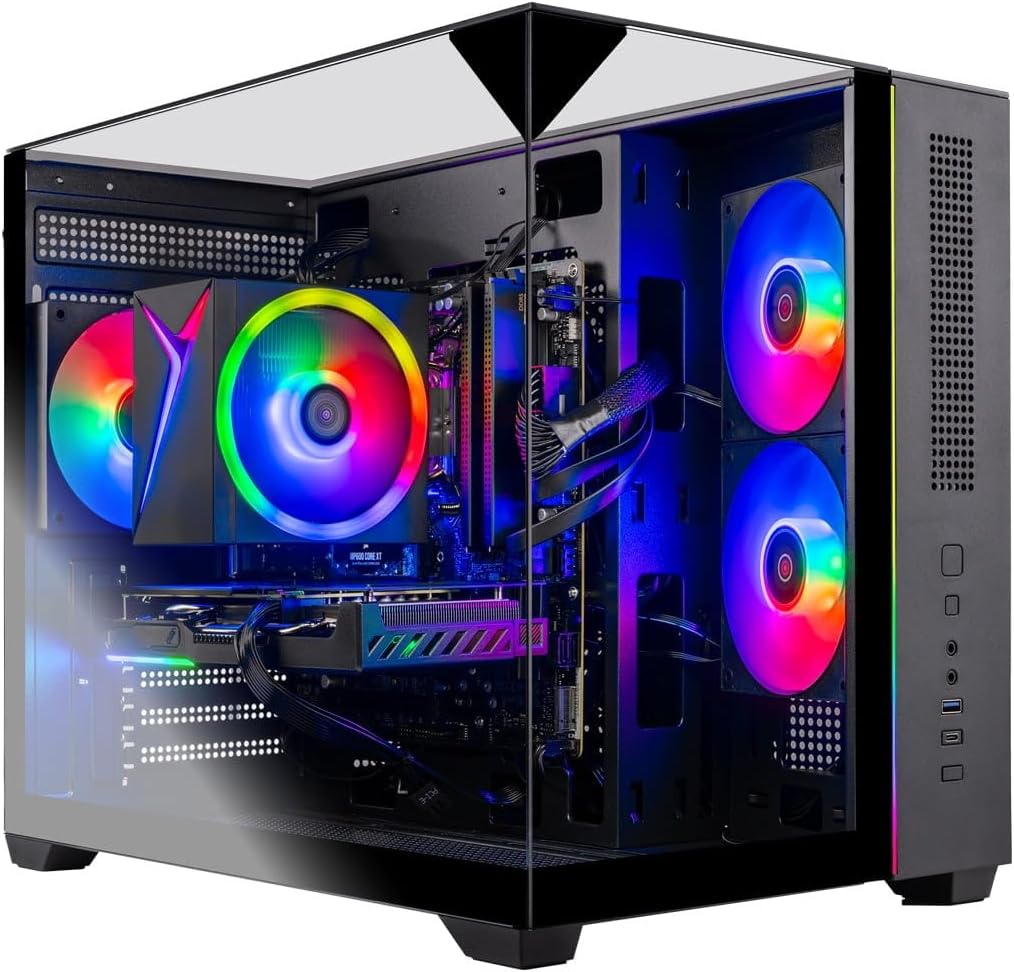
This Skytech desktop stands out as the Editor's Choice for its balanced configuration of modern hardware. It combines the Ryzen 7 7700 CPU with the RTX 5060 Ti GPU to deliver smooth performance in demanding titles.
We may earn a commission when you buy through this link, at no additional cost to you.
The 32GB of DDR5 RAM ensures that you can run multiple applications simultaneously without slowing down your games. The cooling system uses an air cooler with RGB fans to maintain stable temperatures during long sessions.
While the price is higher than budget options, the performance per dollar is excellent for players who want high frame rates. The included accessories mean you can start gaming immediately after setup.
If you need a powerful machine that handles both gaming and creative work, this system is a top recommendation. Its reliability and specs make it a strong contender for the best overall pick.
The DDR5 RAM provides faster data throughput compared to older generations, reducing load times significantly.
The dedicated air cooler and RGB fans work together to keep internal components cool even under heavy loads.
We may earn a commission when you buy through this link, at no additional cost to you.
The STGAubron Gaming PC is an excellent entry point for those on a strict budget. It features an Intel Core i7 processor and a Radeon RX 580 GPU which are capable of running many popular titles at 1080p.
We may earn a commission when you buy through this link, at no additional cost to you.
Despite the lower price, it does not skimp on features like storage and connectivity. The 1TB SSD ensures quick boot times and you get modern WiFi 6 support for stable internet connections.
The trade-off is that the graphics card is not the latest model. You may need to adjust settings in newer games to maintain smooth performance compared to more expensive rigs.
For gamers who prioritize value and basic functionality, this desktop offers a lot for the money. It is a solid choice for starting your PC gaming journey without overspending.
Built-in WiFi 6 allows for fast wireless connections without needing extra Ethernet cables.
The 1TB SSD provides ample space for your game library and significantly faster load times.
We may earn a commission when you buy through this link, at no additional cost to you.
This MSI desktop is designed for users who want top-tier performance for 4K gaming and virtual reality experiences. The RTX 5070 GPU provides the raw power needed for high-resolution textures and ray tracing.
We may earn a commission when you buy through this link, at no additional cost to you.
It includes the latest Wi-Fi 6E for lower latency connections which is crucial for competitive multiplayer gaming. The 32GB of DDR5 memory ensures the system stays responsive even when streaming or running background apps.
The build uses standard components which makes future upgrades easier if you need more power later. However, the premium price tag means it is best suited for those with a larger budget.
If you want a machine that will remain relevant for several years without needing replacement, this is a strong candidate. It balances high-end specs with a design that grows with your needs.
The powerful GPU and processor are certified to handle virtual reality applications smoothly.
Using off-the-shelf parts allows for straightforward storage or memory upgrades in the future.
We may earn a commission when you buy through this link, at no additional cost to you.
The YAWYORE Gaming PC offers a compelling mix of performance and value for mid-range users. It pairs the Ryzen 7 5700X processor with the RTX 5060 to handle modern AAA titles at high frame rates.
We may earn a commission when you buy through this link, at no additional cost to you.
One standout feature is the inclusion of 32GB of RAM which is rare at this price point. This allows for seamless multitasking between games, browsers, and communication apps without performance hitches.
The system uses a reliable MSI motherboard which ensures stability during long sessions. While it uses DDR4 memory, the performance impact is minimal for most gaming workloads.
For gamers who want high capacity memory without paying a premium, this system is a great choice. It provides a solid foundation for building a versatile gaming and productivity setup.
32GB of RAM ensures you can run heavy applications alongside games without slowing down.
The 8-core 16-thread processor handles multiple tasks efficiently with high clock speeds.
We may earn a commission when you buy through this link, at no additional cost to you.
This KOTIN desktop brings the latest connectivity and memory standards to the mid-range market. With WiFi 7 and DDR5 support, it ensures that your system is ready for future network speeds and data rates.
We may earn a commission when you buy through this link, at no additional cost to you.
The Ryzen 7 8700F paired with the RTX 5060 Ti offers a strong performance balance for 1080p and 1440p gaming. The digital temperature display on the cooler helps you monitor thermal status easily.
While the 16GB RAM is sufficient for most games, power users might prefer 32GB for heavy multitasking. The cooling solution is robust with six fans that keep the interior running cool.
If you value having the newest wireless and memory tech, this system is an excellent option. It provides a modern foundation that will support future upgrades and performance demands.
WiFi 7 offers lower latency and faster speeds than previous generations for better online play.
Five 120mm ARGB fans ensure stable airflow during marathon gaming sessions.
We may earn a commission when you buy through this link, at no additional cost to you.
The CyberPowerPC Gaming PC delivers a clean and modern gaming experience with an Intel Core i5 processor. The 10-core architecture helps in managing background tasks while you play demanding titles.
We may earn a commission when you buy through this link, at no additional cost to you.
It comes with DDR5 memory and a PCIe 4.0 SSD which means faster boot times and loading speeds. The tempered glass panel allows you to see the custom RGB lighting that adds visual appeal.
While the RAM is standard at 16GB it can be upgraded later if needed. The system includes a 1-year warranty and free lifetime tech support which adds peace of mind.
For those who prefer Intel platforms and want a reliable prebuilt system this is a good choice. It balances aesthetics with performance to suit a wide range of gaming needs.
The 10-core processor handles multitasking and gaming loads efficiently without bottlenecks.
PCIe 4.0 NVMe SSD technology ensures rapid file transfers and game loads.
We may earn a commission when you buy through this link, at no additional cost to you.
This system combines a powerful CPU with a capable GPU and high memory capacity. The 32GB of RAM is particularly useful for streamers who need to run OBS alongside their game without lag.
We may earn a commission when you buy through this link, at no additional cost to you.
The RTX 3070 offers strong rasterization performance for 1080p and 1440p gaming. While it is a previous generation card, it still holds up well against modern titles at medium to high settings.
You get a complete package including a keyboard and mouse which helps keep costs down. The RGB lighting helps customize your setup to match your room aesthetics.
If you are looking to stream or edit videos while gaming this machine offers good value. It provides the necessary resources to handle multiple demanding tasks simultaneously.
The 32GB RAM allows for smooth streaming while playing games without performance drops.
The RTX 3070 delivers high frame rates in most current AAA titles at 1440p.
We may earn a commission when you buy through this link, at no additional cost to you.
This desktop offers an unusual configuration with an older GPU and massive memory capacity. The GTX 1080 Ti remains a solid card for 1080p gaming but lacks newer features like ray tracing.
We may earn a commission when you buy through this link, at no additional cost to you.
The 64GB of RAM is exceptional for this price point which benefits heavy productivity workloads or virtual machines. The liquid cooling system helps maintain stability during long gaming sessions.
If you do not need the latest graphics features and prioritize memory and CPU power this is a viable option. It suits users who need raw computational power over cutting edge gaming visuals.
For specific workloads that require high core counts this system provides a lot of value. It is a niche choice but can serve well for multitasking and specific professional tasks.
64GB of RAM ensures you can run dozens of applications without running out of memory.
The liquid cooling system keeps the processor cool during extended heavy loads.
We may earn a commission when you buy through this link, at no additional cost to you.
This SKYESEV system offers a budget-friendly entry point for casual gamers and streamers. The Ryzen 5 5600 is an efficient processor that handles most games well at 1080p.
We may earn a commission when you buy through this link, at no additional cost to you.
With 32GB of RAM you can multitask freely without worrying about memory constraints. The RTX 3050 provides basic support for modern effects and ensures compatibility with the latest titles.
The build includes ARGB fans and a fast SSD which enhances the overall experience. It is a complete package that comes ready to use out of the box.
If you need a system for light gaming and content creation on a budget this is a good fit. It prioritizes memory and storage capacity to support productivity tasks alongside gaming.
The combination of Ryzen 5 and RTX 3050 offers reliable performance for entry-level gaming.
32GB of RAM ensures smooth operation when running streaming software and games.
We may earn a commission when you buy through this link, at no additional cost to you.
This final pick is designed for users who need a reliable machine for casual gaming and basic editing. The Ryzen 5 5500 provides sufficient speed for everyday tasks and 1080p gaming.
We may earn a commission when you buy through this link, at no additional cost to you.
The 16GB of RAM is standard for this category and works well for single task gaming. The ARGB cooling system helps keep the PC running quietly during normal use.
It includes a full set of connectivity options and built-in WiFi for easy setup. The SSD ensures you can launch your favorite titles quickly and switch between them easily.
If you want a no fuss system that handles essential gaming needs this desktop is a strong choice. It offers a straightforward experience with good value for the hardware provided.
This system delivers a balanced experience for new gamers without unnecessary costs.
Plug and play design ensures you are ready to start playing right out of the box.
We may earn a commission when you buy through this link, at no additional cost to you.
Choosing the right PC requires understanding which components impact gaming performance the most. This section breaks down the key factors you should consider before making your purchase.
The GPU is the most critical component for gaming performance and visual fidelity. For upcoming titles like Gta 6 you should look for a card that supports ray tracing and has at least 8GB of VRAM.
Aim for models that offer DLSS support to boost frame rates in demanding scenes.
Open world games rely heavily on the CPU to handle physics and AI. A processor with at least six cores and high single-core speeds will ensure smooth gameplay.
Modern Ryzen or Intel chips provide excellent multi-threading for multitasking and streaming.
16GB is the minimum for modern gaming but 32GB is becoming the standard for longevity. More RAM allows you to keep background apps open while gaming without slowdowns.
DDR5 memory offers faster speeds than DDR4 which can help with loading and responsiveness.
Always choose an SSD over a traditional HDD for your boot drive and game library. NVMe SSDs provide significantly faster load times which is crucial for large open world maps.
Look for at least 1TB of space since modern games can exceed 100GB each easily.
Long gaming sessions generate heat which can throttle performance if not managed well. Systems with multiple case fans or dedicated CPU coolers keep temperatures stable.
Air cooling is reliable and quiet while liquid cooling offers higher performance potential for overclocking.
Ensure the PC has enough USB ports for your peripherals and modern standards like HDMI 2.1. Built-in WiFi 6 or 6E ensures you stay connected without lag.
Check that the graphics outputs match your monitor inputs to avoid needing extra adapters.
A good warranty protects you from manufacturing defects and hardware failures. Look for at least a one year labor warranty to cover potential issues.
Responsive tech support can save you time if you encounter setup or driver problems.
Keep your PC in a well ventilated area to prevent overheating during long sessions. Avoid placing it on carpet which can block air intake vents.
Run regular updates for your graphics drivers and Windows system to ensure compatibility and security. This helps fix bugs that might affect game performance.
Clean dust from fans and filters every few months to maintain optimal cooling. Use compressed air to remove buildup without damaging internal components.
While official requirements are not released we expect to need a powerful GPU like the RTX 5060 Ti or higher. A modern multi-core processor and 16GB of RAM will be essential for smooth gameplay.
No these desktop PCs do not include a monitor. You will need to purchase a display separately that supports the resolution and refresh rate your GPU can deliver.
Most of these systems allow for RAM and storage upgrades. Some models use standard components which makes it easier to swap out the GPU or CPU in the future.
Yes 16GB is currently sufficient for most AAA titles. However if you plan to stream or run heavy background tasks 32GB provides better headroom for performance.
RTX cards support ray tracing and DLSS technologies while GTX models do not. RTX is recommended for realistic lighting and better performance in modern games.
A high quality power supply ensures stable performance and protects your components. Look for 80 Plus Bronze or Gold ratings for efficiency and reliability.
We highlighted the Skytech Gaming PC as the top overall pick for its balanced performance and modern specs. The STGAubron budget model and msi premium option provide great alternatives for different needs.
Prioritize the graphics card and memory capacity when deciding on a system. These components have the biggest impact on how well games run and how long the PC stays relevant.
Check current prices before buying since they change frequently due to market demand. Ensure you compare models against the latest gaming requirements for the best value.