
Logitech B100
4.6Editor score
Plug and play setup
Ambidextrous comfortable shape
Recycled plastic construction
Discover the 10 best durable computer mouse options for long-lasting performance and comfort in our comprehensive guide comparing top-rated models.
Finding a durable computer mouse is essential for anyone who spends hours working at a desk. The right device ensures precision, comfort, and reliability over years of daily use without frequent replacements or frustrating failures.
We compared ten top-rated models based on build quality, ergonomic design, battery life, and user feedback. Each product was evaluated for its ability to withstand heavy usage while maintaining smooth tracking and responsive clicks.
Our guide highlights the strengths of each pick to help you choose the right fit for your needs. Please note that availability and pricing can change frequently, so check current listings before purchasing your new device.
4.6Editor score

4.5Editor score

4.5Editor score
This side-by-side comparison highlights the key specifications and features of each model to help you understand their unique strengths and find the perfect durable mouse for your workflow.





The Logitech M705 Marathon stands out as a top contender for durability and performance. With a rating reflecting high user satisfaction, it offers a robust build that withstands daily office use without compromising on comfort or precision.
We may earn a commission when you buy through this link, at no additional cost to you.
Its standout feature is the incredible battery life lasting up to three years on a single set of AA batteries. The hyper-fast scrolling wheel allows you to navigate long documents effortlessly, while laser-grade tracking ensures accuracy even on polished surfaces.
While the mouse is slightly heavier than compact models, this weight contributes to its stable feel. The sculpted shape is designed for right-hand users, providing ergonomic support during long work sessions, though left-handed users may prefer an ambidextrous option.
For professionals seeking a reliable mouse that lasts years without frequent replacements, the M705 is an excellent investment. Its combination of battery efficiency, tracking precision, and ergonomic design makes it a standout choice for heavy users.
The advanced power management system allows for three years of use between battery changes, reducing waste and maintenance frequency significantly.
Laser grade sensors deliver smooth and responsive cursor control on surfaces that typically confuse standard optical mice.
We may earn a commission when you buy through this link, at no additional cost to you.
The Logitech B100 proves that durability does not have to come with a high price tag. Its high rating highlights consistent performance over time, making it a trusted choice for users needing a dependable mouse without extra features.
We may earn a commission when you buy through this link, at no additional cost to you.
This wired mouse offers a solid, compact design suitable for both left and right-handed users. It features a reliable USB connection that eliminates battery anxiety and ensures zero latency for precise cursor control during everyday tasks.
The lack of adjustable DPI settings limits customization for power users, but for general office work, the 800 DPI sensitivity is sufficient. The cable provides a secure connection, though it may limit reach compared to wireless alternatives.
If you need a straightforward, cost-effective mouse that delivers consistent performance, the B100 is an ideal pick. Its simple design and robust build make it perfect for shared workspaces or budget-conscious consumers.
Simply plug into a USB port and start working immediately without installing drivers or software.
Plastic parts include certified post-consumer recycled plastic, reducing environmental impact without sacrificing durability.
We may earn a commission when you buy through this link, at no additional cost to you.
The Logitech Signature M650 L combines premium build quality with thoughtful design for power users. Its high rating reflects excellent user satisfaction, particularly regarding comfort and the advanced features that enhance productivity.
We may earn a commission when you buy through this link, at no additional cost to you.
This model features SilentTouch technology that reduces click noise by ninety percent, ideal for quiet environments. The SmartWheel allows switching between precise line-by-line scrolling and rapid free-spinning modes with a simple flick.
While the price is higher than basic models, the value comes from its extensive connectivity options and customization. The side buttons can be programmed for shortcuts, though users with smaller hands might find the size too large.
For those seeking a high-end wireless mouse with exceptional comfort and silent operation, the M650 L is worth the investment. It excels in professional settings where focus and ergonomics are paramount.
SilentTouch technology significantly reduces click noise for a more discreet user experience in shared spaces.
Connect via Bluetooth Low Energy or Logi Bolt receiver for seamless switching between multiple devices.
We may earn a commission when you buy through this link, at no additional cost to you.
The Logitech M185 is designed for users who prioritize portability without sacrificing reliability. With a rating indicating strong satisfaction, this compact mouse offers a smooth experience for laptops and desktops alike.
We may earn a commission when you buy through this link, at no additional cost to you.
Its small size fits easily in a laptop bag, making it perfect for travel. The line-by-line scroll wheel and contoured shape provide comfort despite the compact form factor, and it connects via a reliable 2.4 GHz signal.
While it lacks advanced programmable buttons, the simplicity is a benefit for basic users. The battery life extends to a year, ensuring you spend less time replacing batteries and more time working efficiently.
If you need a dependable wireless mouse for travel or tight workspaces, the M185 is a solid choice. Its balance of size, battery life, and comfort makes it a versatile tool for on-the-go professionals.
The compact size and included nano receiver make it easy to pack and use anywhere.
Using a physical mouse over a touchpad can increase productivity by fifty percent for many users.
We may earn a commission when you buy through this link, at no additional cost to you.
The Logitech M510 offers a full-size solution for users seeking ergonomic support. Its high rating confirms its effectiveness in reducing hand fatigue during long work sessions, making it a favorite for office workers.
We may earn a commission when you buy through this link, at no additional cost to you.
The contoured shape with soft rubber grips ensures your hand stays comfortable and in place. Side-to-side scrolling adds versatility for navigating spreadsheets or wide web pages, enhancing efficiency for data-heavy tasks.
Battery life extends to two years with smart sleep modes, minimizing maintenance. However, the bulkier design might not fit smaller hands or laptops easily, and full customization requires installing additional software.
For anyone prioritizing comfort and versatility in a wireless mouse, the M510 is a strong candidate. It balances ergonomic design with practical features that improve workflow without unnecessary complexity.
Soft rubber grips and curved sides provide comfort that reduces strain during all-day use.
Side-to-side scrolling allows quick navigation through horizontal spreadsheets and maps with a single click.
We may earn a commission when you buy through this link, at no additional cost to you.
The TECKNET USB Wired Mouse is built to withstand heavy daily use with a tested lifespan of over six million keystrokes. This durability makes it a reliable option for office environments where wear and tear are concerns.
We may earn a commission when you buy through this link, at no additional cost to you.
It features four adjustable DPI levels for precise control, ranging from basic to high-speed tracking. The forward and backward buttons allow quick navigation through browser history, improving browsing and research efficiency.
While the five-foot cable limits range compared to wireless options, it ensures a stable, lag-free connection. The soft rubber grips enhance comfort, but note that side buttons may not function correctly on Mac systems.
If you need a budget-friendly wired mouse with customizable speed and durable construction, the TECKNET is a great fit. It delivers essential productivity features without the complexity of wireless pairing.
Tested for over six million keystrokes to ensure long-term reliable performance in daily tasks.
Four DPI settings let you switch between detailed design work and fast scrolling effortlessly.
We may earn a commission when you buy through this link, at no additional cost to you.
The Logitech Signature M550 L is designed specifically for larger hands, ensuring a snug fit that prevents cramping. Its high rating highlights user appreciation for the comfortable design and reliable wireless performance.
We may earn a commission when you buy through this link, at no additional cost to you.
SilentTouch technology reduces click noise by ninety percent, ideal for quiet offices. The SmartWheel lets you switch between precise scrolling and fast scrolling effortlessly, adapting to different content types instantly.
Battery life lasts up to two years on a single AA cell, reducing maintenance. While the comfort is excellent, some users might find the size limiting for travel or small workspaces.
For users with larger hands seeking a quiet, reliable wireless mouse, the M550 L delivers exceptional value. Its ergonomic design and silent operation make it a top choice for professional use.
Designed specifically for larger hands to provide a snug and comfortable grip during long sessions.
SilentTouch technology ensures minimal noise, perfect for shared workspaces and focused environments.
We may earn a commission when you buy through this link, at no additional cost to you.
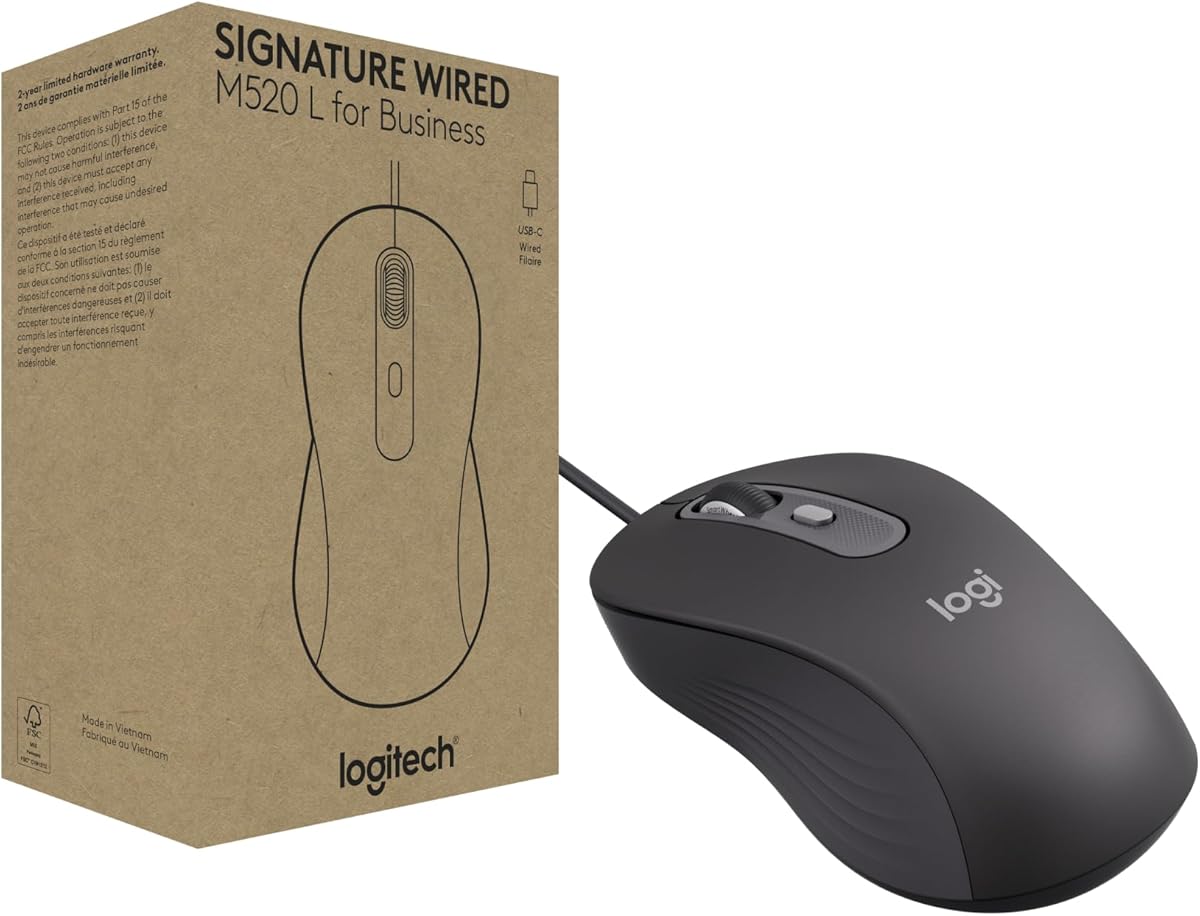
The Logitech Signature Wired M520 L is tailored for business environments needing secure and efficient connections. Its USB-C interface makes it ideal for modern laptops, while the rating indicates steady performance in office tasks.
We may earn a commission when you buy through this link, at no additional cost to you.
SilentTouch technology reduces click noise by ninety percent, promoting focus in open workspaces. The SmartWheel allows switching between precision and rapid scrolling, adapting to your workflow instantly.
Designed for sustainability with high recycled plastic content, it also offers power efficiency with reduced energy consumption. While the wired nature limits range, it ensures a stable connection without battery worries.
If you need a durable, eco-friendly wired mouse for business deployment, the M520 L is a solid option. Its modern connectivity and silent operation cater well to professional needs.
USB-C connection ensures compatibility with modern devices and simplified deployment across businesses.
Plastic parts include a minimum of seventy-three percent post-consumer recycled plastic for sustainability.
We may earn a commission when you buy through this link, at no additional cost to you.
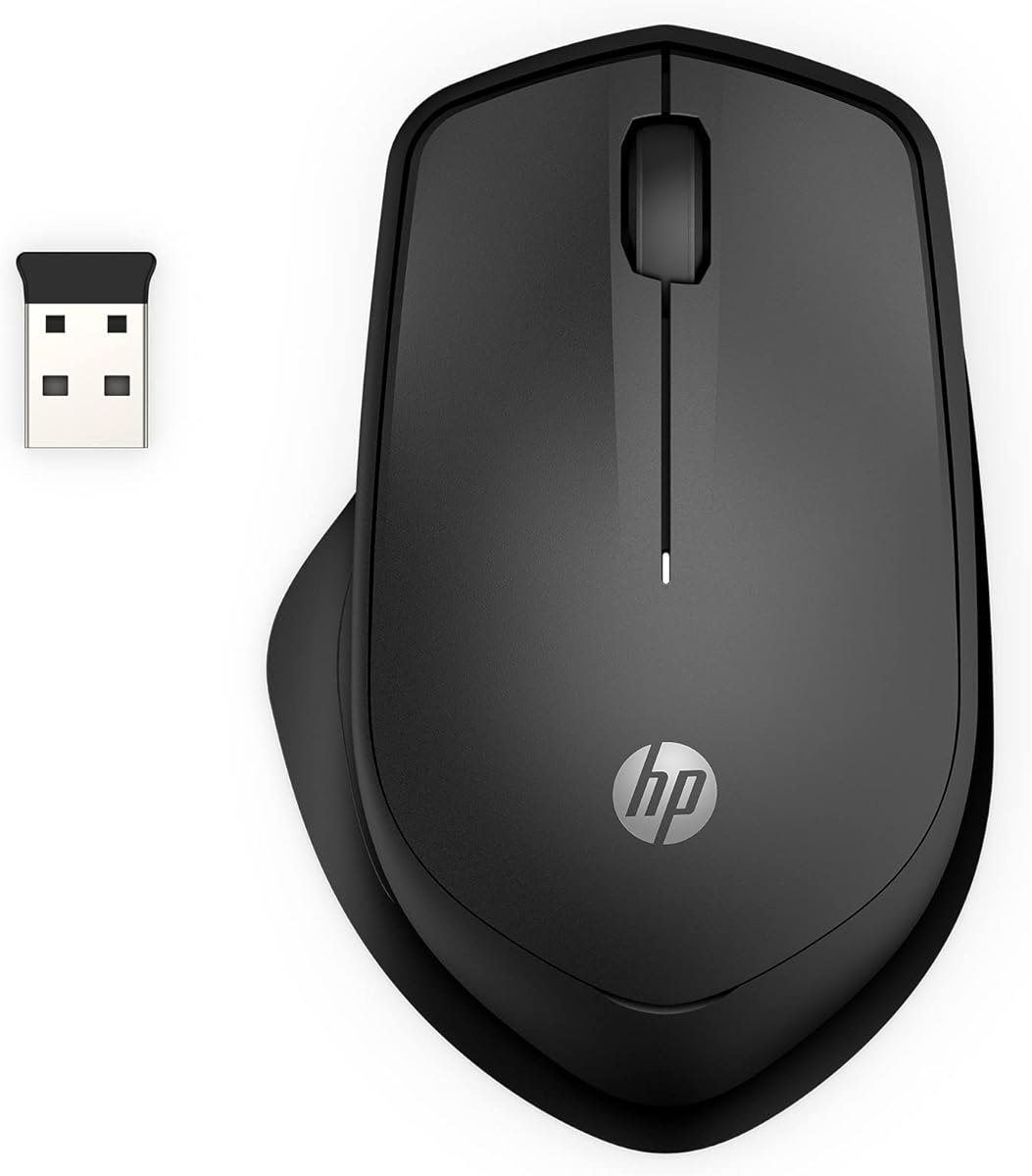
The HP 280 Silent Wireless Mouse offers comfort and silence in a simple package. Its rating confirms strong user satisfaction, particularly regarding ergonomic design and the ability to reduce distractions while typing.
We may earn a commission when you buy through this link, at no additional cost to you.
Quiet clicks reduce noise by up to ninety percent, making it ideal for shared offices. The ergonomic right-handed design supports natural hand positions, reducing fatigue during long sessions of work.
Multi-surface technology ensures smooth tracking without a mousepad, adding convenience. While the eighteen-month battery life is impressive, the right-handed design limits versatility for left-handed users.
If you need a silent, ergonomic mouse for general office use, the HP 280 is a reliable choice. It balances comfort and functionality well for standard daily tasks.
Quiet click buttons provide satisfying feedback without the distracting sound of standard mice.
Multi-surface technology delivers smooth movement on virtually any surface without needing a mousepad.
We may earn a commission when you buy through this link, at no additional cost to you.
The Acer Wireless Mouse provides versatile DPI settings and forward/backward buttons for enhanced productivity. Its rating reflects solid performance, particularly for users who need quick adjustments to cursor speed.
We may earn a commission when you buy through this link, at no additional cost to you.
Five adjustable DPI levels allow you to tailor sensitivity for design work or browsing, while indicator lights show current settings and battery status. Forward and backward buttons streamline navigation through web pages and files.
The mouse is rated for up to ten million clicks, ensuring durability over time. However, the AA battery is not included, and the simple design may lack the advanced features found in premium models.
For budget-conscious users needing adjustable precision and productivity buttons, the Acer mouse is a practical option. It delivers essential functionality with reliable connectivity for everyday use.
Five DPI levels let you adjust cursor speed for different tasks like design work or web browsing.
Indicator lights show current DPI settings and low battery warnings for easy monitoring.
We may earn a commission when you buy through this link, at no additional cost to you.
Selecting a durable computer mouse involves considering various factors like build quality, ergonomics, and connectivity to ensure it meets your long-term needs.
Look for mice with reinforced materials and high click ratings like six to ten million keystrokes. These ensure the device withstands daily wear and tear without failing prematurely.
Prioritize models with quality plastics or recycled materials that offer strength without unnecessary weight.
Choose a shape that matches your hand size and grip style to prevent strain. Ambidextrous designs work for both hands while right-handed shapes offer more support.
A comfortable design improves productivity and reduces the risk of repetitive strain injuries during long work sessions.
Wireless mice with long battery life like one to three years reduce maintenance hassle. Check for smart sleep modes that conserve power effectively.
Wired options eliminate battery concerns entirely but require a physical connection to your computer.
Decide between Bluetooth and USB receiver options based on your device ports. Bluetooth offers flexibility while receivers ensure stable connections without pairing issues.
Ensure the mouse supports your operating system for full functionality and seamless integration.
Adjustable DPI settings allow you to control cursor speed for different tasks. Higher DPI is useful for large screens or design work.
Laser or optical sensors deliver accurate tracking across various surfaces including glass or wood.
Consider whether you need a standard scroll wheel or advanced options like hyper-fast scrolling. Side scrolling can also enhance navigation in spreadsheets.
A tactile scroll wheel improves precision when reviewing detailed documents or web pages.
Silent click technology reduces noise significantly which is vital for shared workspaces or libraries. This feature maintains focus without disturbing others.
If you work in a quiet environment, a silent mouse can greatly improve your user experience.
Ensure the mouse works seamlessly with your operating system whether Windows Mac or Linux. Some features may require specific software to function fully.
Universal compatibility ensures you can switch between devices without needing additional adapters.
To maximize lifespan, keep your mouse clean by gently wiping the surface with a microfiber cloth. This prevents dust from accumulating in the sensors or scroll wheel mechanisms.
Store wireless mice in a cool dry place to preserve battery health. If storing for long periods remove batteries to prevent leakage damage.
For wired mice ensure the cable is not bent sharply at the connection point to avoid internal wire breaks. Use a cable tie to organize the cord and prevent strain.
A durable computer mouse typically lasts between three to five years depending on usage intensity. High-quality models rated for millions of clicks can last even longer with proper care and maintenance.
Wired mice often have longer lifespans because they lack batteries and wireless components that can fail. However modern wireless mice with robust builds and reliable receivers offer comparable durability for most users.
For general office work a DPI setting between 800 and 1600 is usually sufficient. Higher DPI settings are beneficial for designers or gamers who need faster cursor movement.
Not all mice track well on glass surfaces so check for laser or specific glass tracking capabilities. Many modern sensors are designed to work on a wider variety of surfaces including glass.
Locate the battery compartment usually on the bottom of the mouse and slide it open. Insert new batteries respecting the polarity indicators to ensure proper connection and function.
Loud clicking often results from standard mechanical switches common in older models. Consider upgrading to a silent mouse model if noise reduction is a priority for your environment.
Most mice work with Mac but some buttons require specific drivers to function correctly. Check compatibility notes before purchasing to ensure all features are supported by your system.
Comfort depends on hand size so larger mice suit big hands while compact ones work for small hands. Ergonomic designs prioritize natural wrist positioning regardless of overall size.
We highlighted ten reliable models ranging from budget-friendly options to premium wireless choices. Each offers unique strengths in durability ergonomics and features to suit different workflows.
Prioritize features that match your daily needs such as battery life or silent clicks. Investing in a quality device reduces frustration and supports long-term comfort.
Please verify current availability and pricing before purchasing as these details change frequently. We hope this guide helps you find the perfect durable mouse for your setup.