
ANQ-L336 Mini eGPU Enclosure
3.8Editor score
Supports ATX SFX power supplies
85W PD fast charging pass-through
Compact design for portable use
This guide compares the top ten eGPU enclosures for laptops and handhelds, evaluating Thunderbolt 5 speed power supply wattage and compatibility with NVIDIA
External GPU enclosures transform laptops into powerful desktop workstations by housing full-sized graphics cards. They enable gaming video editing and AI tasks that built-in chips cannot handle alone.
We evaluated ten top models based on bandwidth throughput cooling efficiency and connector variety. Our analysis covers Thunderbolt 5 options and legacy ports to suit different budgets and hardware.
Each pick highlights specific strengths like compact designs or high wattage supplies. Prices and stock change frequently so verify availability before purchasing your preferred enclosure today.
3.8Editor score

4.0Editor score

4.5Editor score
This side-by-side comparison highlights key specifications across all ten models to help you find the right balance of speed power and price.


The Razer Core X V2 leads our list with its cutting-edge Thunderbolt 5 interface delivering up to 80Gbps bandwidth. It is designed to handle the most demanding creative workflows and AAA games with ease.
We may earn a commission when you buy through this link, at no additional cost to you.
Its spacious chassis fits four-slot wide cards ensuring you can use top-tier GPUs. The active cooling fan ramps up automatically under load to maintain consistent performance without overheating.
While it requires a separate power supply and GPU which adds to the initial cost the setup process is straightforward with included thumbscrews and cables. This flexibility makes it a versatile long-term investment.
Gamers and professionals on Windows 11 laptops will find this enclosure transforms their device into a powerful desktop substitute. It is the recommended choice for those seeking maximum performance and future-proofing.
Experience ultra-fast data transfer that handles modern creative apps and high-resolution gaming without bottlenecks.
The vented steel chassis ensures heat dissipates efficiently even during extended heavy usage sessions.
We may earn a commission when you buy through this link, at no additional cost to you.
The Sonnet Breakaway Box 850 T5 offers a comprehensive solution with a built-in dock and high-wattage power supply. It delivers near-desktop GPU power specifically tailored for high-end Windows 11 laptops.
We may earn a commission when you buy through this link, at no additional cost to you.
Its 850W supply ensures compatibility with tomorrow's power-hungry graphics cards. The variable-speed fan cools the system quietly while the dock adds essential Ethernet and USB ports for peripherals.
Although it comes at a premium price the included accessories and high power capacity eliminate the need for extra purchases. This makes it a convenient all-in-one package for workstation users.
Professionals working on rendering animation and AI applications will appreciate the stability and connectivity. It stands out as the top pick for those needing a complete high-performance ecosystem.
Get both the GPU power and peripheral connectivity in one box with integrated Thunderbolt and Ethernet ports.
The high wattage supply prepares your setup for the next generation of graphics cards.
We may earn a commission when you buy through this link, at no additional cost to you.
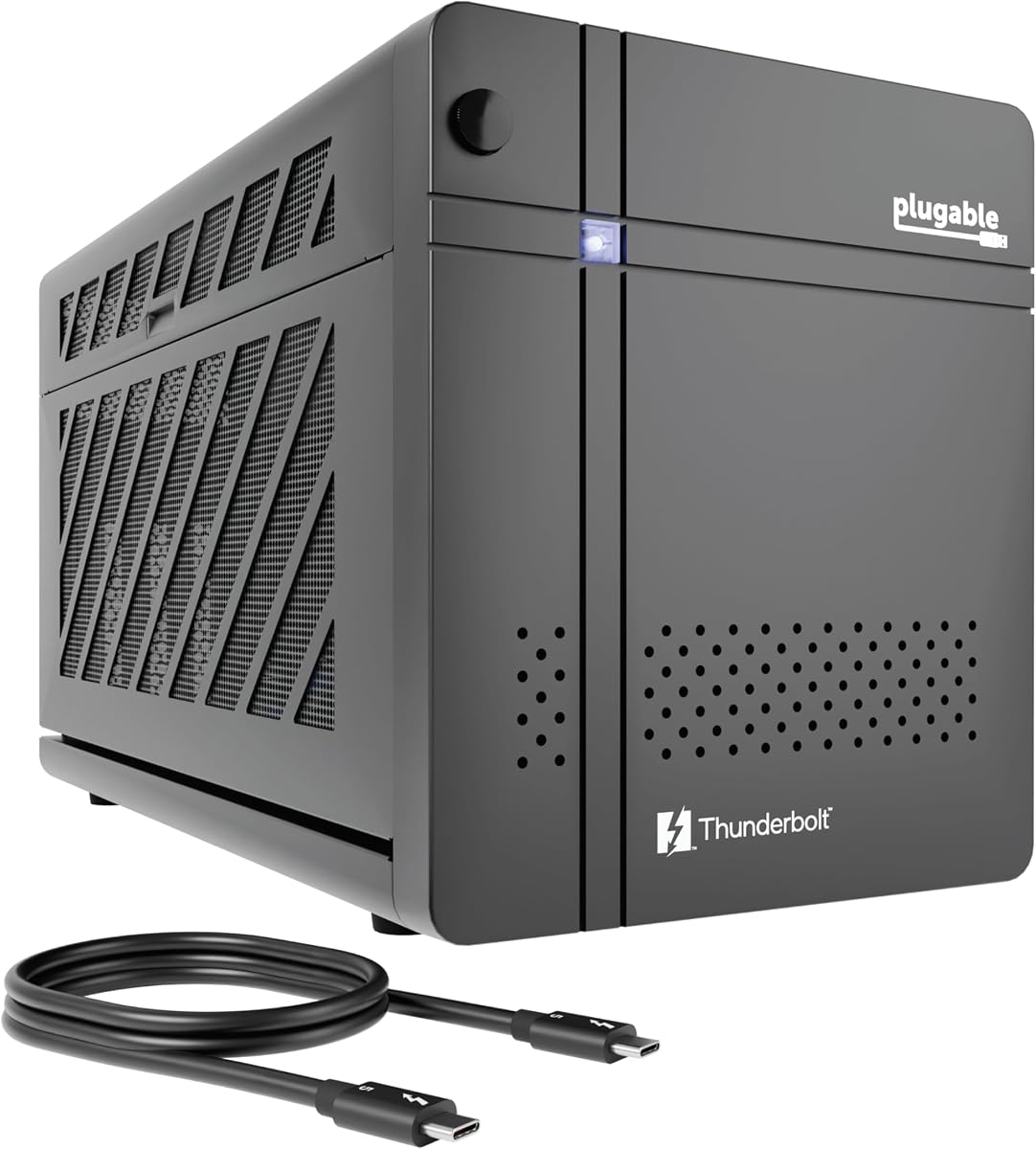
The Plugable TBT5-AI is a specialized enclosure built for running local AI models securely without cloud risks. It supports tools like Ollama and LM Studio ensuring your data never leaves your perimeter.
We may earn a commission when you buy through this link, at no additional cost to you.
It features an 850W PSU and 80Gbps Thunderbolt 5 speeds to handle demanding inference tasks. The inclusion of 2.5Gbps Ethernet and 96W charging adds practical value for home office setups.
While it targets AI workloads the hardware capabilities suit general creative tasks as well. The lifetime support from the North American team adds confidence to the purchase for IT departments.
Developers and privacy-focused users looking for powerful offline compute will find this enclosure unmatched. It balances performance and security better than standard gaming-focused models.
Run sensitive models like Llama 3 on your hardware to avoid subscription fees and data exposure.
Double the bandwidth of Thunderbolt 4 ensures smooth data transfer for large models and files.
We may earn a commission when you buy through this link, at no additional cost to you.
This enclosure is a solid choice for users who need a portable solution for mid-range graphics cards. It comes as a complete kit including a 240W PSU and carrying case for easy transport.
We may earn a commission when you buy through this link, at no additional cost to you.
The aluminum shell is durable yet light making it ideal for commuters. It supports Thunderbolt 4 and 3 interfaces with 85W charging to keep your laptop powered while in use.
The 240W limit means it may struggle with top-end GPUs but is sufficient for many editing tasks. The custom carrying case adds a touch of premium convenience for daily travel.
Students and travelers wanting to boost a laptop without buying a full desktop will find this practical. It offers a balanced entry point into external graphics performance.
The included carrying case allows you to safely move the eGPU between locations.
Everything you need from cables to power supply is included in the box.
We may earn a commission when you buy through this link, at no additional cost to you.
The ANQ-L336 is designed for flexibility supporting macOS Linux and gaming handhelds like the ROG Ally X. It provides a bridge for users who need cross-platform compatibility in their setup.
We may earn a commission when you buy through this link, at no additional cost to you.
It supports multiple power supply formats including SFX and Flex which helps users repower existing hardware. The 85W PD charging ensures handhelds and laptops stay powered during intensive gaming sessions.
The compact design fits smaller graphics cards but may limit options for massive desktop GPUs. Users should check dimensions carefully before purchase to ensure their card fits inside.
Gamers on handhelds or Mac users looking to expand graphics capabilities will find this useful. It offers a versatile option where standard enclosures fail to provide support.
Connect directly to devices like the ROG Ally X for desktop-level gaming on the go.
Use various power supply types to match your specific setup needs and budget.
We may earn a commission when you buy through this link, at no additional cost to you.
This enclosure uses an official Intel controller to ensure stable data transfer across compatible laptops. It supports both Thunderbolt 3 and 4 standards making it a safe choice for older hardware.
We may earn a commission when you buy through this link, at no additional cost to you.
The single-cable solution allows charging and display connection simultaneously reducing desk clutter. Its AI model support via TinyGPU offers unique value for developers working on Apple Silicon Macs.
While it is more affordable the build quality is basic compared to premium options. It is best suited for users on a strict budget who still need reliable connectivity.
Budget-conscious users and developers looking to run LLMs locally will find it practical. It provides essential features without unnecessary bloat or high cost.
Run local AI models on Apple Silicon with specific software support.
Stable data transfers are guaranteed by using certified Intel hardware.
We may earn a commission when you buy through this link, at no additional cost to you.
The Sonnet Breakaway Box 750ex is a trusted classic that works with both macOS and Windows systems. It includes a 750W power supply ready for most modern graphics cards.
We may earn a commission when you buy through this link, at no additional cost to you.
Its design allows for easy installation and future upgrades. The addition of Ethernet and USB ports turns the enclosure into a useful dock for peripherals.
While it lacks Thunderbolt 5 speed it still delivers solid performance for video editing and gaming. It is a reliable choice for those with older laptops that support Thunderbolt 3.
Users needing Mac compatibility or a proven brand with strong support will appreciate this model. It balances legacy support with high-wattage power for stability.
Works with Intel-based Macs for graphics acceleration when needed.
Connect multiple devices and networks through the built-in ports.
We may earn a commission when you buy through this link, at no additional cost to you.
This compact model is ideal for small spaces or travel where portability is paramount. It supports standard SFX and ATX power supplies giving you flexibility in power choices.
We may earn a commission when you buy through this link, at no additional cost to you.
The design allows you to use the dock as a hub for additional Thunderbolt devices. It includes a USB-A port which adds convenience for traditional peripherals.
However it requires some DIY setup and careful compatibility checks before purchasing. Users should verify their system supports Thunderbolt protocols to avoid issues.
Tech-savvy users with smaller graphics cards will find this cost-effective. It is a good fit for those who want a simple unobtrusive external graphics solution.
The tiny form factor leaves room on your desk for other equipment.
Choose your own power supply to match your specific GPU needs.
We may earn a commission when you buy through this link, at no additional cost to you.
The DEG2 stands out with dual-link interfaces allowing you to switch between Thunderbolt and OCuLink modes. This flexibility lets you balance docking needs with raw GPU performance.
We may earn a commission when you buy through this link, at no additional cost to you.
Its M.2 NVMe slot enables direct storage for projects keeping files synchronized across hosts. The built-in signal booster ensures stable connections during high-bandwidth tasks.
Support for universal power supplies means you can upgrade components easily as needed. It is designed for users who need a customizable and high-performance workflow.
Advanced users seeking storage integration and high-speed options will enjoy this model. It offers a modern approach to external graphics docking and storage.
Toggle between docking mode and pure performance mode instantly with hardware.
Keep your files on the dock for seamless access across different computers.
We may earn a commission when you buy through this link, at no additional cost to you.
This kit offers simplicity by including a PSU and carrying case right in the box. It supports Thunderbolt 4 and 3 standards making it a practical choice for mid-range GPUs.
We may earn a commission when you buy through this link, at no additional cost to you.
The lightweight aluminum shell protects your card while keeping the overall weight manageable for travel. It is easy to set up with a single cable connection to your device.
While it does not support the largest graphics cards it covers most standard models efficiently. The included case adds significant value for anyone moving their setup regularly.
Beginners and travelers wanting a hassle-free experience will find this appealing. It removes the guesswork of buying components separately.
Plug in the included cables and get immediate graphics performance.
The included carrying case protects your gear during transport.
We may earn a commission when you buy through this link, at no additional cost to you.
Selecting the right enclosure depends on your hardware and performance needs.
Check if your laptop supports Thunderbolt 5 Thunderbolt 4 or USB4 as this determines the maximum data transfer speed. Higher bandwidth like 80Gbps is essential for 8K rendering and high-end gaming.
Look for enclosures that explicitly support the latest protocol your device offers to ensure you get the full performance.
The wattage of the included or supported power supply must match your graphics card requirements. High-end cards may need 850W or more while mid-range ones might only need 400W.
Choose an enclosure with a PSU that has headroom to prevent shutdowns under heavy load.
Measure your graphics card length and height to ensure it fits inside the enclosure chassis. Some boxes support only small cards while others fit massive four-slot designs.
Verify dimensions carefully before purchase to avoid fitting issues that could block airflow.
Look for additional ports like Ethernet USB or DisplayPort that can turn your enclosure into a dock. This reduces cable clutter and provides essential connectivity without extra adapters.
Prioritize models with multiple Thunderbolt ports if you need to chain other high-speed devices.
Ensure the enclosure is compatible with your specific operating system and chip architecture. Some models do not support Macs with Apple silicon or Linux distributions.
Check the manufacturer documentation for a compatibility list to avoid functional limitations.
A sturdy aluminum or steel chassis helps dissipate heat and protects your graphics card from damage. Good build quality also ensures longevity and better thermal performance.
Look for enclosures with active cooling fans to maintain stable performance during long sessions.
Invest in an enclosure that supports newer GPU models and power standards to extend its useful life. A higher wattage PSU and newer interface support will keep it relevant longer.
Consider models with modular designs that allow easy upgrades without replacing the whole unit.
Determine how much you are willing to spend including the cost of the GPU and power supply separately. Budget models may save money upfront but lack features like docks or high wattage.
Balance your immediate needs with long-term value when comparing total costs across different options.
Connect the enclosure to your laptop using the provided Thunderbolt cable and ensure it is powered on before turning on your computer. This sequence prevents connection errors and ensures the drivers load correctly.
Keep the vents clear of dust and objects to maintain proper airflow. Use compressed air to clean the fan periodically and prevent overheating during intensive tasks.
Avoid moving the enclosure while it is running to protect the graphics card connections. Place it on a stable flat surface to minimize vibrations that could cause wear over time.
Not all laptops support external GPUs. Your device must have a Thunderbolt 3 or higher or USB4 port that supports PCIe tunneling. Check your laptop specifications to confirm compatibility before purchasing.
MacOS support varies by model. Many modern enclosures work with Intel Macs but not with M1 or later Apple Silicon chips. Verify the manufacturer supports macOS for your specific hardware.
Yes you must install the graphics drivers for your GPU from NVIDIA or AMD. Additionally you may need specific drivers for the Thunderbolt controller depending on your operating system.
If the power supply is too weak your system may crash or fail to boot when the GPU is under load. Ensure the PSU wattage matches or exceeds your graphics card requirements.
You can use most standard desktop graphics cards provided they fit physically and match the power supply. Ensure the card is not taller or wider than the enclosure allows.
Yes some enclosures support handheld consoles like ROG Ally or Claw via USB4. However check specific wattage limits for handhelds to avoid power issues.
The top picks offer distinct advantages from Thunderbolt 5 speed to specialized AI features. The Razer Core X V2 leads in overall performance while the Sonnet models provide premium power options.
Prioritize interface speed and power capacity based on your primary use case. Gamers need bandwidth while creators require stable wattage and cooling for rendering tasks.
Remember that prices and availability change frequently so check current listings before making your final decision. Ensure your laptop supports the required protocols for a seamless setup.