
FINTIE Keyboard Case for Galaxy Tab
4.4Editor score
Fast rechargeable battery
Three viewing angles
Lightweight detachable design
Finding the right accessory for your new tablet can transform it into a powerful workstation. A quality keyboard case offers typing comfort and protection in one sleek package. It is essential to choose one that fits your specific model perfectly for the best experience.
We have carefully evaluated the market to bring you the most reliable options available today. Our comparison focuses on build quality, typing feel, battery life, and additional features like trackpads and pen holders. This ensures you get a product that meets your daily needs without compromise.
Each selection below highlights unique strengths ranging from budget-friendly choices to premium builds. You will see detailed breakdowns of what makes each case stand out in its category. Please note that product availability and pricing can change frequently so verify details before purchasing.
4.4Editor score

4.6Editor score

4.8Editor score
As an Amazon Associate we earn from qualifying purchases.
This side-by-side comparison highlights the key specifications and unique features of each top-rated keyboard case to help you make an informed decision quickly.


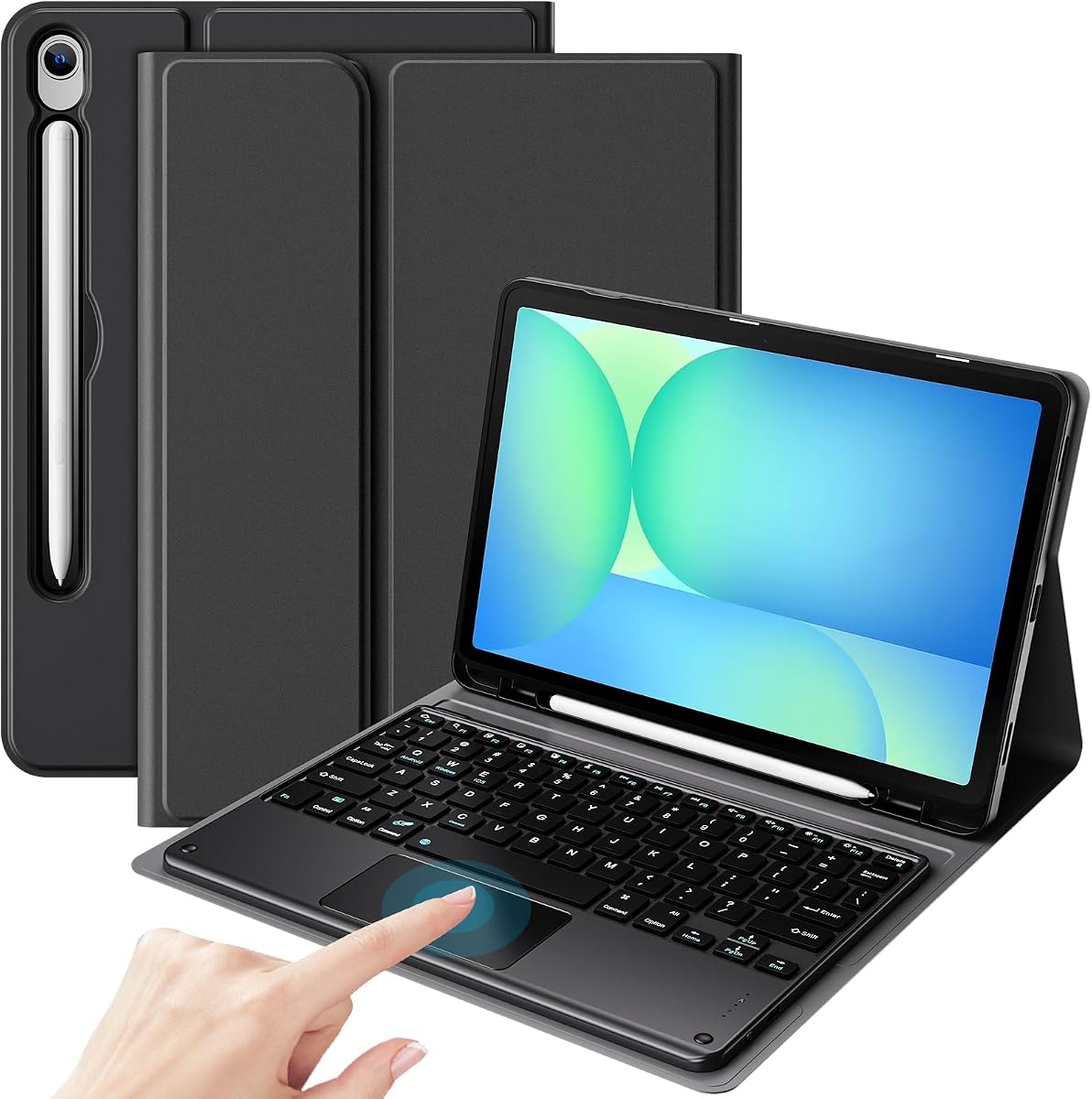


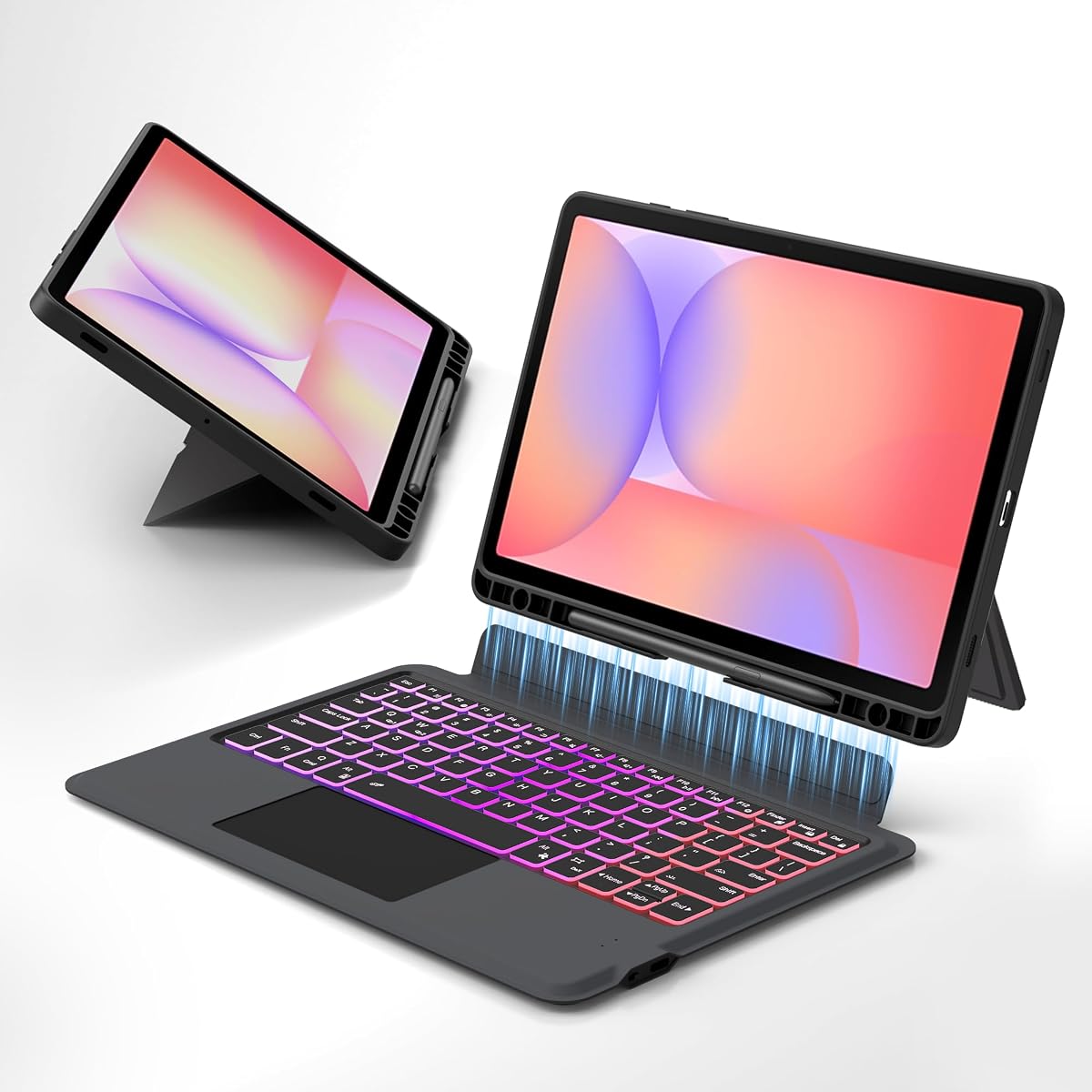
The FINTIE Keyboard Case offers a straightforward and reliable solution for Galaxy Tab S10 Lite users. It holds a strong rating thanks to its balance of utility and value. The rechargeable battery ensures you are not constantly hunting for cables during your day.
We may earn a commission when you buy through this link, at no additional cost to you.
Its standout feature is the fast charging capability that powers up in just two hours. The keyboard is magnetically detachable allowing you to use the cover as a stand independently. This flexibility supports both typing and media consumption modes effectively.
While it lacks a trackpad which might slow navigation for some users. the key layout is ergonomic and quiet. The anti-slip grooves help keep the tablet secure at your preferred viewing angle without slipping around on your desk.
This case is ideal for students or casual users who need typing functionality without extra cost. It delivers essential protection and typing comfort making it a smart choice for budget-conscious buyers seeking quality.
The built-in battery switches to energy-saving mode after ten minutes of inactivity to extend standby life significantly.
You can slide the keyboard forward or backward to adjust the tablet angle for comfortable writing or reading.
We may earn a commission when you buy through this link, at no additional cost to you.
Dexnor delivers a premium experience with features rarely found in this price range. The inclusion of a multi-touch trackpad significantly enhances navigation efficiency. This model is designed for power users who want a laptop-like workflow on their tablet.
We may earn a commission when you buy through this link, at no additional cost to you.
The aluminum alloy hinge provides sturdy support and smooth adjustments for any viewing angle. The dual pen holders ensure your stylus is always secure whether charging or stored. The backlight offers seven solid colors to suit your personal style or lighting needs.
While it is heavier than some competitors the added weight supports the durable construction. The trackpad might require a learning curve if you are used to touch-only interfaces. However the productivity gains outweigh this initial adjustment period.
Choose this case if you value robust build quality and advanced navigation tools. It transforms your tablet into a true productivity machine with reliable support for long work sessions and creative tasks.
Multi-finger gestures on the trackpad allow seamless switching between apps and documents without touching the screen.
A single charge provides up to 200 hours of working time ensuring you stay productive through extended usage.
We may earn a commission when you buy through this link, at no additional cost to you.
This case stands out as the highest-rated option in our comparison with a 4.8 rating. It combines premium materials with functional design to offer a superior typing experience. The keyboard feels responsive and sturdy under the fingers making it great for long typing sessions.
We may earn a commission when you buy through this link, at no additional cost to you.
The multi-finger touchpad supports smooth navigation and app switching reducing the need to lift your hands. With up to 80 hours of continuous typing the battery life is exceptional for its class. The surface material resists stains and fingerprints keeping it looking clean easily.
The weight is slightly higher than budget models which adds to the premium feel but reduces portability. The price is higher but the quality justifies the investment for professionals needing reliability. It balances performance and durability better than most competitors.
Opt for this case if you prioritize typing comfort and long-term durability. It is a top choice for users who demand the best accessories for their Galaxy Tab S10 Lite to support heavy daily workloads.
Scissor switch keys provide just the right bounce for smooth accurate typing without fatigue.
Type-C fast charging ensures the keyboard is ready for use again in just a few hours.
We may earn a commission when you buy through this link, at no additional cost to you.
This case includes a mouse alongside the keyboard making it a complete package for productivity. The rainbow backlight adds a touch of style and visibility in dim environments. Users praise its high rating due to the extra accessories included in the box.
We may earn a commission when you buy through this link, at no additional cost to you.
The keyboard supports seven adjustable colors and a breathing light mode for visual customization. The built-in pen slot keeps your stylus safe and accessible when not in use. The case folds securely to protect both the front and back of the tablet.
The mouse adds convenience but might take time to sync properly with your device. The keyboard keys are well spaced but feel slightly less premium than top-tier options. Still the value provided by the extra mouse is hard to beat at this price.
If you need a full computer-like setup with pointing devices this is a strong contender. It offers a complete solution for those who want to avoid buying separate peripherals for their tablet workflow.
The package includes the case keyboard and mouse all in one box for immediate out of box productivity.
Rainbow backlight modes let you cycle through patterns for a dynamic typing experience in the dark.
We may earn a commission when you buy through this link, at no additional cost to you.
ProCase focuses on delivering a streamlined experience with essential features without bloat. The multi-gesture touchpad allows efficient navigation through documents and web pages. Its slim profile ensures it does not add unnecessary bulk to your tablet setup.
We may earn a commission when you buy through this link, at no additional cost to you.
The stable stand design sits securely on laps or desks without wobbling during typing. Full protection covers the device against drops and scuffs while maintaining a clean look. The auto wake sleep function helps conserve battery power when the device is closed.
It lacks a pen slot which may be a drawback for S Pen users. The touchpad works well but does not offer the advanced features found in higher-end models. However for basic to advanced typing it remains a solid reliable option.
This case is best for those who want a clean simple keyboard case. It balances portability and functionality well making it a good daily driver for students and professionals alike.
The ultra-slim design ensures easy portability without adding significant weight to your travel bag.
Energy saving features extend overall usage time by managing power use efficiently when inactive.
We may earn a commission when you buy through this link, at no additional cost to you.
This case stands out with its stylish pink color and rainbow backlight options. It includes a mouse to round out the productivity setup for users who need one. The honeycomb cushioning adds a layer of safety against impacts and bumps.
We may earn a commission when you buy through this link, at no additional cost to you.
The detachable magnetic keyboard allows you to remove the typing portion when not needed. This turns the case into a simple folio for watching movies or reading. The sleep wake feature ensures your tablet saves power when the cover is closed.
The build quality is decent but not as refined as premium competitors. Some users might find the mouse connectivity inconsistent at times. However the price point makes it an attractive option for those wanting extras without a high cost.
Choose this if you prefer a colorful case with added accessories. It is a functional choice for casual users who value style and the convenience of having a mouse included.
The honeycomb grid pattern provides extra cushioning to protect your tablet from everyday bumps.
The pink finish and rainbow backlight add a personalized touch to your device for better visual appeal.
We may earn a commission when you buy through this link, at no additional cost to you.
This generic option provides essential features without the premium price tag. The rainbow backlight modes make typing in low light conditions much more comfortable. The touchpad responds well to inputs allowing for quick navigation and gesture support.
We may earn a commission when you buy through this link, at no additional cost to you.
Precise cutouts ensure full access to all ports and buttons on your tablet. The anti-slip texture helps keep the device stable on any surface. It offers comprehensive protection while maintaining functionality for daily tasks and productivity.
While it lacks unique brand features it does the job reliably for most users. The build is standard without extra padding or advanced hinge mechanisms. For budget seekers this case offers a good balance of utility and cost.
Ideal for users who need a simple keyboard case with backlight. It delivers core functionality effectively making it a safe pick for standard daily usage scenarios.
You can switch between backlight modes to suit your preference or turn it off to save battery.
Anti-slip texture facilitates easy forward and backward movement to find the most comfortable viewing angle.
We may earn a commission when you buy through this link, at no additional cost to you.
Samsung offers this official slim cover designed to match the look and feel of the tablet. The dedicated AI key allows quick access to assistance tools for faster queries. It provides a seamless PC-like experience when paired with DeX Mode.
We may earn a commission when you buy through this link, at no additional cost to you.
Wireless keyboard sharing lets you connect to compatible Galaxy devices easily for flexible workflows. The slim profile protects your device while maintaining a sleek modern aesthetic. Installation is instant thanks to magnets that hold the cover securely in place.
While it lacks a trackpad the keyboard typing experience is responsive and accurate. The price is higher than third-party options but ensures quality and exact fit. It is a great choice for fans of the official ecosystem.
Pick this if you want official compatibility and AI features. It supports productivity efficiently and looks professional on any desk or workspace.
Tap the dedicated key to access AI assistance and handle queries quickly via Bixby or Gemini.
Magnets hold the cover in place for instant installation without the need for screws or adjustments.
We may earn a commission when you buy through this link, at no additional cost to you.
GreenLaw offers a flexible keyboard case that supports connections to two devices at once. You can switch between your tablet and smartphone using simple function keys. The precision touchpad responds well to movements ensuring smooth navigation and cursor control.
We may earn a commission when you buy through this link, at no additional cost to you.
The 7-color backlight allows you to choose a vibe that suits your environment easily. The detachable design means you can use the keyboard or case independently as needed. This versatility supports both work and entertainment modes without hassle.
The touchpad might feel slightly less responsive compared to premium options in some cases. The angles are fixed but stable enough for most typing tasks. Overall it is a solid mid-range option for multi-device users.
Choose this if you need to switch between devices frequently. It provides the convenience of multi-device support while maintaining good typing and visual features for daily use.
Press FN+Q/W to switch between two connected Bluetooth devices for seamless workflow switching.
Easily switch between 7 gorgeous colors to match your style or preference in any setting.
We may earn a commission when you buy through this link, at no additional cost to you.
This case features a robust 270-degree hinge for maximum adjustability during tasks. The One-Click DEX Mode button simplifies switching to a desktop interface on your tablet. A smart trackpad allows precise control for editing documents and web browsing quickly.
We may earn a commission when you buy through this link, at no additional cost to you.
The full row of shortcut keys provides direct access to brightness and volume settings. The 4 usage modes support typing sketching viewing and reading without removing the tablet. The built-in pen holder keeps your S Pen secure and within reach.
The weight may be noticeable for users who travel frequently with their devices. Some features require setup to ensure optimal performance with your specific apps. However for stationary workstations it is a powerful tool for productivity.
Select this case if you need maximum flexibility and DEX support. It is designed for users who want to replicate a laptop experience on their tablet effectively.
Precision hinges allow 270-degree stepless adjustment for any scenario from work to drawing.
Android OS shortcut keys let you change brightness and volume with just one tap.
We may earn a commission when you buy through this link, at no additional cost to you.
Selecting the right keyboard case depends on your specific needs and budget. This guide covers the essential factors to consider before making your purchase.
Always verify the model number of your Galaxy Tab S10 Lite before buying. Cases are often designed for specific models like S10 Lite or S10 FE and may not fit others due to different cutouts. Check the product description for exact model numbers to ensure a perfect fit.
Matching the exact model ensures all ports and buttons remain accessible for a better experience.
Decide between a fixed keyboard and a detachable one based on your workflow. Detachable keyboards allow you to use the case as a stand alone when typing is not needed. Fixed keyboards are generally slimmer and less prone to losing parts.
Detachable options offer more flexibility for mixed usage scenarios like typing and media consumption.
A trackpad provides a laptop-like navigation experience that is faster than touch-only input. Look for models with multi-touch gestures to support app switching and scrolling. However trackpads add cost and might make the keyboard heavier.
Choose a trackpad if you frequently manage files or use productivity apps on your tablet.
Backlit keys are essential if you work in low light conditions such as at night. Most cases offer multiple colors or brightness levels to suit your preferences. This feature improves typing accuracy and adds a touch of style to your device.
Backlighting is a valuable feature for those who use their tablet in varied lighting environments.
If you use an S Pen look for a case with a built-in slot or holder. This prevents your stylus from getting lost or damaged when not in use. Some models even offer charging integration for the pen while stored.
Secure pen storage keeps your stylus safe and ready for quick creative tasks.
Consider the battery capacity and how long it lasts on a single charge. Some cases offer up to 200 hours of standby time while others focus on fast charging. A long-lasting battery means fewer interruptions during your work day.
Look for models with efficient power management to ensure consistent usage.
Premium materials like aluminum hinges and PU leather add durability and a sleek look. Cheaper options might use plastic which can feel less sturdy over time. The right material protects your tablet from drops and scratches effectively.
Investing in quality materials extends the life of your case and protects your device.
Prices vary significantly from budget options to premium builds. Determine how much you are willing to spend based on the features you need most. A higher price does not always mean better performance but usually includes more features.
Balance your budget with essential features to get the best value for your money.
To get started attach the tablet securely into the case ensuring the magnets align correctly. This guarantees that the wake sleep function works as intended when you open or close the cover.
Charge the keyboard fully using the included USB-C cable before first use. Regular charging ensures the battery life remains consistent and prevents unexpected shutdowns during important tasks.
Clean the surface with a soft dry cloth to remove dust or fingerprints. Avoid using harsh chemicals on the keyboard keys or touchpad to prevent damage to the coating.
No most cases are designed specifically for the Galaxy Tab S10 Lite or related FE variants. Using it on a different model can lead to poor fit or blocked ports. Always check the compatibility list before purchasing.
Most keyboards connect via Bluetooth. Turn on Bluetooth on your tablet and press the pairing button on the keyboard. Once connected it should remember your device for future use automatically.
Yes most cases with detachable keyboards allow you to use the cover as a standalone stand. This is useful for watching videos or reading without the weight of the keyboard.
Most models include a slot for the S Pen but do not charge it internally. Place the pen in the holder to keep it secure during transport or use.
Use a soft dry cloth or a small brush to remove dust. Avoid liquids directly on the keys to prevent damage to the internal components.
Yes most quality cases support auto wake and sleep functions. Closing the cover puts the tablet to sleep while opening it wakes the device.
We reviewed ten top keyboard cases for the Galaxy Tab S10 Lite ranging from budget to premium options. Each offers unique features like trackpads backlighting and pen storage to suit different needs.
Prioritize features like battery life and build quality if you plan to use your tablet daily. The best case is the one that supports your workflow without adding unnecessary bulk or cost.
Remember to verify your model number and check current availability before finalizing your purchase. Accessories change frequently so always confirm compatibility to ensure a smooth experience.